
Finance User Manual ENG -> 3. Payments -> 3.3 Finance Payments and Registers -> LUFI-30303 Cheque Registers
LUFI-30303 Cheque Registers
LU Introduction
Each bank register with a physical cheque book should have a corresponding cheque register. The cheque register is used to distinguish the moment when a cheque is issued from the moment a cheque is cashed in and the money is removed / received from/to your bank account. In the system, a cheque register is tied to a bank register at time of creation.
Two (2) tabs are located on the middle of Cheque Register the form. They are called the {Transaction} and the {Responsible}. The {Responsible} tab reflects the list of authorized users to access the register. The {Transaction} tab is used to record entries in this register.
When a cheque entry is created, the cheque number of the physical cheques must be recorded otherwise it cannot be saved.
Additionally, the system performs a check on the cheque number to make sure it is not duplicated.
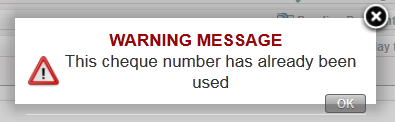
The user is trying to record a cheque payment using a cheque number already input. This is the warning message displayed.
When you receive the bank statement to confirm the cheque has been cashed, you import the cheque entry into the bank register. See LUFI-30206 Cheque entries imported into a bank register.
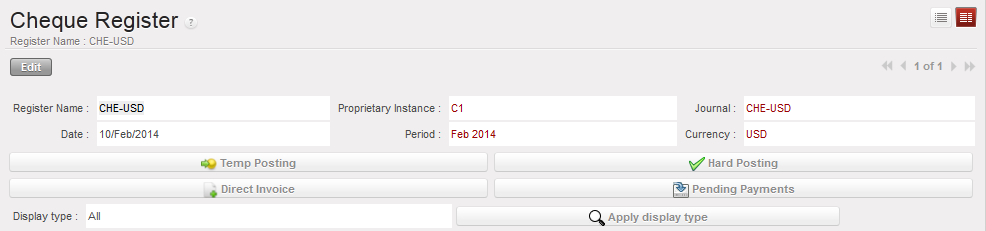
Header fields of Register form
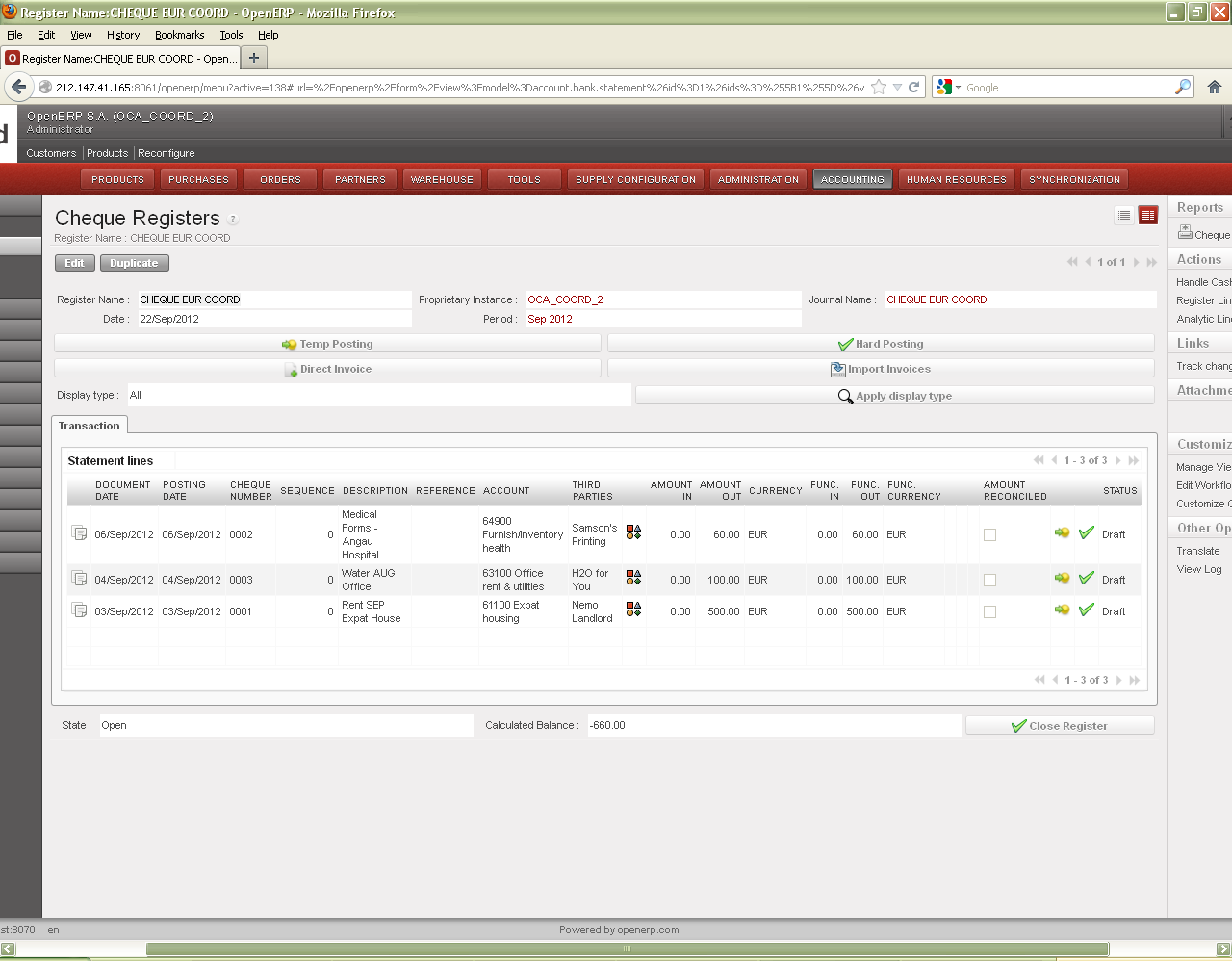
Many screens in the cheque register are similar to the cash and bank register. However, some information is specific to the cheque register.
Once a cheque has been imported into the bank register, it is reconciled – in other words, it is matched with the bank register entry. A cheque being reconciled is another way of saying it has been cashed/paid from the bank account. The cheque screen allows you to view all cheques. A quicker way to identify which cheques were not reconciled is to use the field “Display Type” and select “Outstanding cheques only”. This will display cheques which were not imported AND imported cheques not hard posted yet.
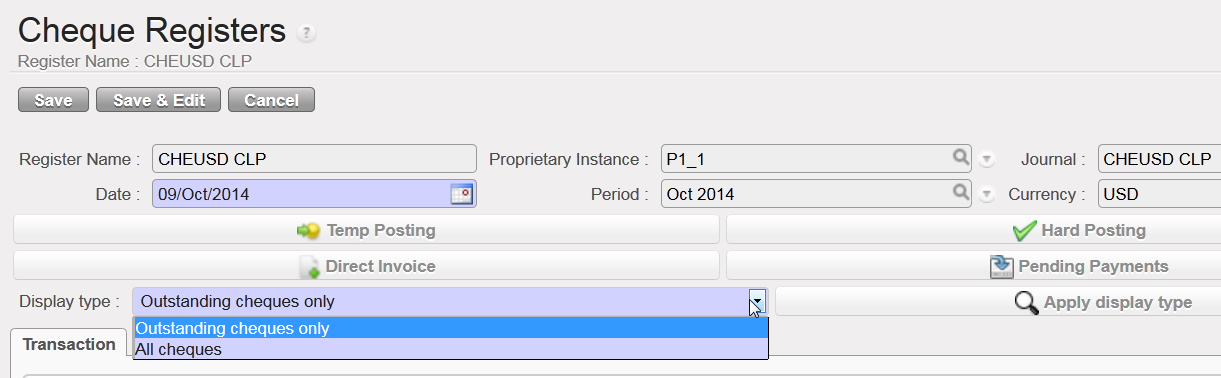
Changing display in Cheque Register

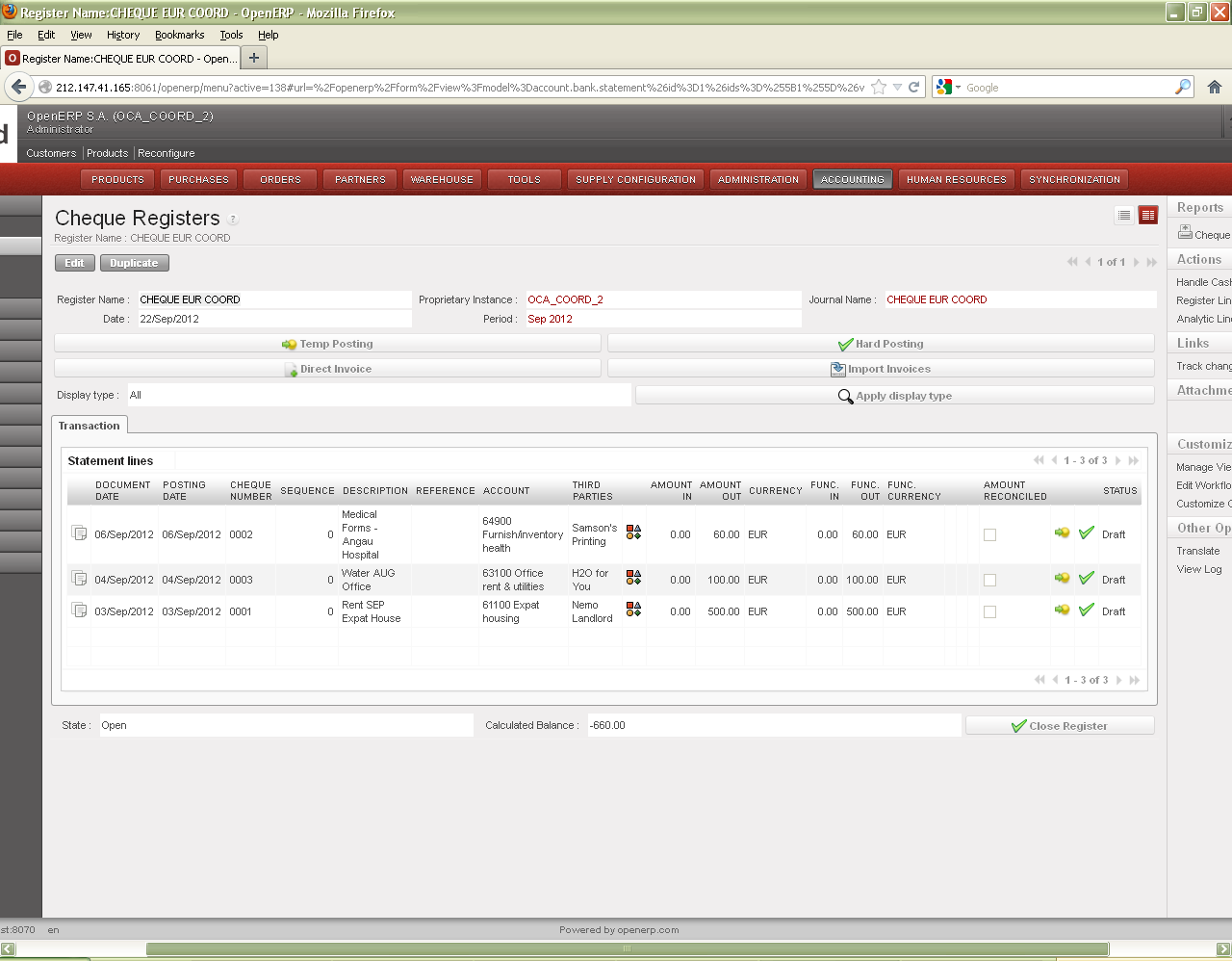
Fields on lower half of Register form
| Title of field | Entry protocol |
| State | System generated; Draft, Open or Closed |
 |
WARNING! This button {Close Register} should only be used when closing the register at the end of the period. It does not delete the register. Once closed, only a user with an Administrator profile can re-open the register and the related cash count. |
CHEQUE REGISTER REPORTS
The Reports menu on the right side bar contains reports that can be run in Cheque Registers.
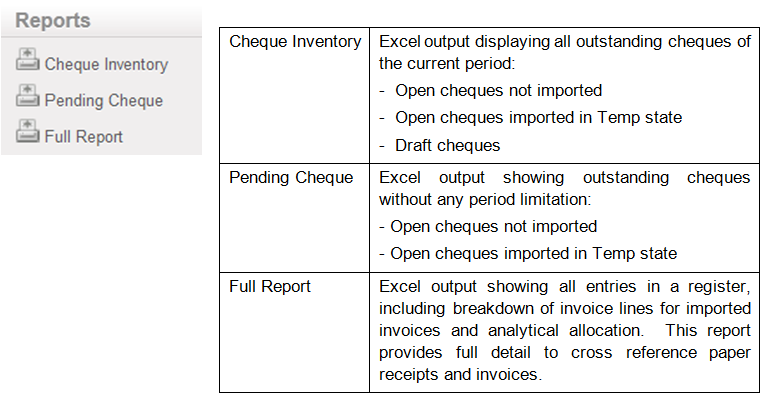
For further information on these reports, see UniField Chapter5 –Searching, Correcting and Closing
