
Finance User Manual ENG -> 3. Payments -> 3.3 Finance Payments and Registers -> LUFI-30304 Bank Registers
LUFI-30304 Bank Registers
LU Introduction
Bank Registers are used to import all cheque register payments from the cheque register and to record bank payments which do not involve cheques. For example transfers or bank fees entries can be manually added directly into the bank register.
Two (2) tabs are located in the middle of the Bank Register the form. They are called the {Transaction} and the {Responsible}. The {Responsible} tab reflects the list of authorized users to access the register. The {Transaction} tab is used to record entries in this register.
Many screens in the bank register are similar to the cash and cheque register. However, some information is specific to the bank register.
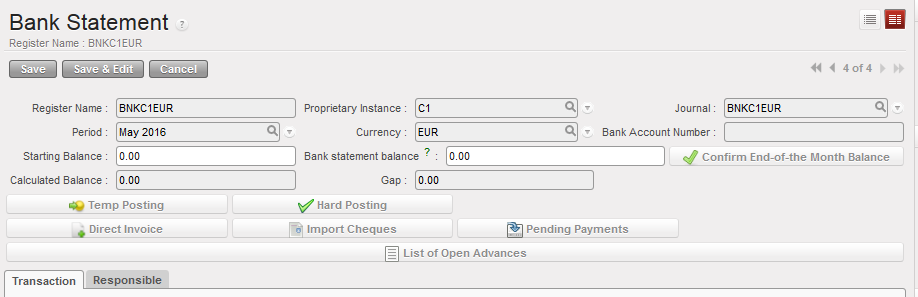
Header fields of Register form
| Title of field | Entry protocol | Source for Information |
|---|---|---|
| Register Name | System default | Journal from which it was created |
| Proprietary Instance | System default | UniField instance or database |
| Journal | System default | Journal from which it was created |
| Period | System default | Defaults to current period; can be changed in Draft but fixed after register is opened |
| Currency | System default | Currency for which the journal was created |
| Starting Balance | Manual entry only on first creation; system default thereafter | Bank closing balance from previous period |
| Bank statement balance | Manual entry | Balance from bank statement at the end of the month; entered as part of bank reconciliation and month end closure |
| Calculated balance | System generated | Starting balance – sum of bank entries |
| Gap | System generated | Bank register balance – Calculated balance |
| Button | Description |
 | Automatically retrieves unreconciled cheques |
 | This wizard shows all open advances given to employees. The advances can be directly returned through selecting the correct entry through this list. |
 | This wizard shows a list of all payables that can be imported in registers (payables that are of same currency than the register). The payables can be imported into the register individually or by group (same third party). |
Finally the lower half of the form shows the following fields:
| Title of field | Entry protocol |
| Opening Date | Automatic input. System default to the date the register was opened |
| Closed On | Automatic input. System default to the date the register was closed |
| State | System generated; Draft, Open or Closed |
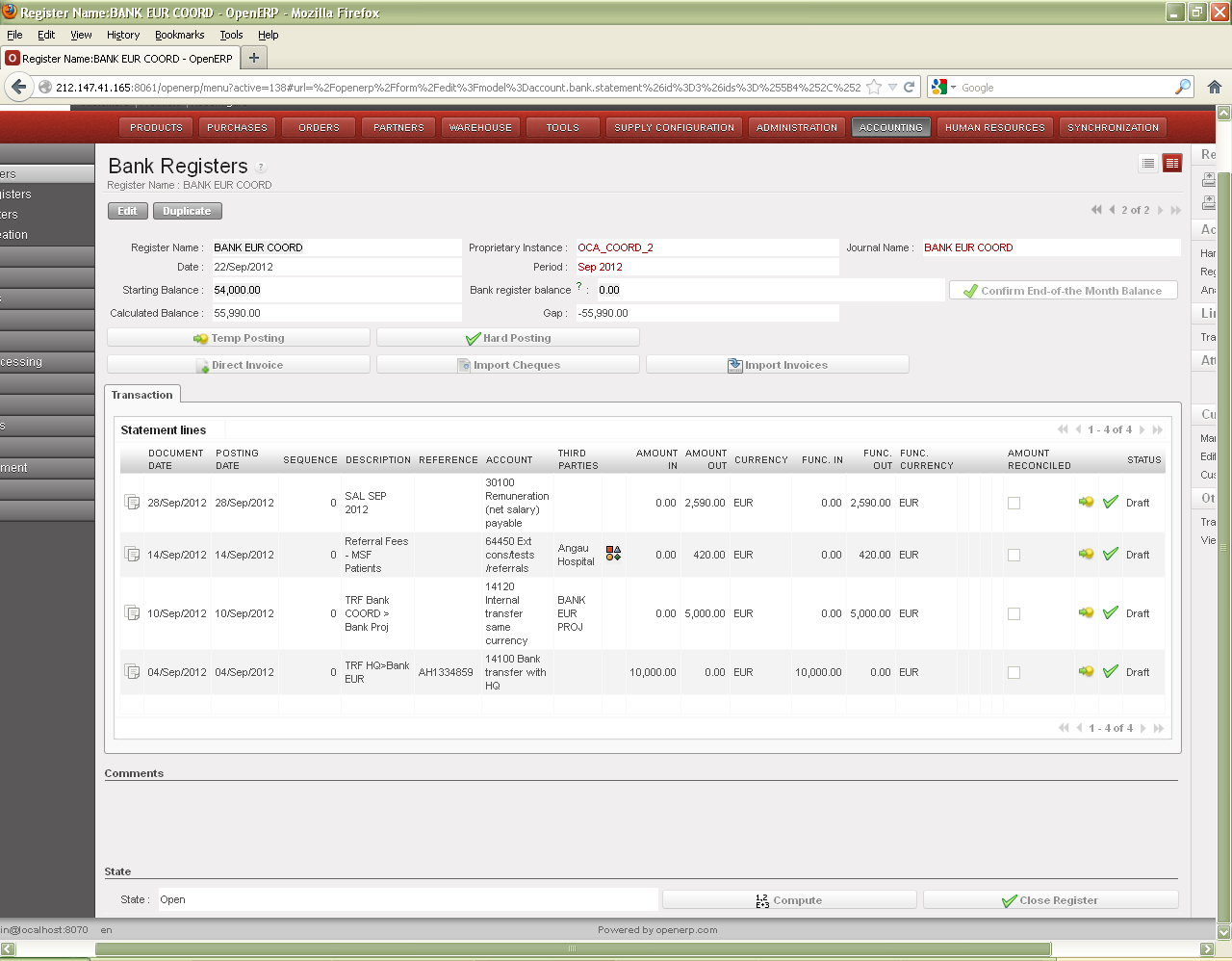 | System recalculate all balances |
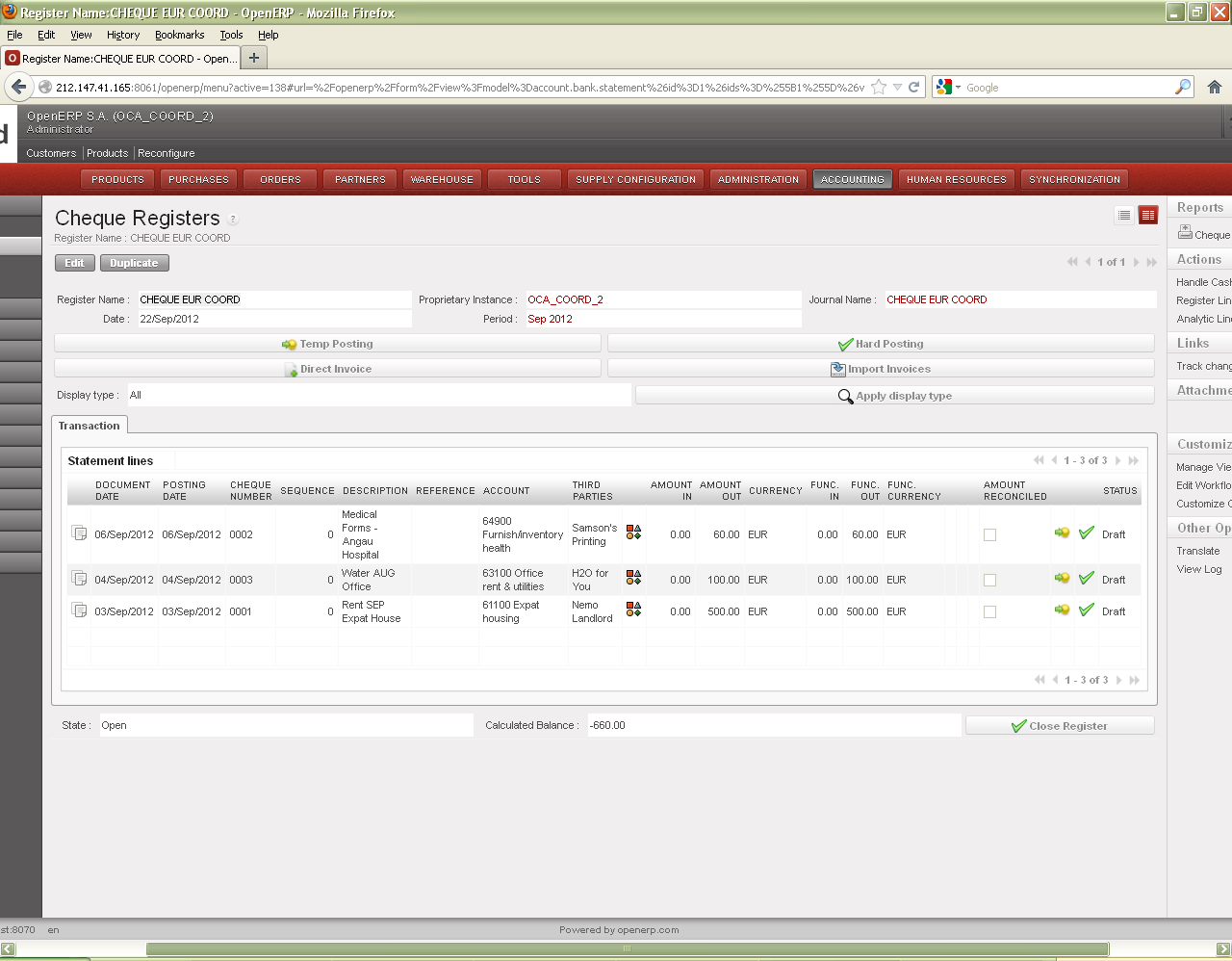 | WARNING! This button {Close Register} should only be used when closing the register at the end of the period. It does not delete the register. Once closed, only a user with an Administrator profile can re-open the register and the related cash count. |
The Reports menu on the right side bar contains reports that can be run in Bank Registers:

For further information on bank register reports, see UniField Chapter 5 – Searching, Correcting and Closing
