
Finance User Manual ENG -> 5. Searching, Correcting and Closing -> 5.1 Searching -> LUFI-50106 Saved Queries/Template
LUFI-50106 Saved Queries/ Template
LU Introduction
UniField allows you to create and save queries that may need to be used repetitively. Users can access queries created by other users in the same instance.
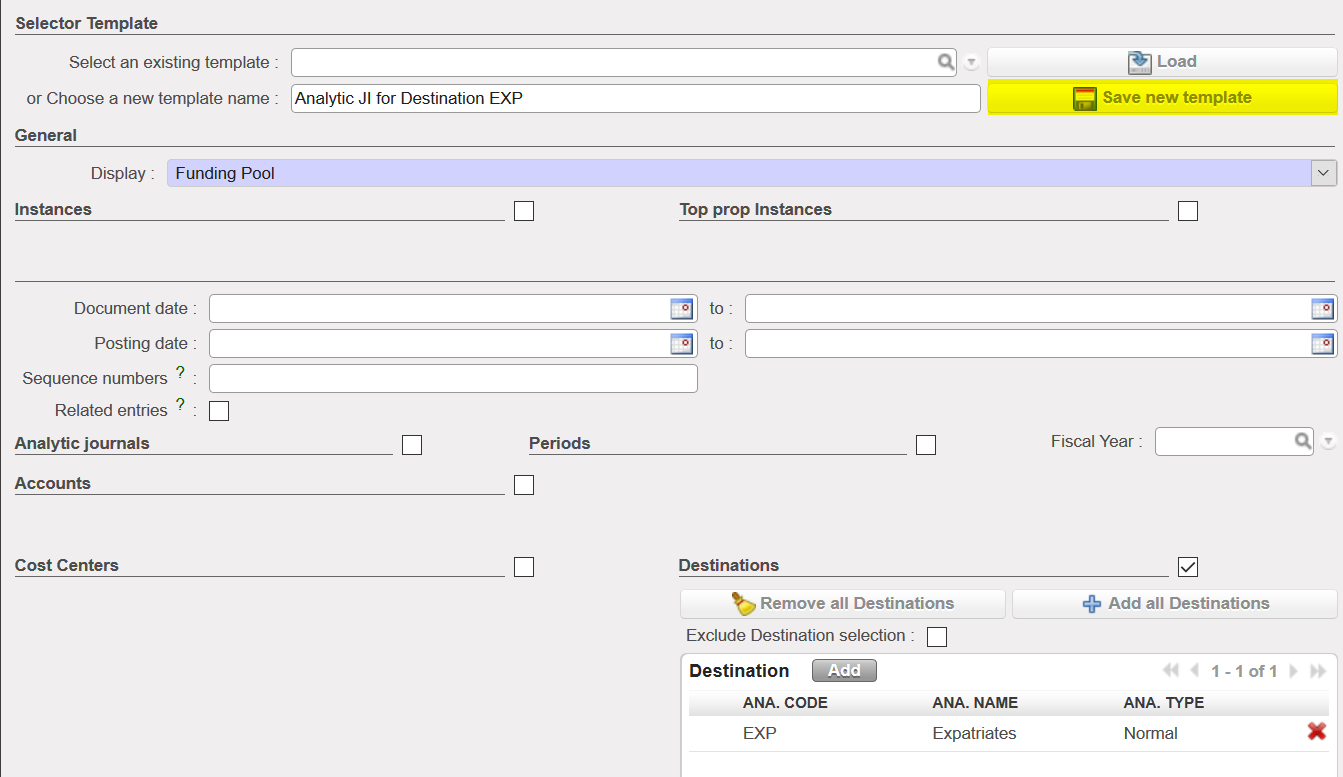
How to Save a Selector Query/Template Saving a query in the G/L or Analytic Selector is the same process. For the purpose of this exercise we will save a search in Analytic Selector for all entries allocated to destination “Expatriate”.
Go to: Accounting/Selector/Analytic Selector
- Enter a name for your search in in {Choose new template name}

- Expand the Search view of the Destinations criteria and Select the criteria {Expatriate}
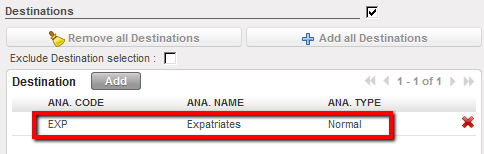
Expatriate destination selected as saved Search criteria
- Click on { Save new template }
- Next time when you go to Selector/Analytic Selector, search for the query you want by clicking on the magnifying glass in {Select an existing template}

- Select the template (query) that you want.
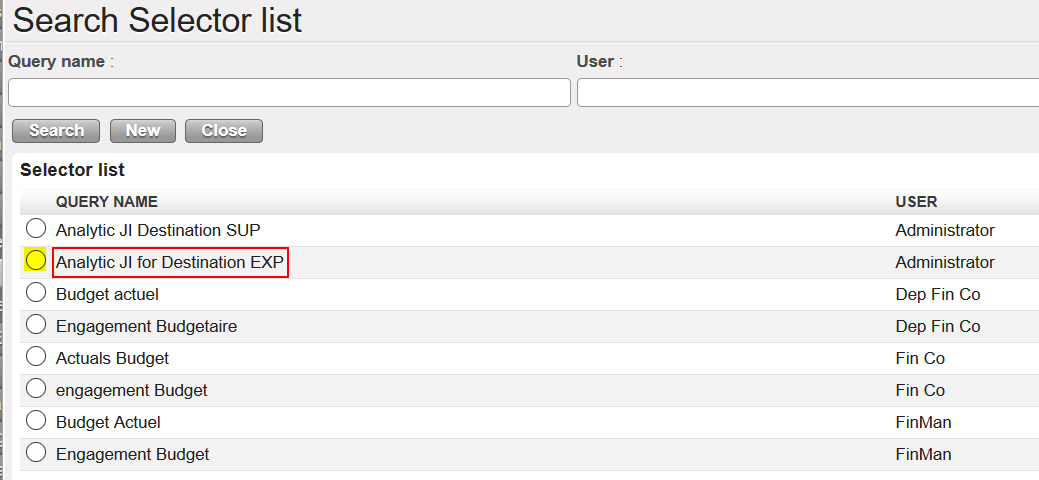

- Finally, click on {Search} to export your report.

