
Finance User Manual ENG -> 5. Searching, Correcting and Closing -> 5.2 Corrections. -> LUFI-50203 Direct Invoices
LUFI-50203 Direct Invoices
How to Correct Direct Invoices Imported in Registers, Hard-Posted
When the register line corresponding to a Direct Invoice is Hard-posted, the status of the invoice changes from {Draft} to {Paid}. The entry cannot be edited or deleted any more.
If a correction needs to be made on the account code or analytic distribution of an invoice line, the user can click on the link to the analytic lines associated with the Direct Supplier invoice to use the Corrections Wizard (See Supplier Invoice paid in Registers, hard-posted).
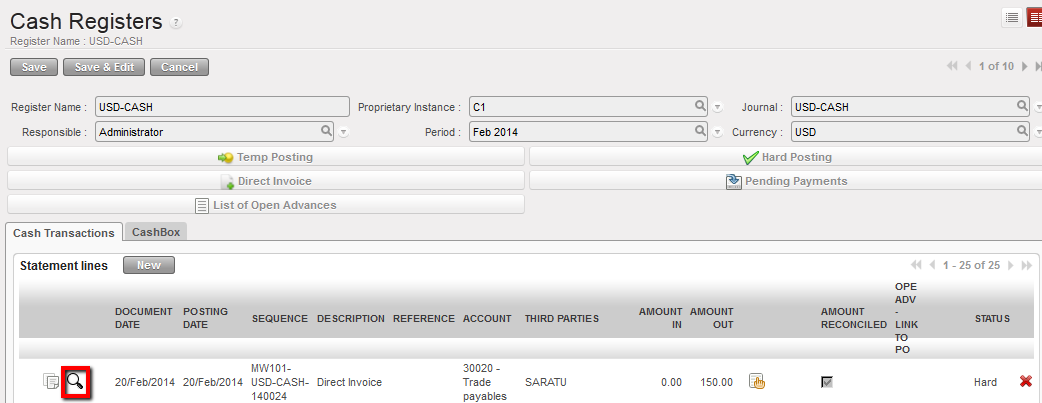
Link to analytic journal items to make correction to account or AD
If a correction needs to be made on the following fields, use the Refund (non-editable) functionality (See Supplier Invoice paid in Registers, Temp and Hard-posted).
- Product
- Price
- Quantity
- Supplier
- Document date
- Currency
Refund functionality on a Direct Supplier Invoice
Go to: ACCOUNTING/Suppliers/Supplier Direct Invoices
- Open the paid Direct Supplier Invoice in Form view to refund it
- Click {Refund}
Paid Supplier Invoice to be refunded
- The Refund window opens for the user to complete the fields. In {Description}, explain what is being refunded and why. When you are done, press the {Refund} button.
Refund window
- A new line appears in the Supplier Refund search window. The refund invoice is ready to be edited. The description of the invoice is copied from the entry made in the {Refund} window. Click on the pencil to open in Form view.
Supplier Refund automatically created
- The Supplier Refund is a copy of the original direct invoice but the credit/debit amounts are reversed to cancel the original entries. Click {Validate} and the status changes from {Draft} to {Open}.
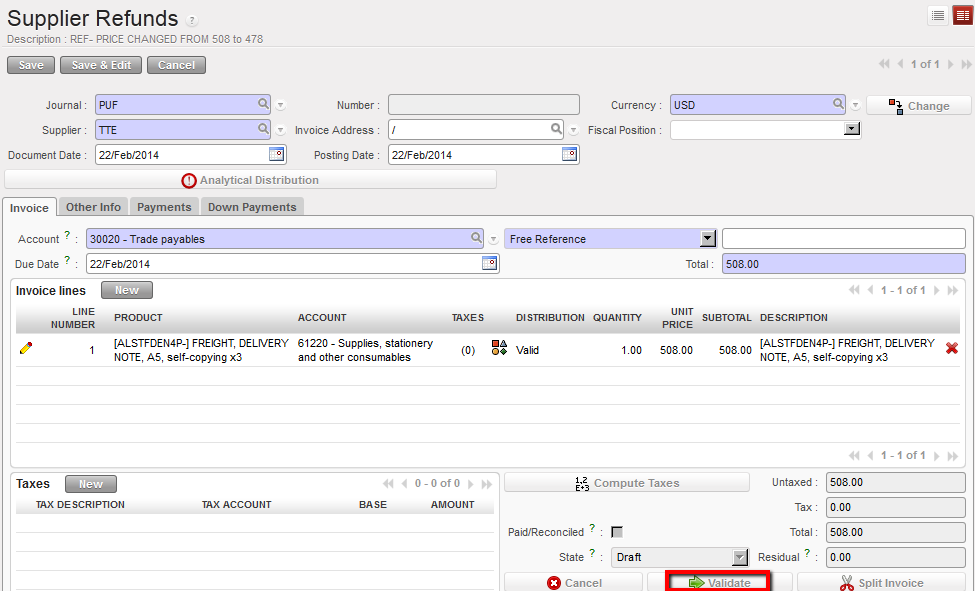
Supplier Refund is a copy of the original invoice with reversal credit/debit entries
The Journal Items are as follows:
The original Supplier Direct Invoice when paid (register line hard posted):
- Debit to the expense accounts for each invoice line
- Credit to 30020 Trade Payables
- Credit to the cash account to reduce the cash balance
- Debit to 30020 Trade Payables to reconcile the outstanding payable
The Supplier Refund invoice validated:
- Credit to the expense accounts for the amount refunded for each invoice line
- Debit to 30020 Trade Payables
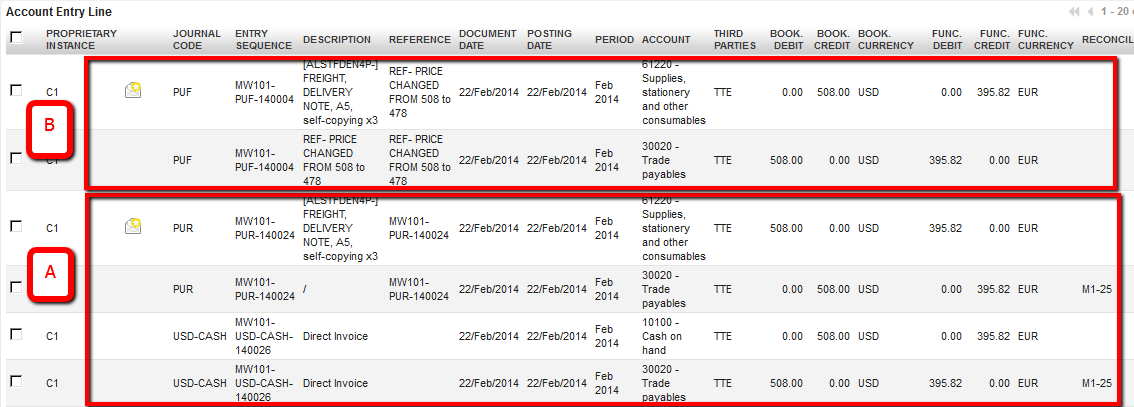
Journal Items from supplier direct invoice and supplier refund
- To completely reverse the paid invoice, you need to refund the cash balance in the register. Click on {Pending Payments} in Registers
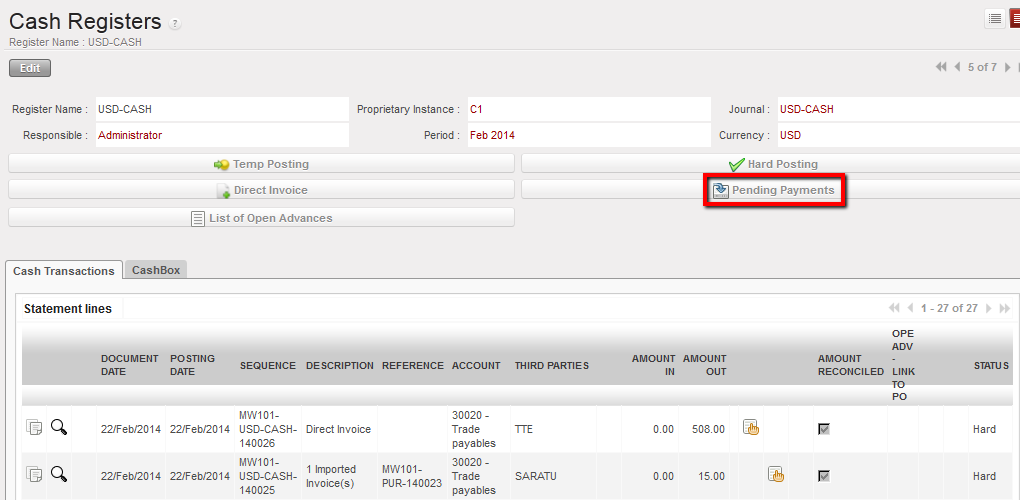
Pending Payments in Registers
- The {Import Entries} window opens. Click {Add}.
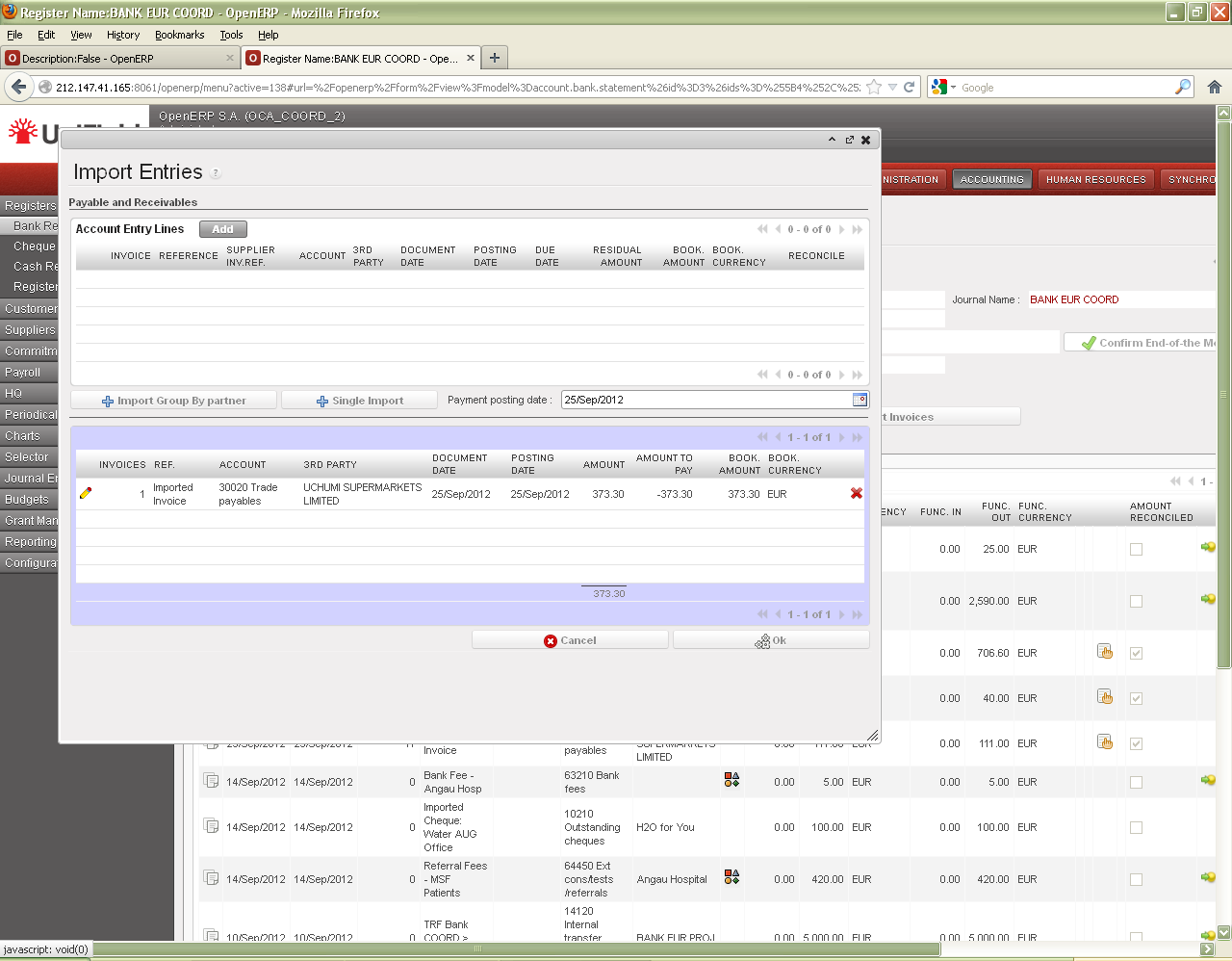
Import Entries
- In the Search Account Entry Lines window, select the supplier refund invoice to import.
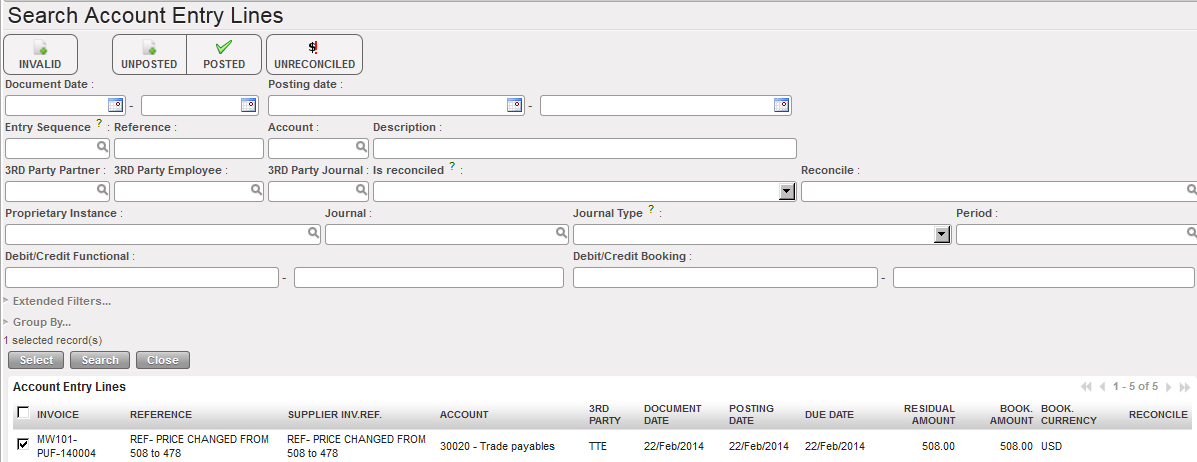
Selection of a refund invoice linked to a direct invoice
- A register entry is created with the Amount In equal to the refund amount. This operation restores the cash balance to the amount before the invoice was paid.
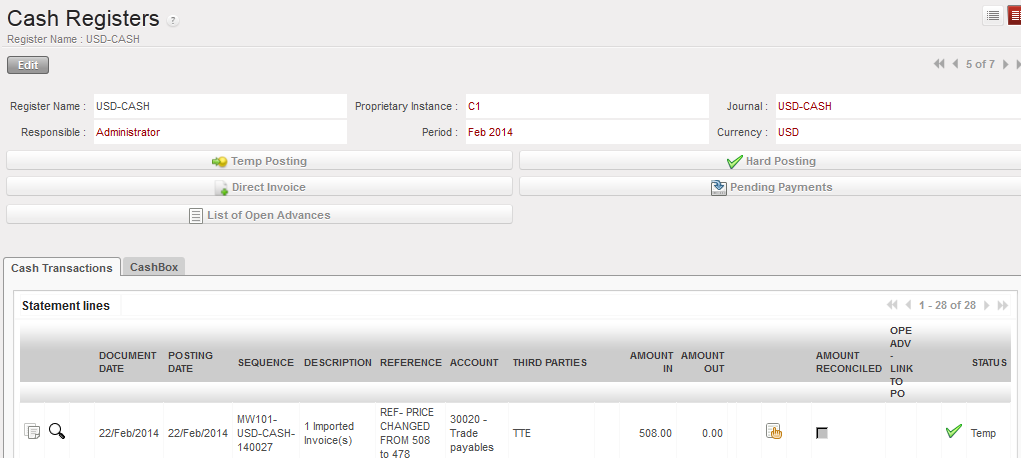
Register entry created from refund
- In Journal Items, double entries are created from the refund in the register:
- Debit cash account to increase balance from Amount In
- Credit 30020 Trade Payables
- When the register entry is hard-posted, the Supplier Refund is marked {Paid} and UniField automatically reconciles the {30020 – Trade Payables} debit from the Supplier Refund with the credit from the register.
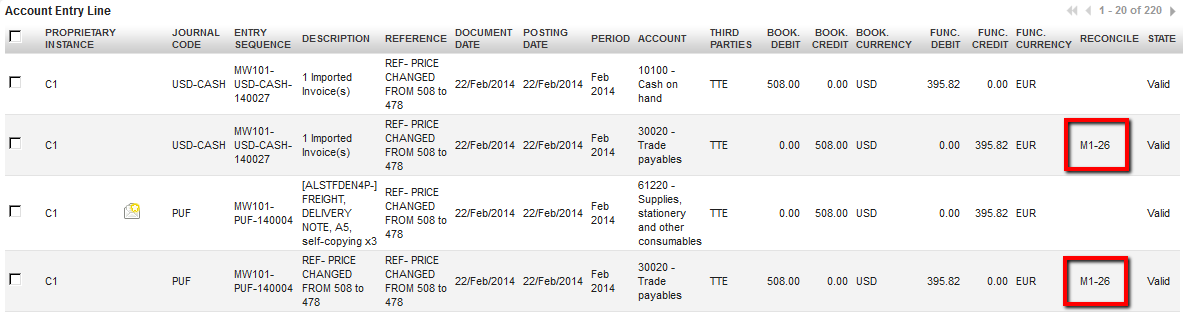
Journal Items created from refund payment in the register; payable entries reconciled
- Now you need to create a new supplier direct invoice with the corrections, e.g. price. You will do it from the register. (see LUFI-30207 Chapter Payments)
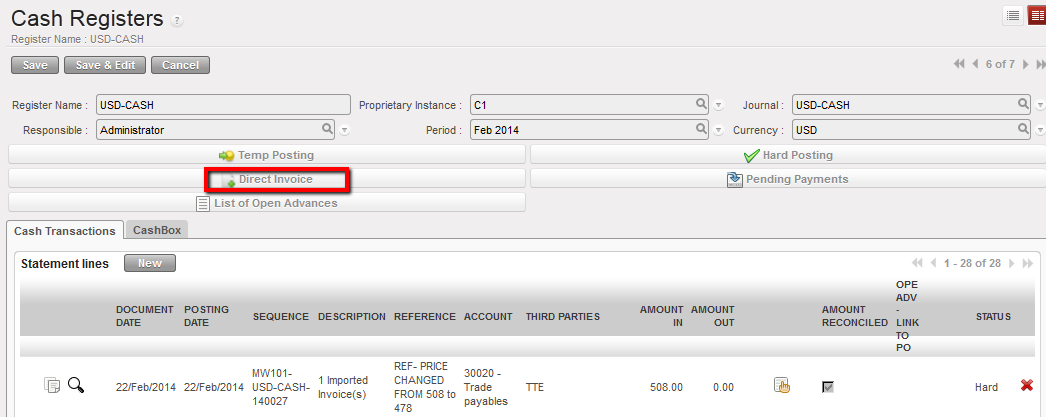 Direct Invoice functionality on a cash register
