
Finance User Manual ENG -> 5. Searching, Correcting and Closing -> 5.2 Corrections. -> LUFI-50204 Imported Cheques
LUFI-50204 Imported Cheques
LU Introduction
This section addresses corrections when the cheque is imported into the bank register, i.e. the wrong cheque has been imported and the corresponding bank register line is hard-posted.
How to Correct Hard-Posted Cheque Imported in Bank Registers
If an incorrect cheque has been imported into the bank register and hard-posted, the correction is a two-steps process.
For the first step, a reversing entry needs to be created in the cheque register to cancel the payment, and then imported into the bank register to adjust the balance. The second step will be to import the correct cheque into the bank register.
Next, you will create again the cheque which was wrongly imported so that you can reconcile it when it is cashed at your bank.
Go to: Accounting/Registers/Bank Registers
First step:
- In the bank register, identify the incorrectly imported cheque.
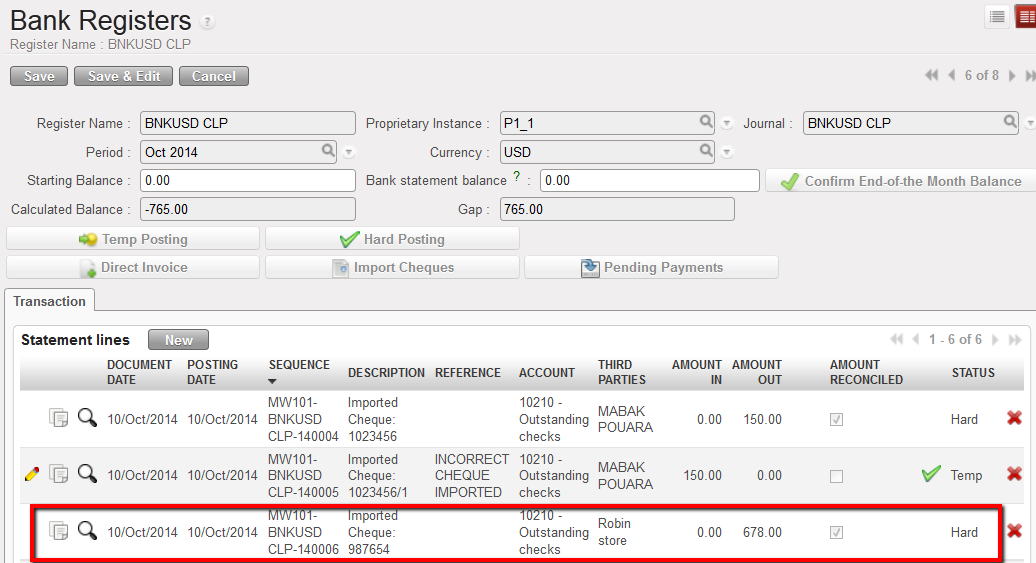
Incorrectly imported cheque in bank register
Go to: Accounting/Registers/Cheque Registers
- In the cheque register, click next to the incorrect cheque to duplicate the entry.
Duplicate the incorrect cheque in the Cheque Register
- Edit the duplicate entry to show that it is a reversal. Delete the {Amount Out} and enter the same value in {Amount In}. Hard-post the entry.
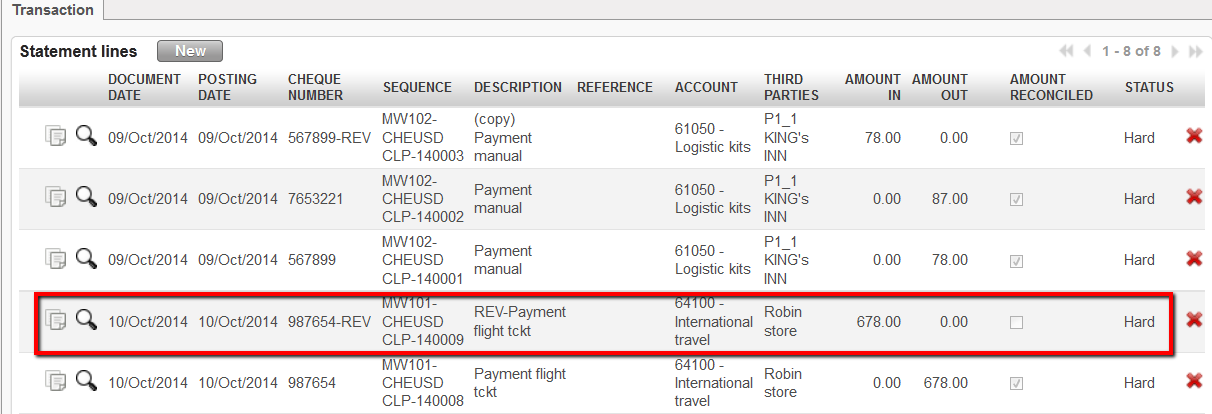
Duplicate the incorrect cheque in Cheque Registers
Go to: Accounting/Registers/Bank Registers
- Import the reversal cheque into the bank register which should cancel the payment and restore the bank balance. Hard post-it.
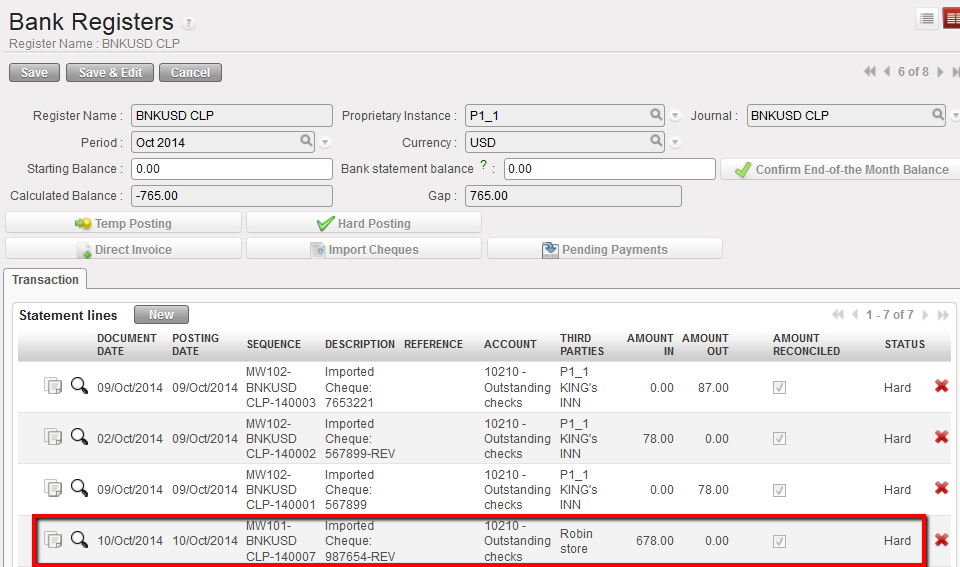
Import the reversal cheque into the bank register to cancel the payment
The Journal Items are:
The original entry in the cheque register (cheque payment):
- Debit to the expense account code
- Credit to 10210 Outstanding cheques
When the cheque is imported into the bank register (bank reconciliation):
- Credit to bank account to reduce the bank balance
- Debit to 10210 Outstanding cheques to reconcile the cheque, 10210 reconciled
The reversing entry in the cheque register:
- Credit to the expense account code to reverse the original entry
- Debit to 10210 Outstanding cheques
When the reversing cheque is imported into the bank register:
- Debit to bank account to restore the bank balance
- Credit to 10210 Outstanding cheques to reconcile the reversing cheque
Journal Items from original and reversing cheque imported into bank registers
Second step:
For the second step, a corrected cheque will need to be created in the cheque register and hard-posted. If the entry in the cheque register was for a:
- Direct Entry: duplicate the original cheque (incorrectly imported) with the same cheque number and with the correct information
- Supplier Invoice: refund the invoice to reverse the invoice lines and trade payables, then create a new invoice with the correct information (Supplier Invoices paid in Registers, hard-posted)
- Direct Invoice: refund the invoice to reverse the invoice lines and trade payables, then create a new invoice with the correct information (Direct Invoices imported in Registers, hard-posted)
