
Finance User Manual ENG -> 5. Searching, Correcting and Closing -> 5.2 Corrections. -> LUFI-50206 OD Journals
LUFI-50206 OD Journals
Types of OD Journals
Doing correction through the correction journal is called OD. The OD journal itself has different types depending on how and where you do the correction. We have different journals for journal entries corrections to be able to distinguish manual from automatic corrections and also a separate journal for the HQ corrections entries. This is to enable having a better follow-up of these sensitives’ entries.
| Code | Journal Name | Type |
| OD | Corrections | Correction Auto |
| ODM | Correction Manual | Correction Manual |
| ODHQ | Correction Automatic HQ | Correction HQ |
| ODX | Extra-Accounting corrections | OD-Extra Accounting |
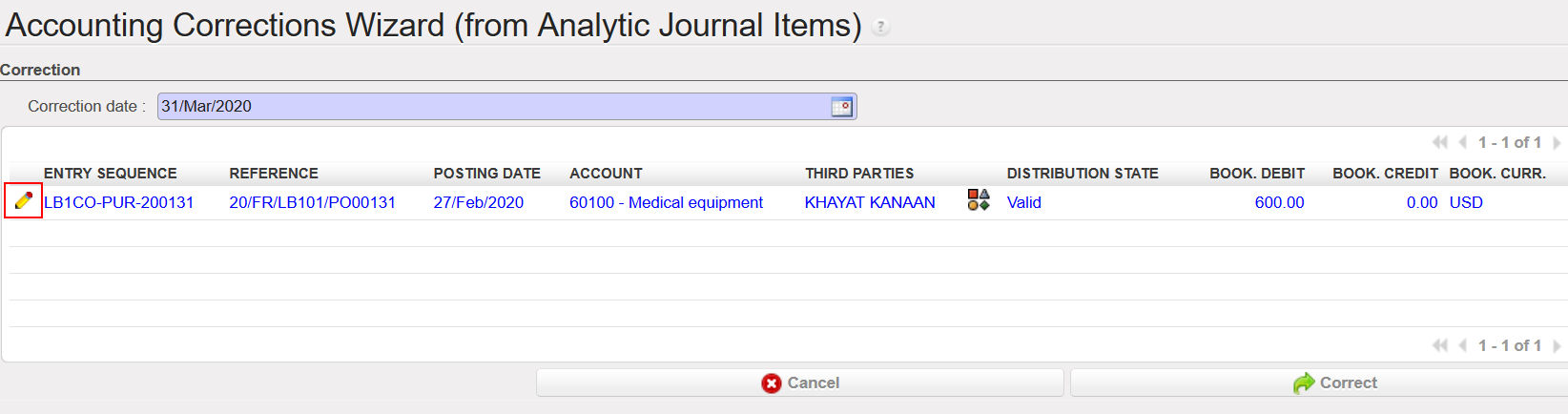
- OD: Analytic Journal Items => perform a correction in one line to change the accounting code by clicking in the envelope => Validate => The reversal and the correction will be booked in OD Journal.
- Click on the envelope.

2. Correct the accounting code, then save the changes and click on {Correct}.
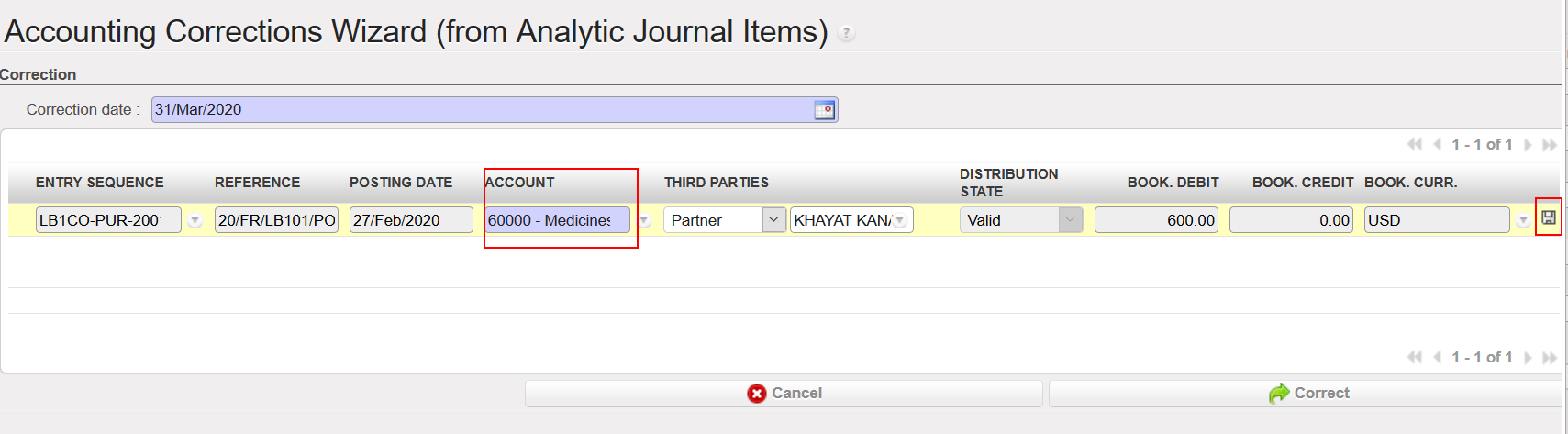
3. Both correction and reversal were booked in OD journal.

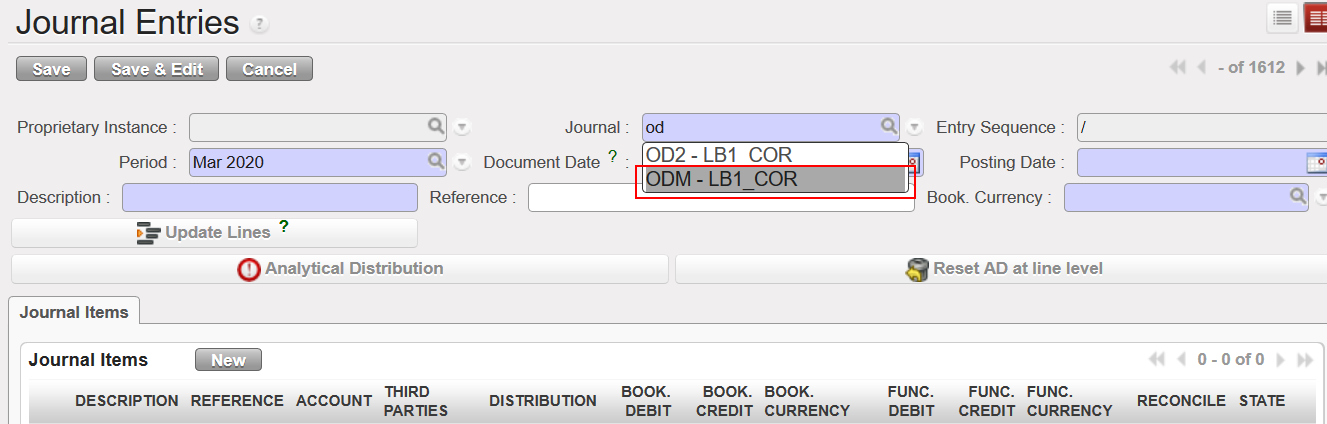
- ODM (Manual OD): Journal Entries => Journal Entries=> {New}=> In the Journal field, choose ODM=> Complete all other information=> Save or {Approve}=> This manual correction will be booked in ODM Journal. Manual correction (OD) is mainly used when you want t0o correct a balance sheet account, third party, description and reference…etc for entries that were already posted, an any other correction that cannot be done in an automatic way.
- Create a manual journal entry to correct a balance sheet account, you must choose ODM as a journal and you should never choose OD as a journal when you create a manual entry through Journal Entries. Once you are done, click on {Approve} to post the manual OD entry (ODM).
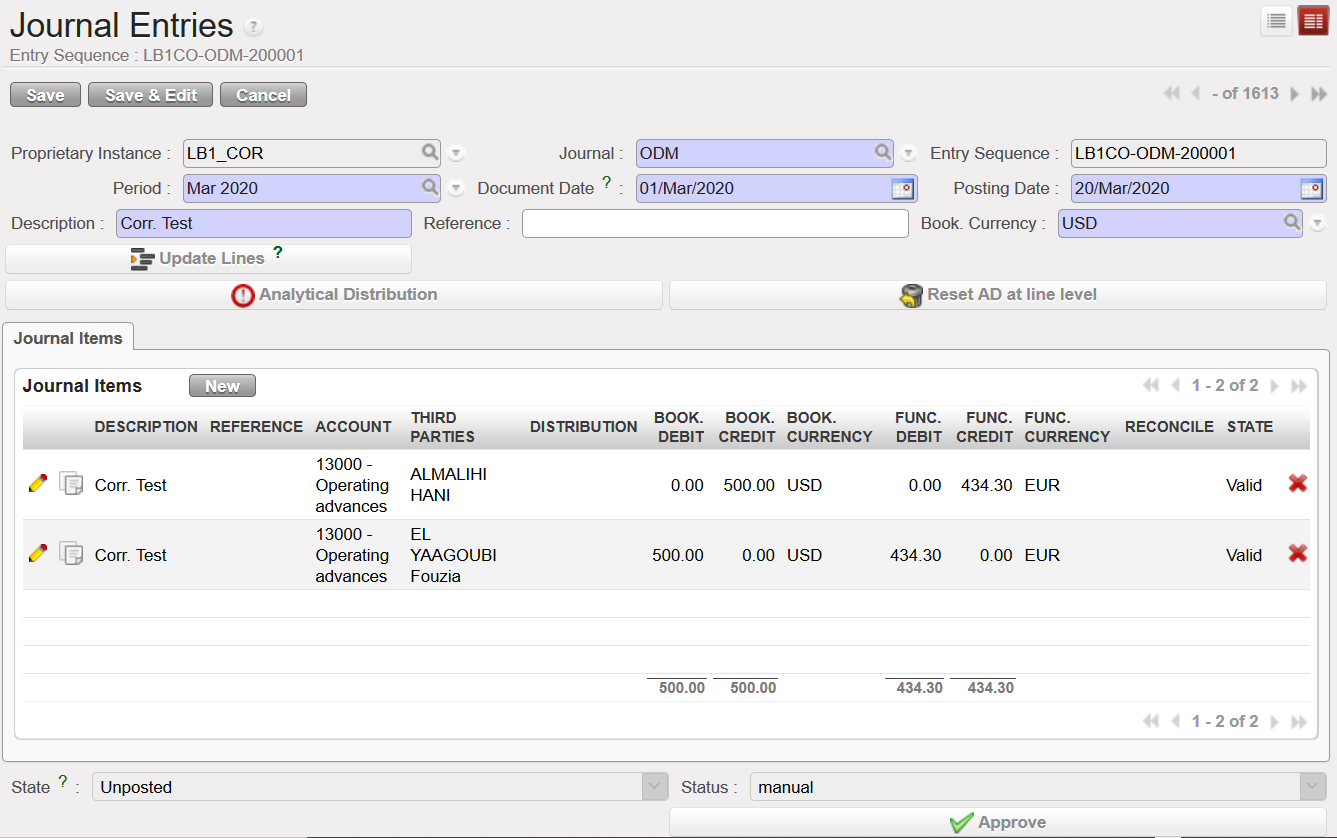
2. When you check in Journal Items, you will see that all the lines in the manual OD that created were all booked in ODM.

- ODHQ: When correcting HQ entries through HQ => HQ Entries to validate=> Do the needed correction => the correction of an HQ entry before validation will be booked in ODHQ Journal. HQ entries are imported at HQ instance and after the synchronization, the coordination will receive the HQ entries related to the mission.
- Only Coordination can correct and validate the HQ entries, any correction done at HQ entries will be booked in the HQ DO journal (ODHQ).
- Change the accounting code for instance in an HQ entry, save and then validate.


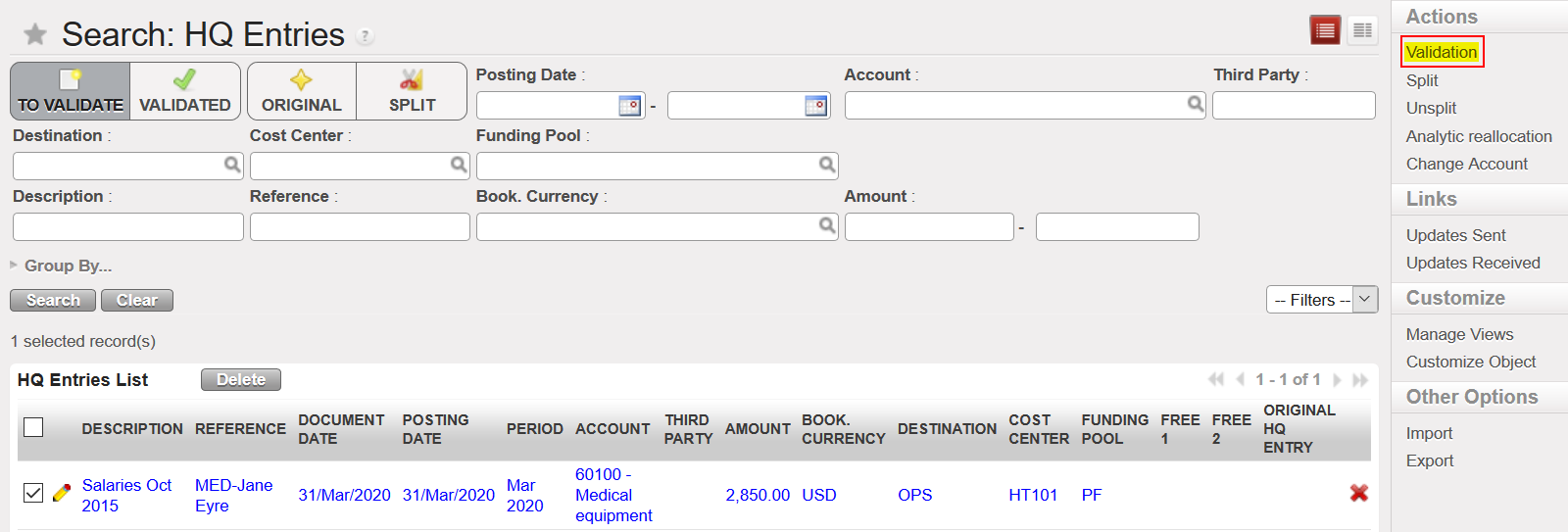
3. The correction of the HQ entry for both the reversal and the correction will be booked in the HQ correction journal (ODHQ).

- ODX: Same procedures as before. Same as we do with ODM. Just select ODX in the Journal field if it was regarding extra accounting corrections.
