
Finance User Manual ENG -> 5. Searching, Correcting and Closing -> 5.2 Corrections. -> LUFI-50207 Import and export of invoice lines
LUFI-50207 Import and export of invoice lines
New functionality to do modifications in an easy and quick way in the invoice lines
There will be a new functionality to export and to import the invoices lines via an excel file in order to do modifications in an easy and quick way (this feature exists already for the Purchase orders).
The following restrictions in the forms regarding the fields “Product” and “Quantity” will be applied in the Excel file. The fields will be not editable if:
- for SI: the doc either is linked to a Supply workflow or has been generated via the synchro
- for STV: the doc is linked to a Supply workflow with an intersection partner
- for IVO: the doc is linked to a Supply workflow
- for IVI: the doc either is linked to a Supply workflow or has been generated via the synchro
The deletion and the creation of new lines will not be possible;
The import will be possible just in draft status and the export in all status.
There will be checks at import time:
- The currency, partner and line numbers must exist and be valid, as they are used to determine the doc lines to modify.
- The posting date must be valid if it exists. If it doesn’t, which may happen because the doc is in Draft state, the date used to check account’s validity will be the current date.
- The accounts chosen at line level must be allowed in the document where the import is made.
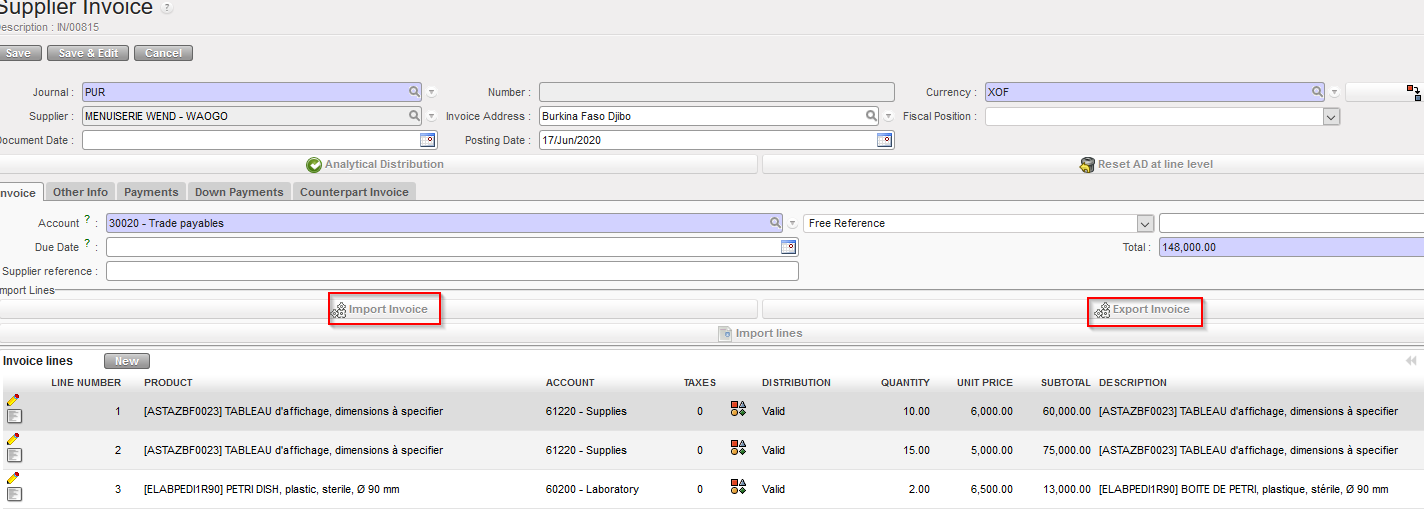
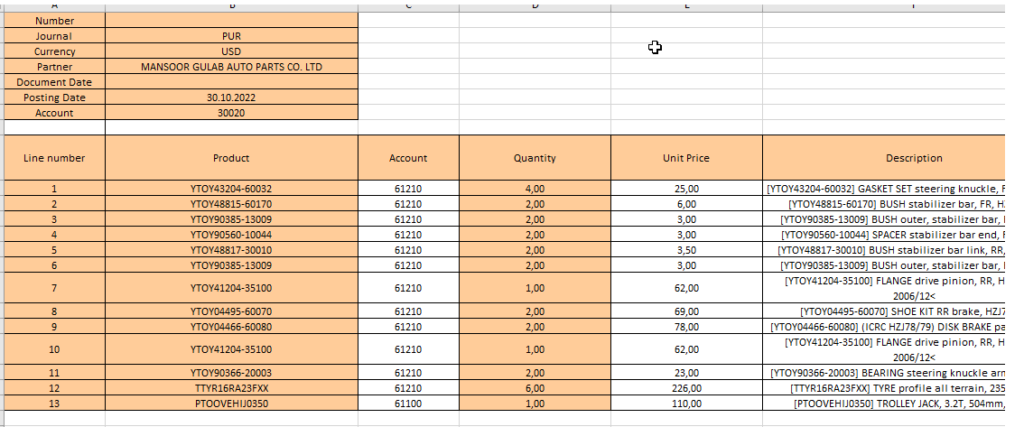
We Export the invoice by clicking “Export invoice”
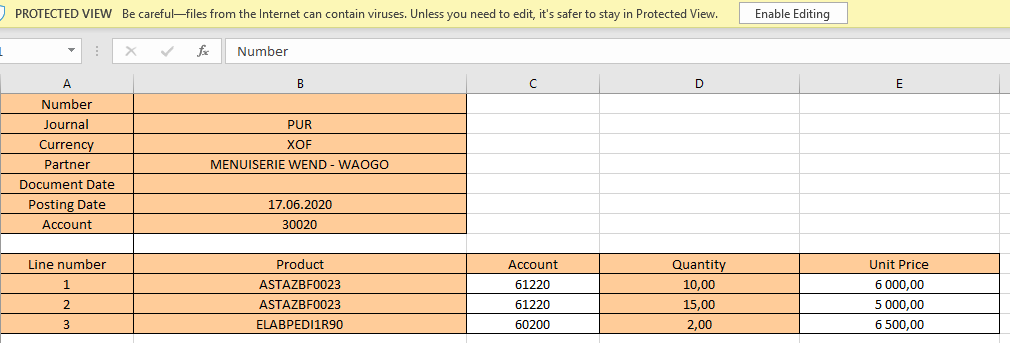
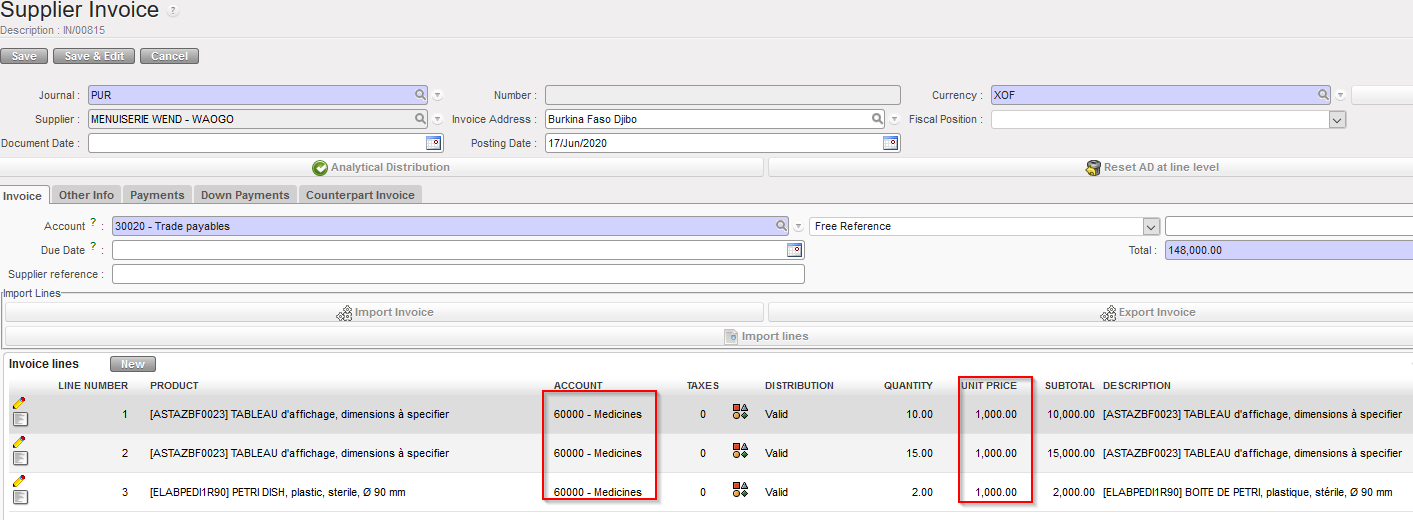
In our case we can change the fields that are in white: account and unit price:
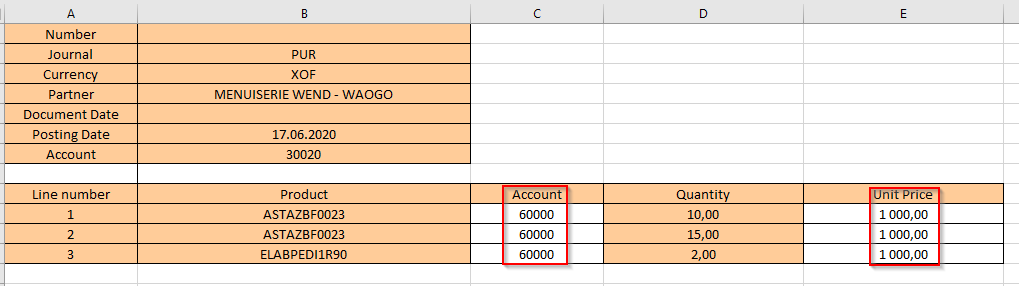
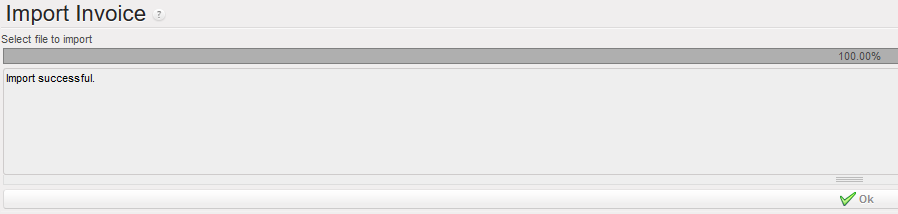
We import the file with the changes:
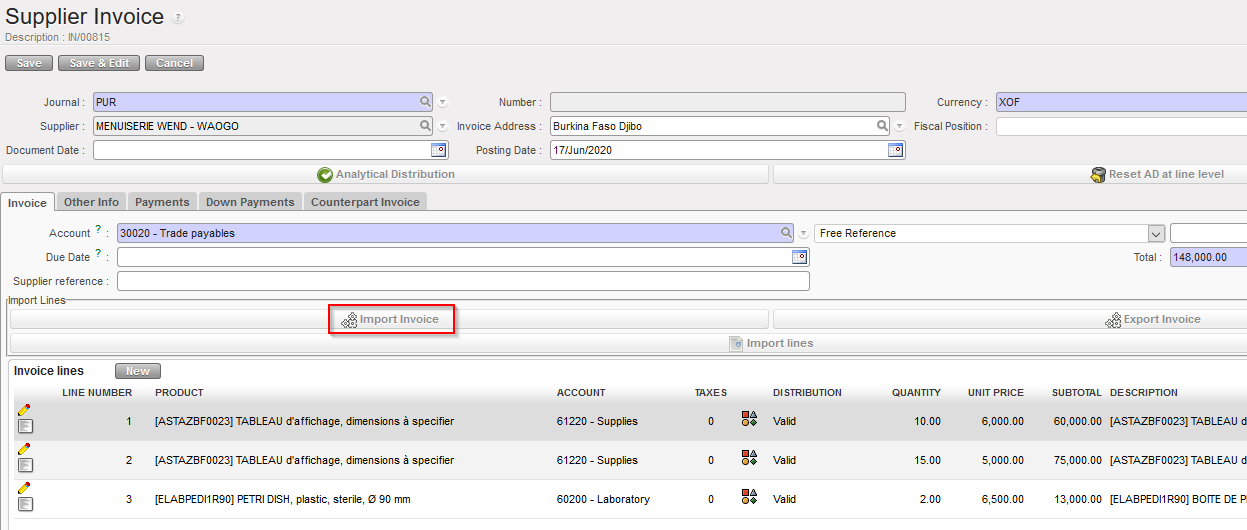
We import the excel file with the changes and we check that they were correctly done.

In the excel file the last columns are dealing with the analytical distribution:
Analytic distribution: we have the % 100%. If the % is not 100% it means that the line was split son we will have the word EMPTY and the last 3 columns will remain empty.
If the analytic distribution is 100% I will have the cost center, the destination and the funding pool filled in.
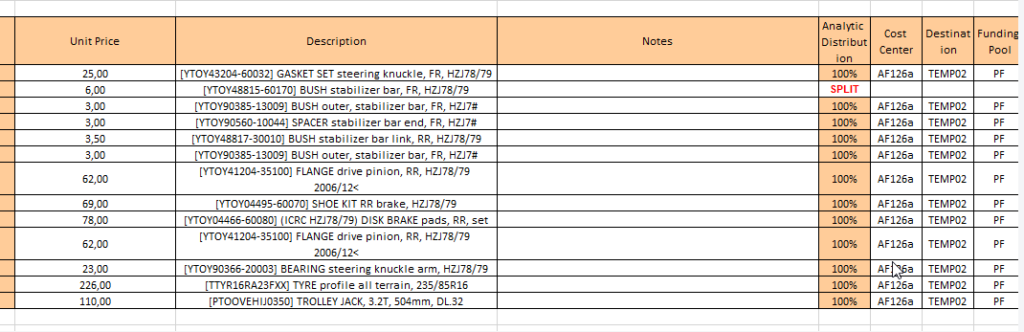
In case that a line is SPLIT:
You splits a line and when you export the file, the word SPLIT appears automatically in the excel file with no analytic distribution (AD).
This is the same for the export of the commitments vouchers. Same principle.

In case we import the file with the wrong information we will have error messages:
 ile:
ile:
