
Finance User Manual ENG -> 5. Searching, Correcting and Closing -> 5.3 Month End Closing -> LUFI-50304 Revaluation
LUFI-50304 Revaluation
LU Introduction
Revaluation function is used to adjust the value of assets and liabilities in functional currency according to a specific FX rate at month-end and/or at year-end closing. Revaluation function creates accounting entries only in functional currency, meaning that balances in booking currency are not affected.
The revaluation entry amount is the difference between the account balance at the end of the period in Functional Currency (total functional balance of journal items) and the balance at the end of the period in Booking Currency revalued at the period’s FX rate.
Revaluation entries are created per account per booking currency and it concerns accounts like cash, bank, outstanding cheques, payables and receivables.
Revaluation is an optional function in UniField. It is included in the period closing checklist, but if it is not run, the period can still be normally closed. Revaluation can be run in two ways:
- Monthly liquidity accounts revaluation: calculated based on liquidity account balances (cash, bank and outstanding cheques) in each period at month end with that month’s FX rate. This revaluation can be run in any period.
- Year-End revaluation: calculated based on liquidity and other B/S account balances at year-end with a specific currency rate table (e.g. average FX rate for the year, closing rate for the year etc.). This revaluation can only be run in one of the extra accounting periods 13-15. Year-End revaluation entries are automatically reversed and reconciled in January the following year.
- Note! In order to run the Year-End revaluation, the January period of the following year needs to be open!
Before the revaluation can be run, the accounts to be included in revaluation have to be set up at HQ level. Please refer to 02 – Configurations, LUFI-20301 Account Properties for instructions on how to set up accounts for revaluation. In addition, the revaluation counterpart account (e.g. 67050 – Unrealized ExchRate Loss) needs to be set up in the Company Configuration in each coordination instance using revaluation function. Please refer to 02- Configurations, LUFI-21001 Company set up for further details.
Revaluation is the last step before closing a period and it should only be run when all the registers have been closed, all journal entries are posted and all journal items from the projects have synchronized to the coordination instance. Revaluation takes into account all account balances from the whole mission and therefore it can only be run at a coordination instance. In order to ensure all journal entries have been received at coordination, revaluation can only be run when the period state of all its project instances is {Field-closed}.
Revaluation is irreversible and it can only be performed one time in any selected period. The revaluation entries are automatically posted and they can’t be manually edited or deleted.
Revaluation can be run once and only once for each accounting period (January to December and Period 15). When the revaluation is acted, the revaluation entries are posted and the period is tagged as “revaluated”. If there is no revaluation entry to be booked, the system does not book empty entry, it tags the period as “revaluated”. Prior to revaluation, the system will check if the period has been already tagged as “revaluated”. If yes, the operation will be denied.
The system will calculate revaluation amounts against this specific FX table. The FX table should be in “valid” status. Closed FX table cannot be used.
The user must indicate a specific currency table in “valid” status to calculate the revaluation amount.
How to Run Monthly Revaluation
Go to Accounting/Periodical Processing/Revaluation
- Open the Revaluation wizard and select {Liquidity (Month-end)} from the drop down menu for the {Revaluation method}
 Selecting the revaluation method
2. Select the period in which revaluation will be run. The system automatically proposes current fiscal year and current period. Fields {Entry period}, {Entry date} and {Entry journal} are automatically filled and they cannot be edited.
Selecting the revaluation period
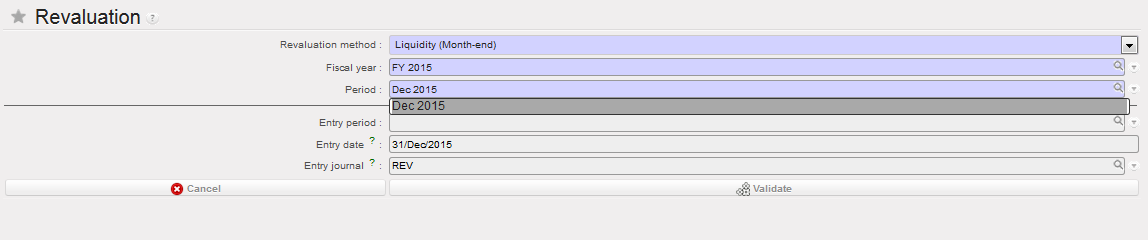
3. Click on {Validate}
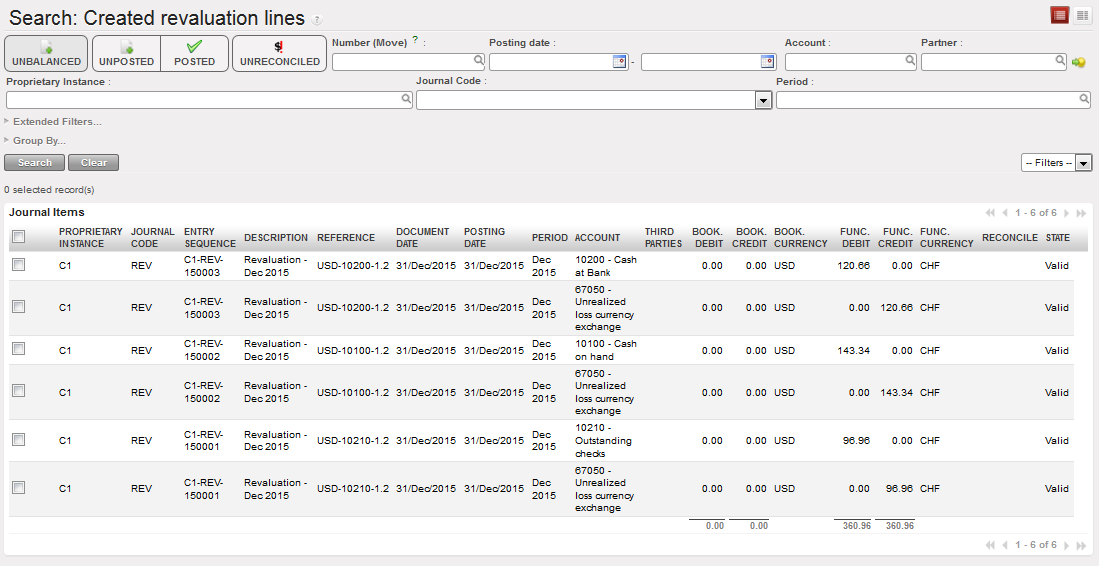
Revaluation entries are created and posted
Revaluation entries created in REV journal:
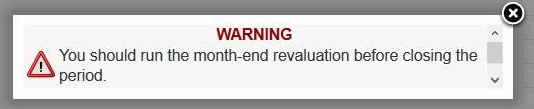
- Monthly revaluation is only required for OCA Coordination and it’s a part of the monthly closing check. If the monthly revaluation was not performed at an OCA Coordination instance, the closing of the period will be blocked with an error message as below:
How to Run Year-End Revaluation:
Go to Accounting/Periodical Processing/Revaluation
- The year-end revaluation has to be done in two phases. First, open the revaluation wizard and select {Liquidity (Year-end)} from the drop down menu for the {Revaluation method}.
 Selecting the revaluation method
2. Select the currency table that will be used for the year-end revaluation calculations. Refer to Chapter 2 – Configurations, LUFI-20201 Currency Files Loading for instructions how to set up a currency table.
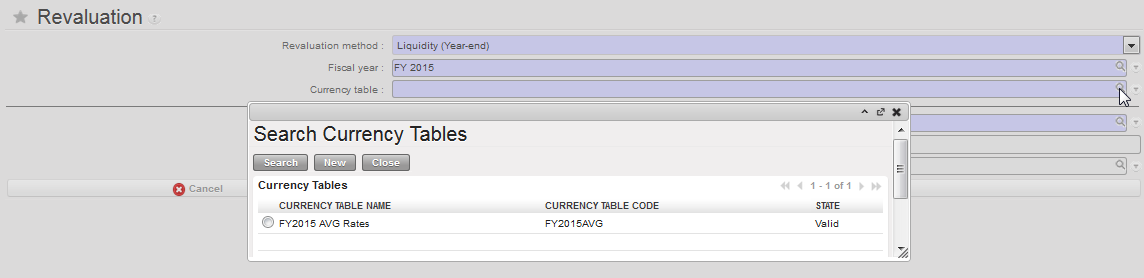 Selecting the currency table
3. Select the Entry period in which the year-end revaluation will be run. {Entry date} and {Entry journal} are automatically filled and they cannot be edited.
 Selecting the period for year-end revaluation.
All extra-accounting periods 13-15 are selectable in the first step of year-end revaluation.
Click on {Validate}
Revaluation entries are created and posted, revaluation reversal entries are created and posted
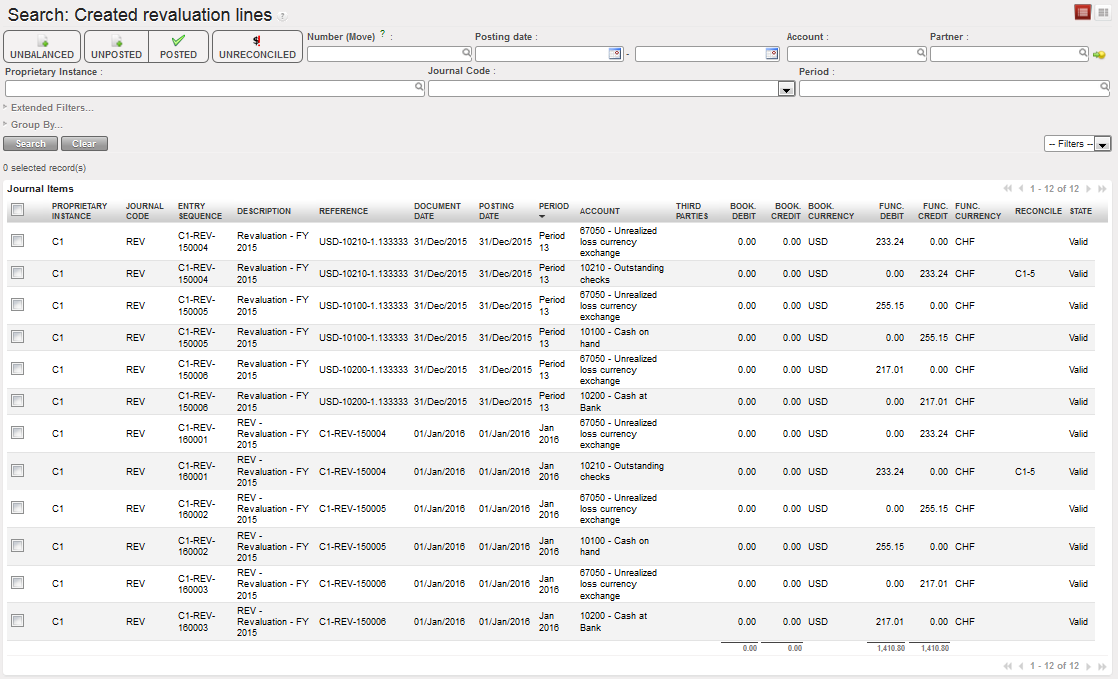 Revaluation entries and their reversals created in REV journal
- Open the revaluation wizard again and select {Other B/S (Year-end)} from the drop down menu for the {Revaluation method}.

Selecting the revaluation method
2. Select the same currency table that was used in Step 2
3. The Entry period will be the same as in Step 3. It cannot be changed.
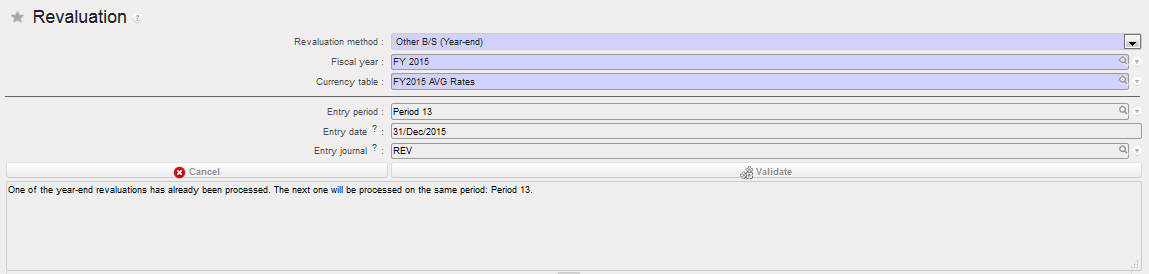 Period 13 will be used automatically, because it was used already in the first year-end revaluation
4. Click on {Validate}
- Revaluation entries are created and posted, revaluation reversal entries are created and posted
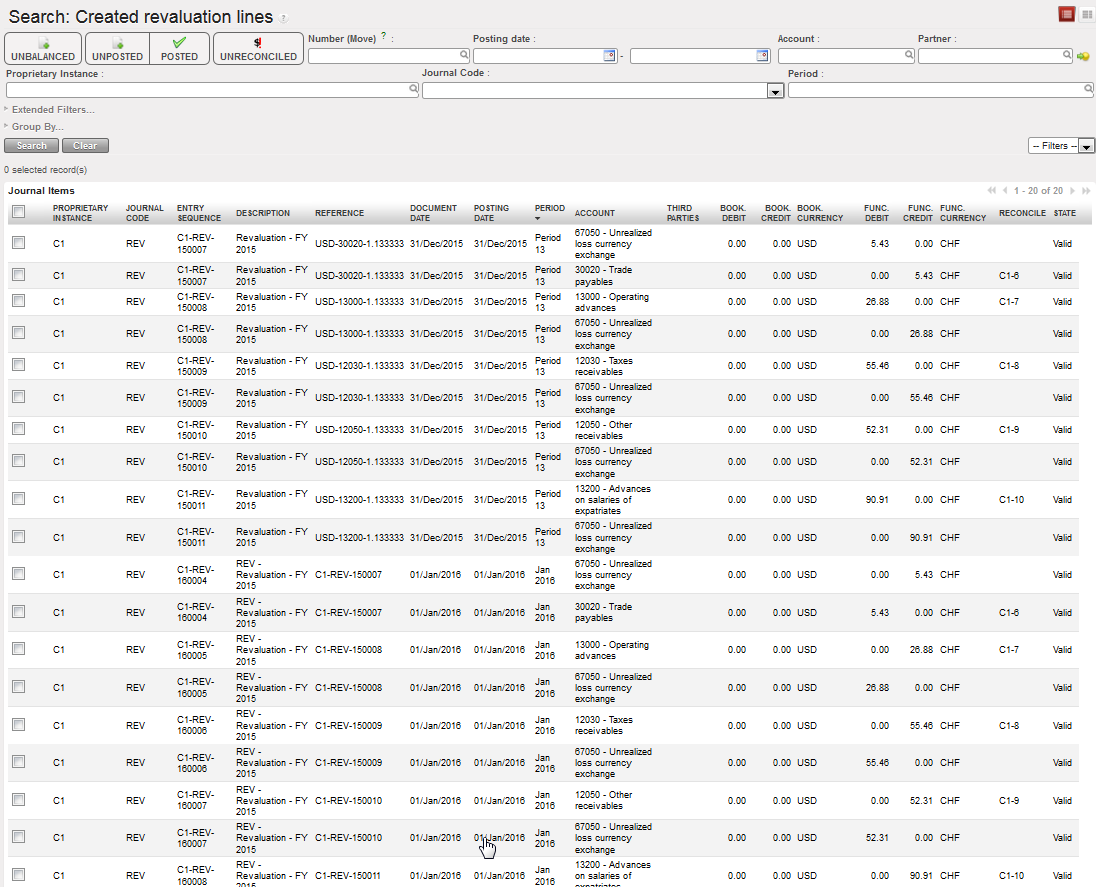 Revaluation entries and their reversals created in REV journal
