Q. HOW TO RECEIVE A PRODUCT IN CROSS DOCKING

Supply User Manual ENG -> 5. Warehouse -> 5.2 LU-SU4101: Incoming Shipments -> Q. HOW TO RECEIVE A PRODUCT IN CROSS DOCKING

Q. HOW TO RECEIVE A PRODUCT IN CROSS DOCKING

As already explained in the section “How to receive an Incoming Shipment“, if goods are received on an instance but are not intended to stay in this instance but rather sent to another customer instance, they will transit through the “Cross docking” location.

The “Cross docking” location will also be used as a transit zone if goods are received on an instance but need to be sent to an External Consumption Unit. This will be the case if an IR with an ECU as Location Requestor is sourced on order (PO) and later on received with the processing of an IN. Goods will be received in cross docking and shipped to the ECU with a Delivery Order (OUT).

The cross docking process allows the user to proceed with the reception of an Incoming Shipment without putting the received goods in stock. They will remain in a temporary location, called “Cross docking“, from where they will be shipped to the requester.

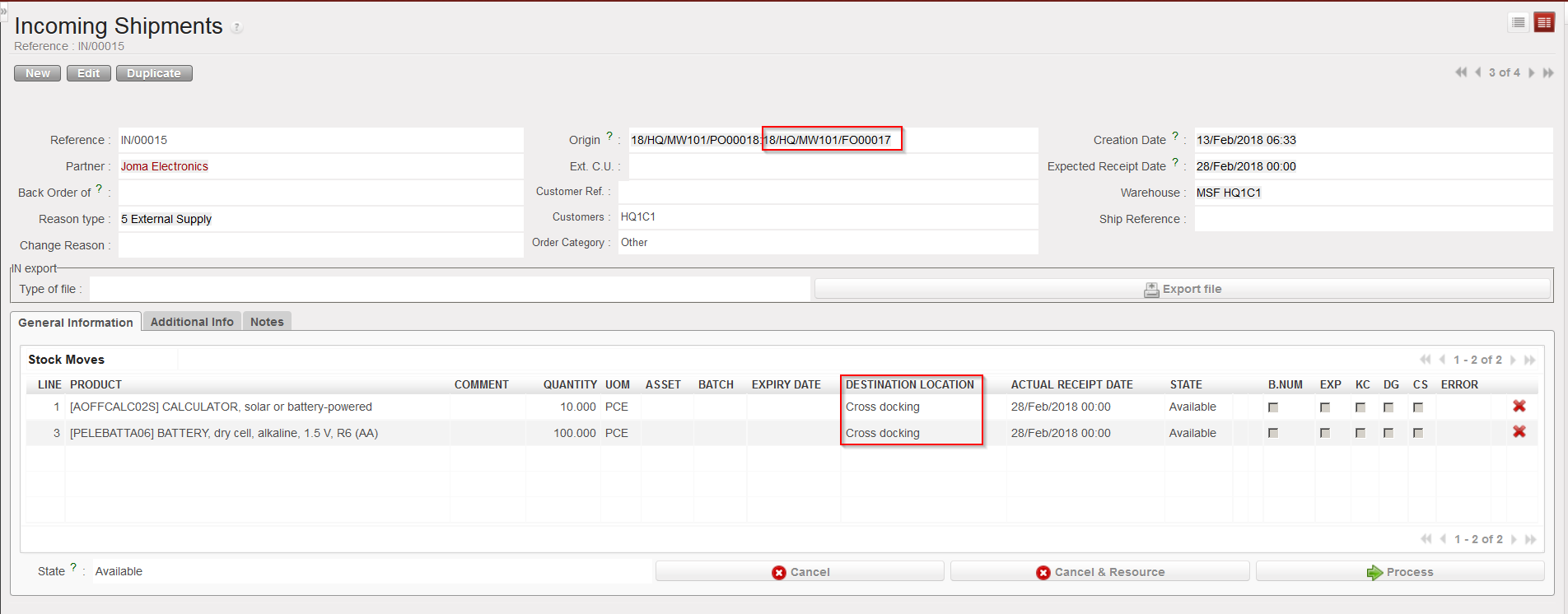
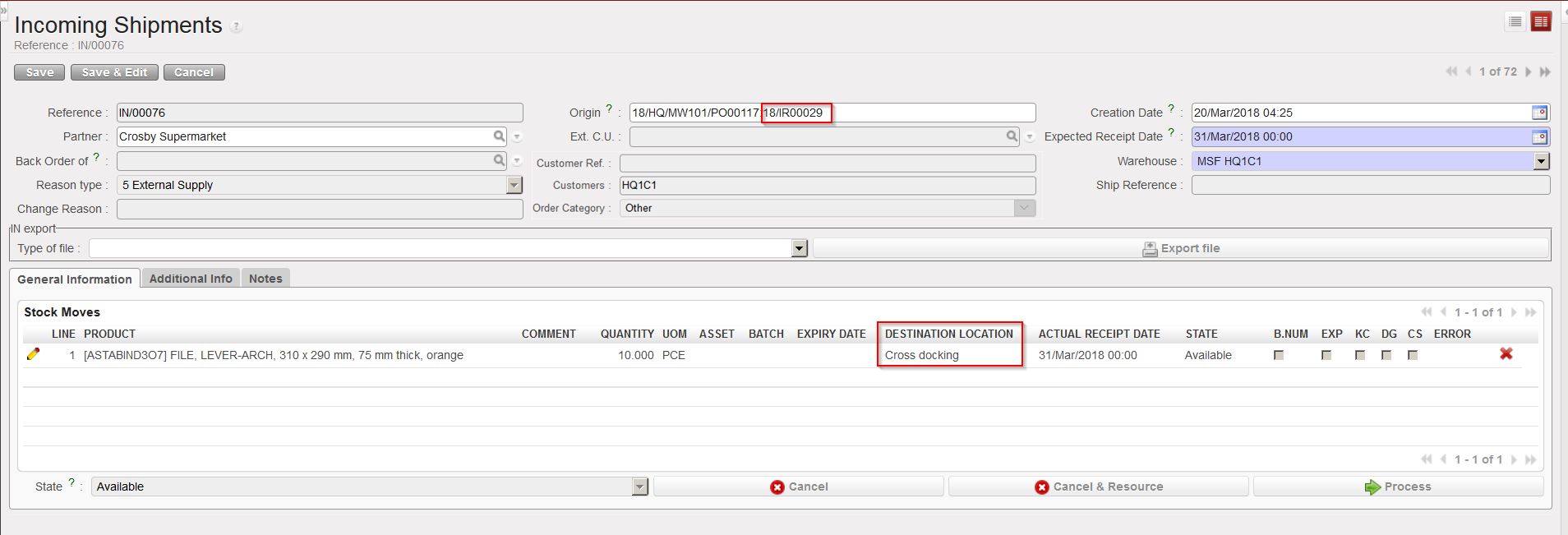
Goods ordered via a PO originating from an FO or from an IR with an ECU as Location Requestor will automatically be directed to the “Cross docking” location.

IN related to PO created from FO sourcing

IN related to PO created from IR sourcing with ECU as Location Requestor

Go to: Warehouse / Warehouse Management / Incoming Shipments

  1. Open the Incoming Shipment you wish to receive.
  2. Click on the “Process” button to initiate the reception process.
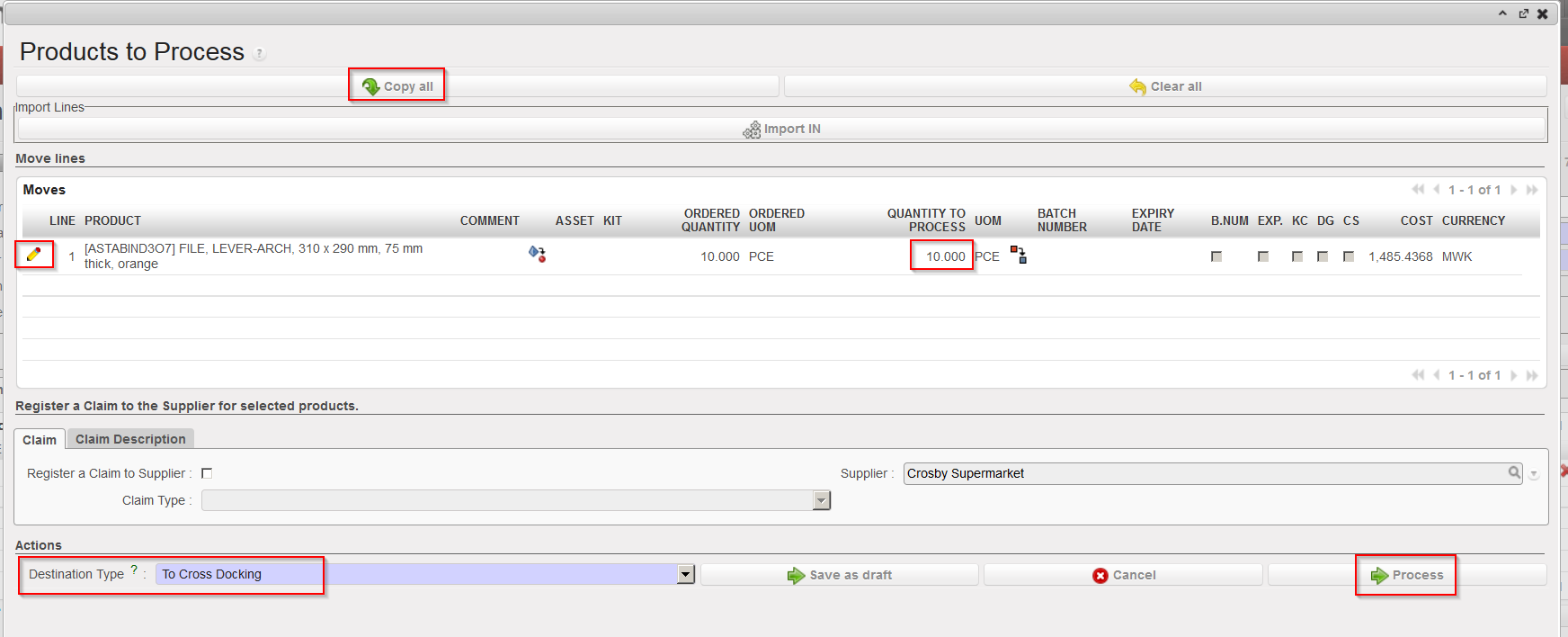
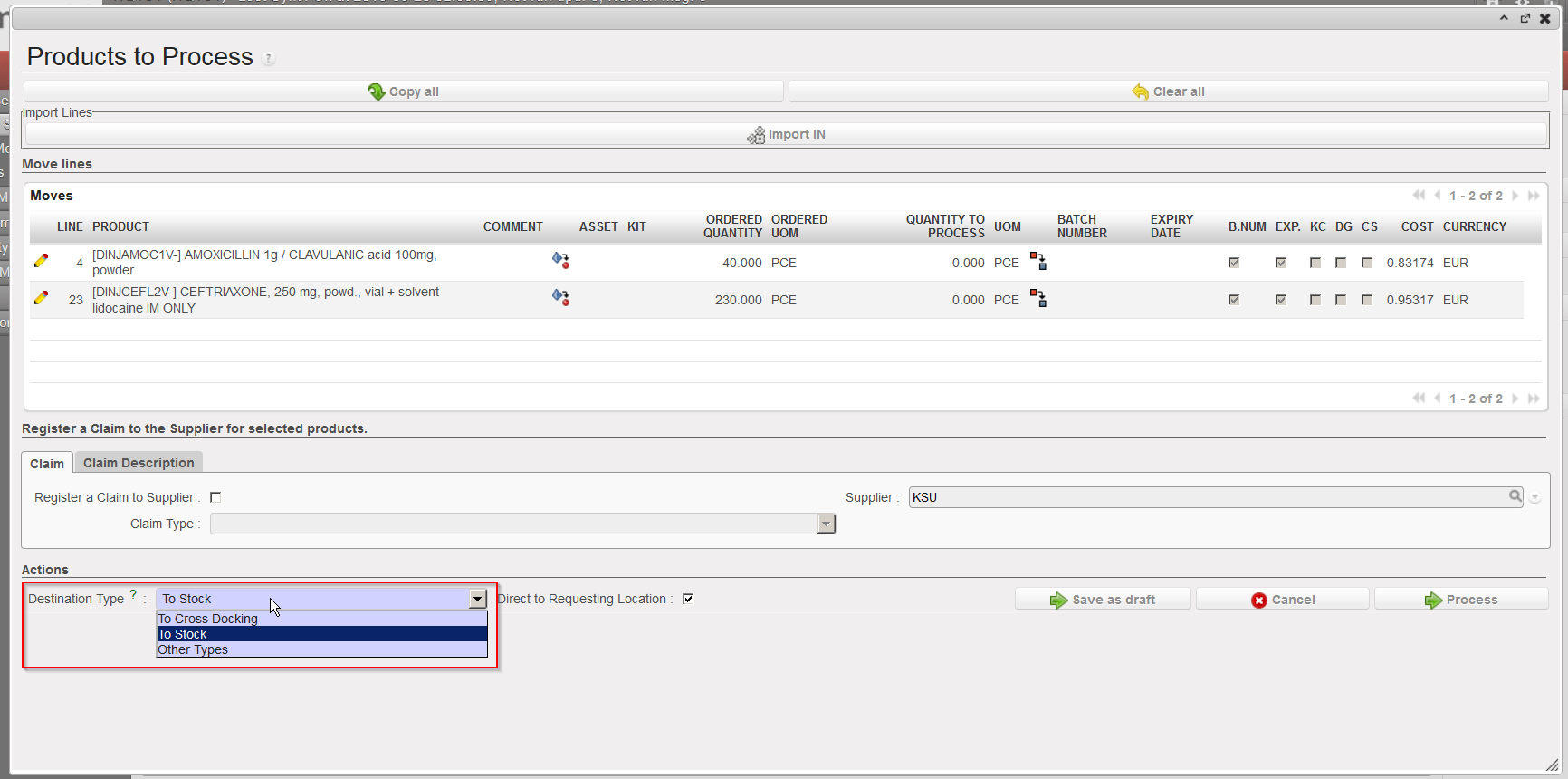
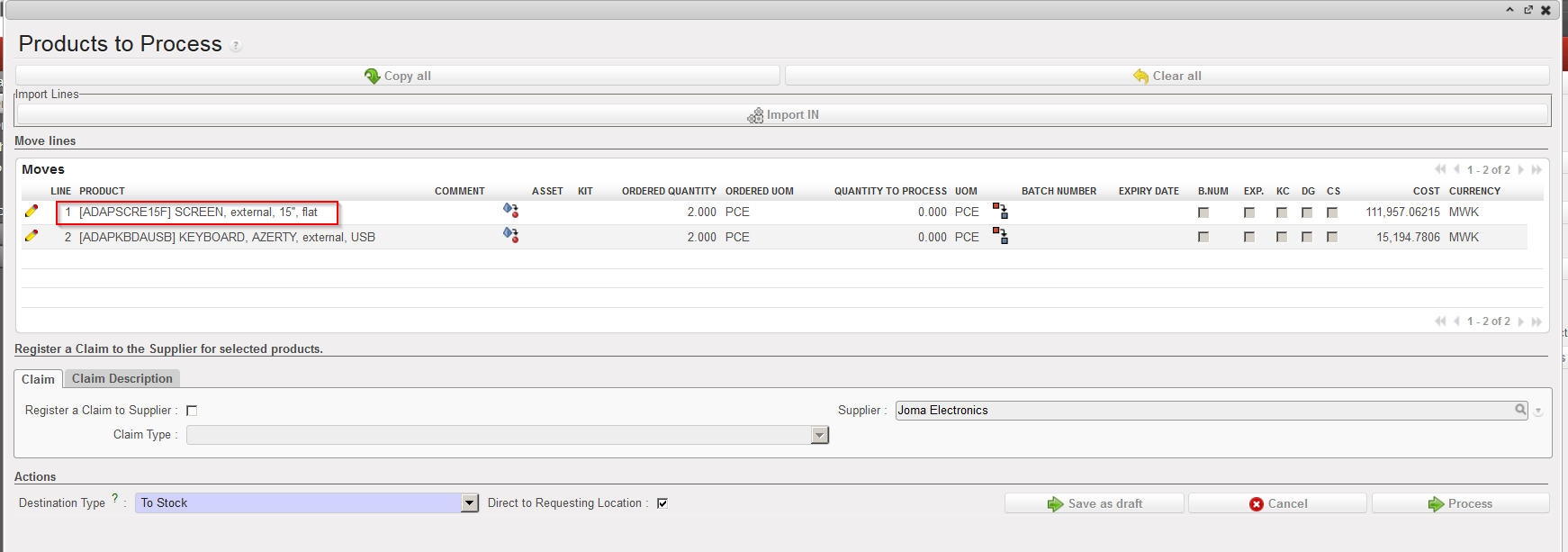
  3. On the “Products to Process” screen, check that the products and quantities match with the delivery, and add quantities using the “Copy all button” or using the pencil icon located on the left side of the screen on the line(s) to process.

Receiving goods in cross docking

Note that the “Destination Type” is “To Cross Docking” and that the checkbox “Direct to Requesting Location” is not present in this case.

       4. Click on the “Process” button to receive the products in cross docking.

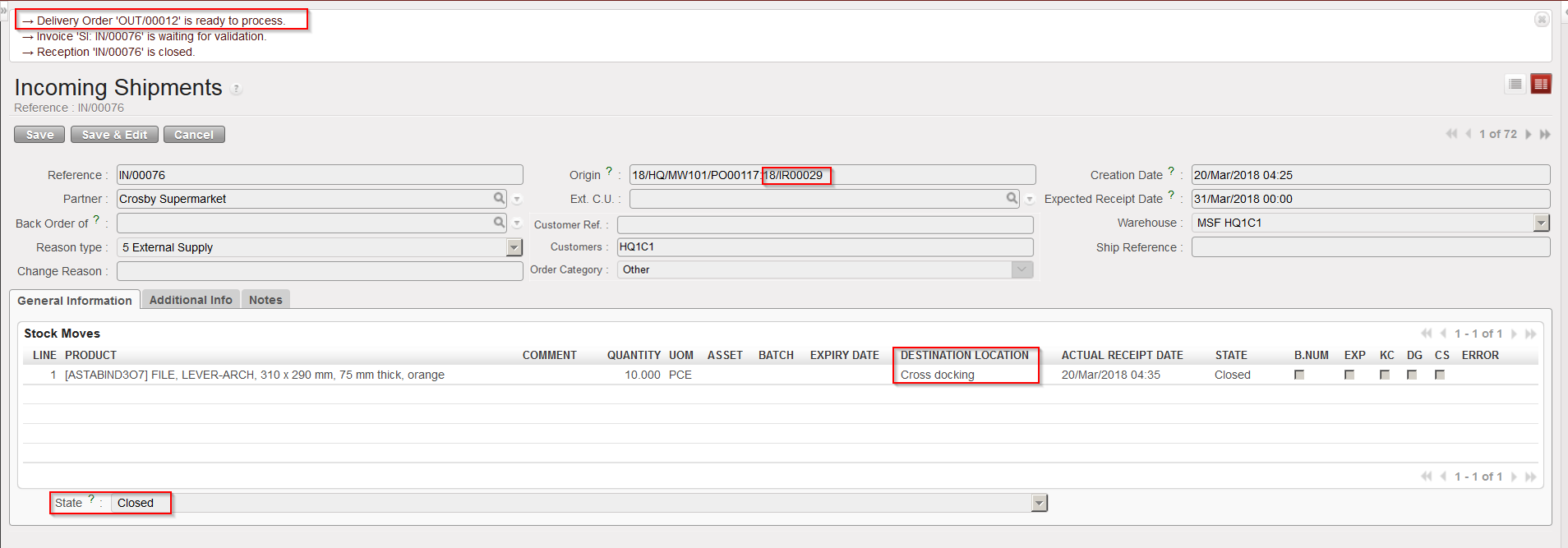
Goods received in cross docking

The Incoming Shipment is now closed and goods have been received in cross docking. If the IN is related to a PO created via OST from an IR with Location Requestor = ECU, an OUT will be ready to process. If the IN is related to a PO created via OST from an FO, a PICK will be ready to process.

Note that on INs related to PO which are created from scratch (or from IR which do not have an ECU as Location Requestor), you have the possibility to change the “Destination Type” when receiving the goods. and set it to “To Cross Docking“. If you do so, a message will pop up to inform you that you are about to change the planned destination of the goods. Click “OK” if you want to proceed.

This is of course not a standard process and risky as these goods could be “forgotten” in cross docking as they are not related to any customer request. That’s one of the reasons why it is important to frequently check what is in the “Cross docking” location.

Changing the “Destination Type” to “To Cross Docking”

Warning message when changing the “Destination Type” to “To Cross Docking”

The opposite could also happen. Goods supposed to be received in cross docking could be diverted to stock. A reason could be that a supplier delivers goods but the client does not need them anymore.

In this case all documents created to prepare the delivery to the customer (OUT/PICK) should be checked manually and cancelled if needed as suggested by the warning message which pops-up in this case.

Warning message when changing the “Destination Type” to “To Stock”

O. HOW TO RECEIVE AN ASSET

Supply User Manual ENG -> 5. Warehouse -> 5.2 LU-SU4101: Incoming Shipments -> O. HOW TO RECEIVE AN ASSET

O. HOW TO RECEIVE AN ASSET

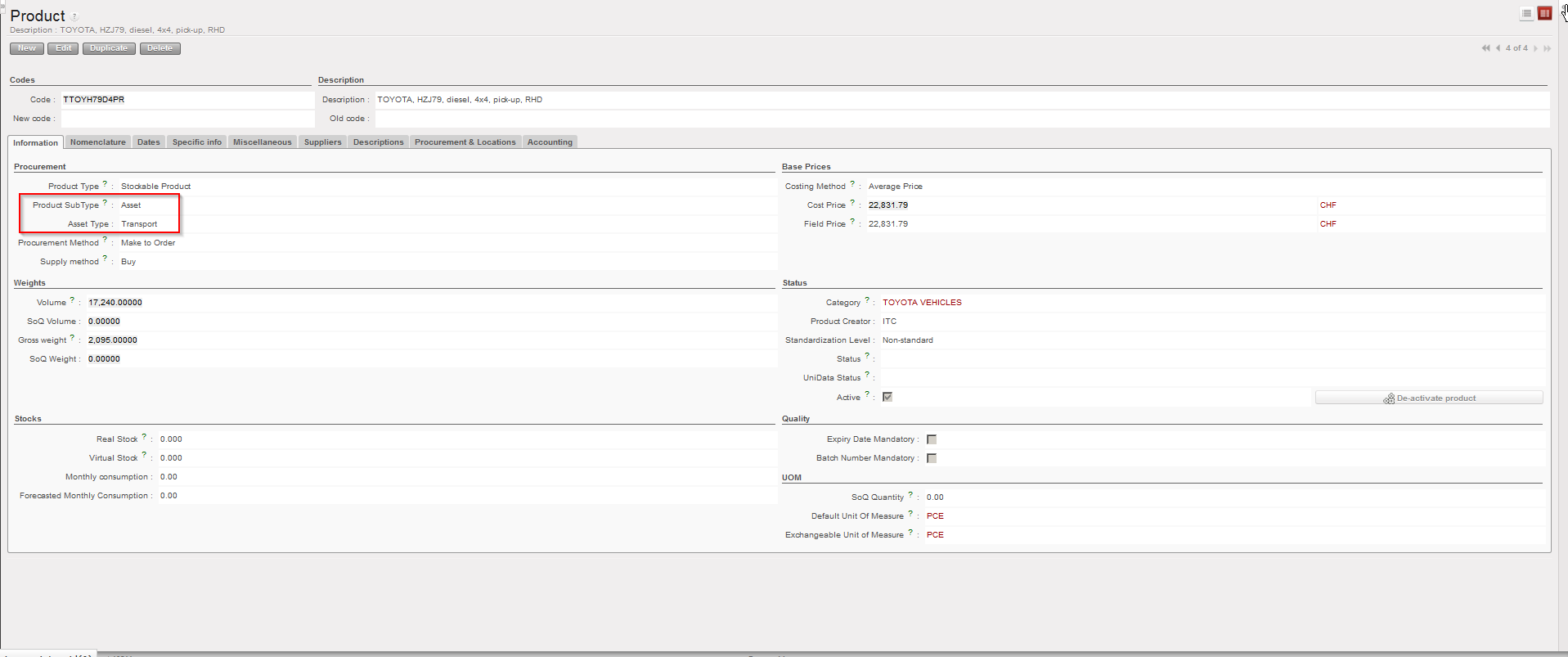
A product may be defined as an asset on its PMD sheet.

PMD sheet – asset sub-type

The decision on which product is defined as an asset should be taken by the OC. Refer to your OC to know which products are followed as assets in your section. For UniData products, the settings should be defined at HQ level and be valid for all instances related to this HQ. For local products, the settings should be defined at coordination level and be valid for all (project) instances related to this coordination.

Assets need to be traced throughout their life cycle; therefore, an asset form has to be created for each received asset and including all necessary information such as brand, model serial number, price, PO, guarantee period,…

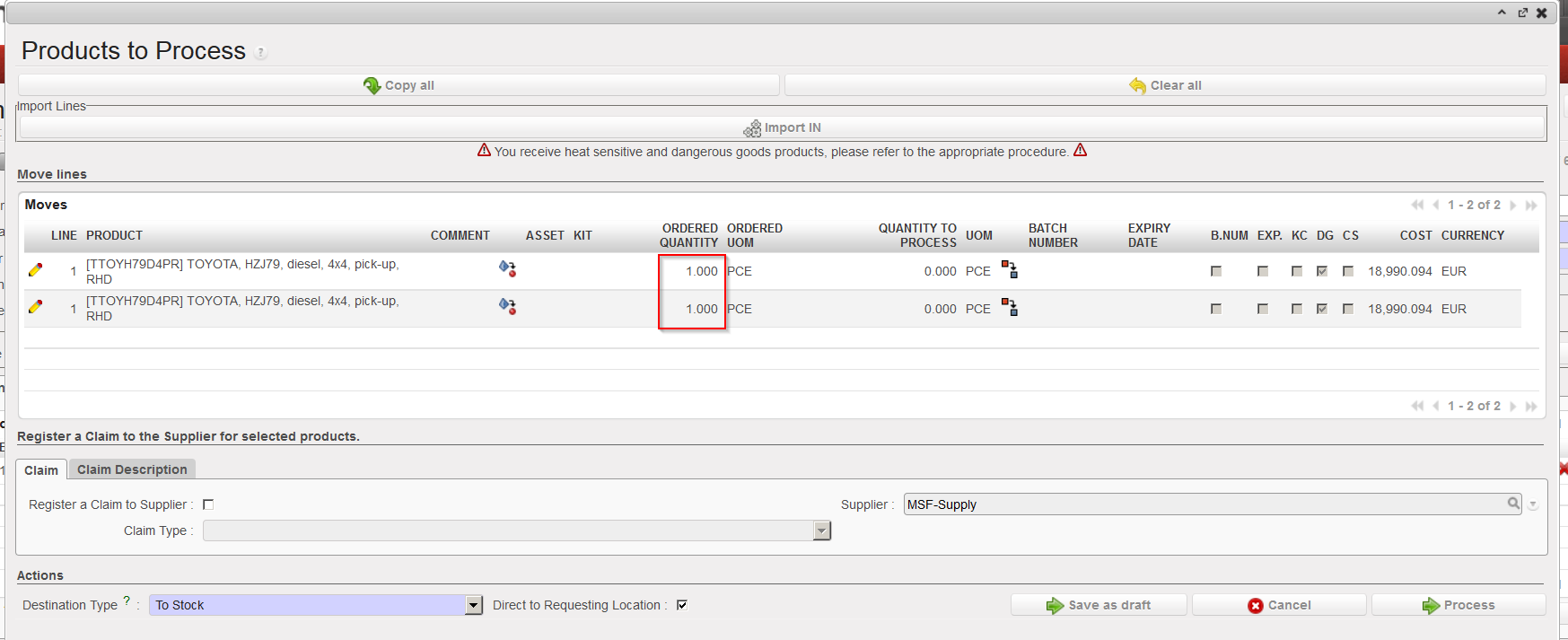
The system will create one asset form per asset line of the Incoming Shipment. Therefore if several assets are received together (e.g. 2 land-cruisers) on a same line, the user will have to split the line into as many lines as there are assets so that you have only one asset per line (i.e. quantity should be 1 on each asset line) as each will have different data to encode on their asset form.

Go to: Warehouse / Warehouse Management / Incoming Shipments

  1. Open the Incoming Shipment you wish to receive.
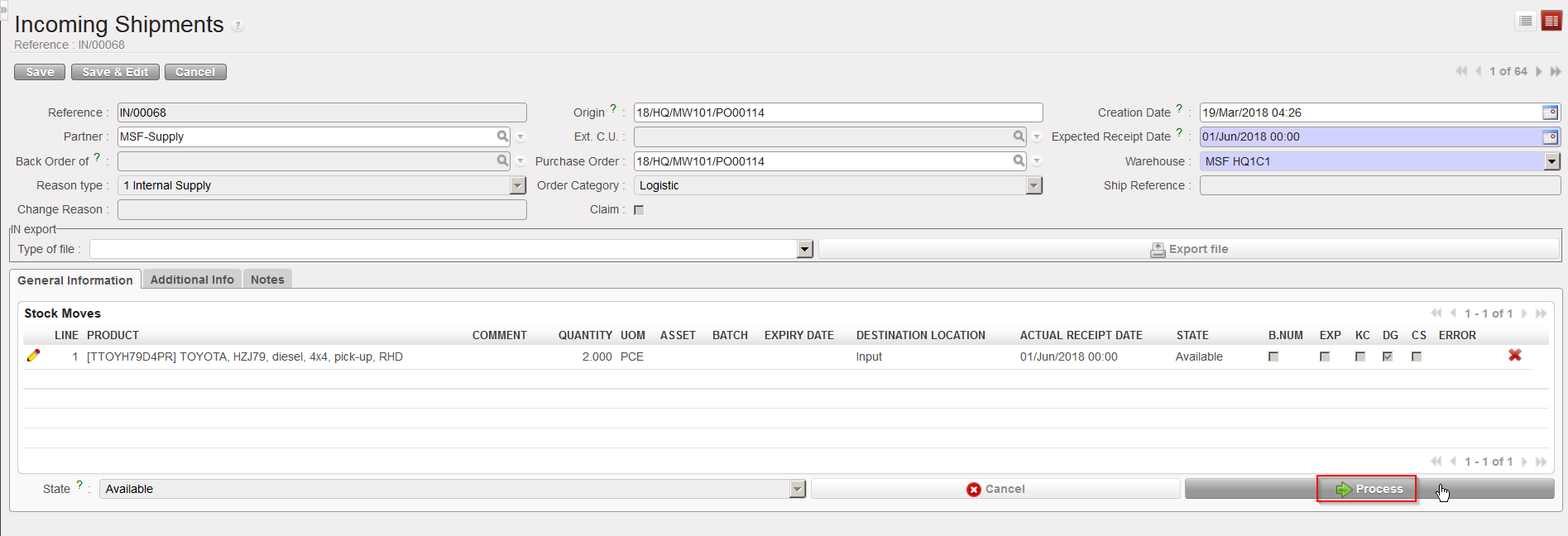
  2. Click on the “Process” button.

Processing and Incoming Shipment with assets

         3. Split the line (if necessary) to have one single asset per line. Note that you may have to repeat              this operation several times. The objective is to have the quantity 1 on each asset lines of the IN to              process.
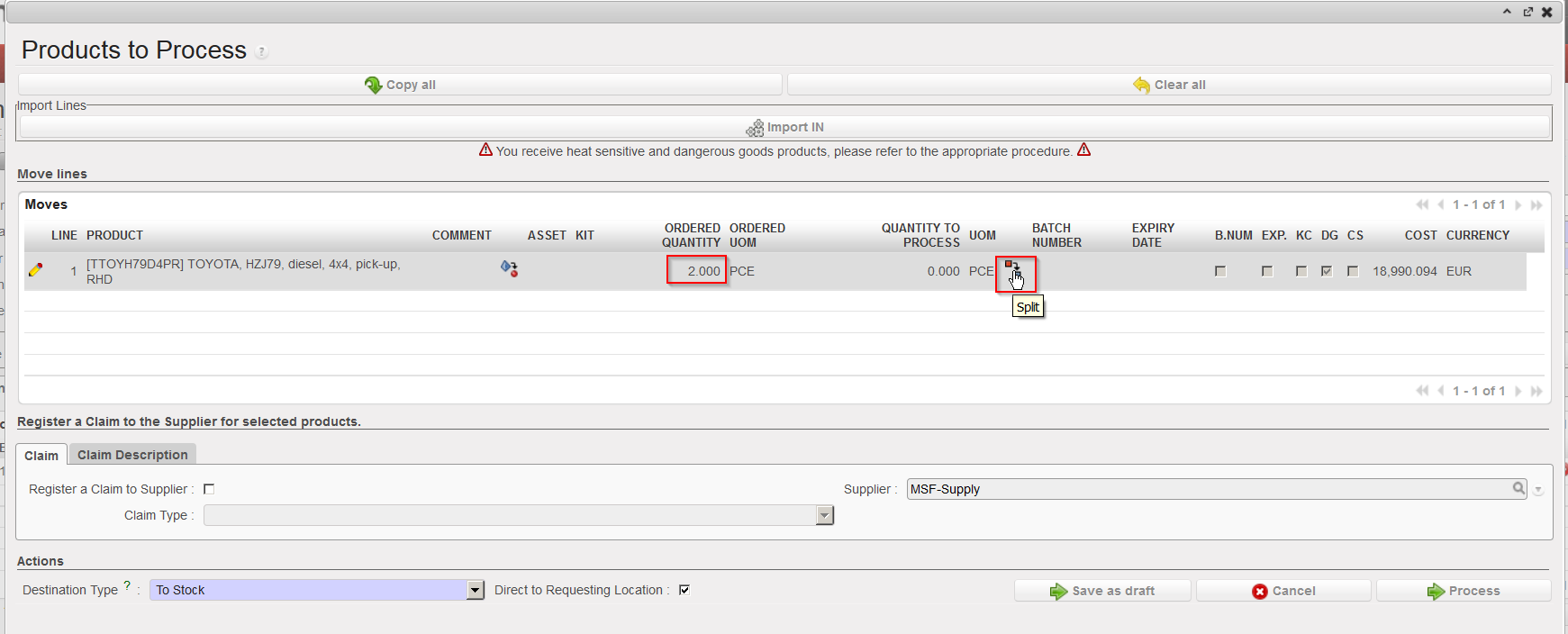

Splitting a line to have 1 asset per line (step1)

Splitting a line to have 1 asset per line (step2)

Split line including assets

          4. Click on the pencil located on the left of the asset you wish to receive
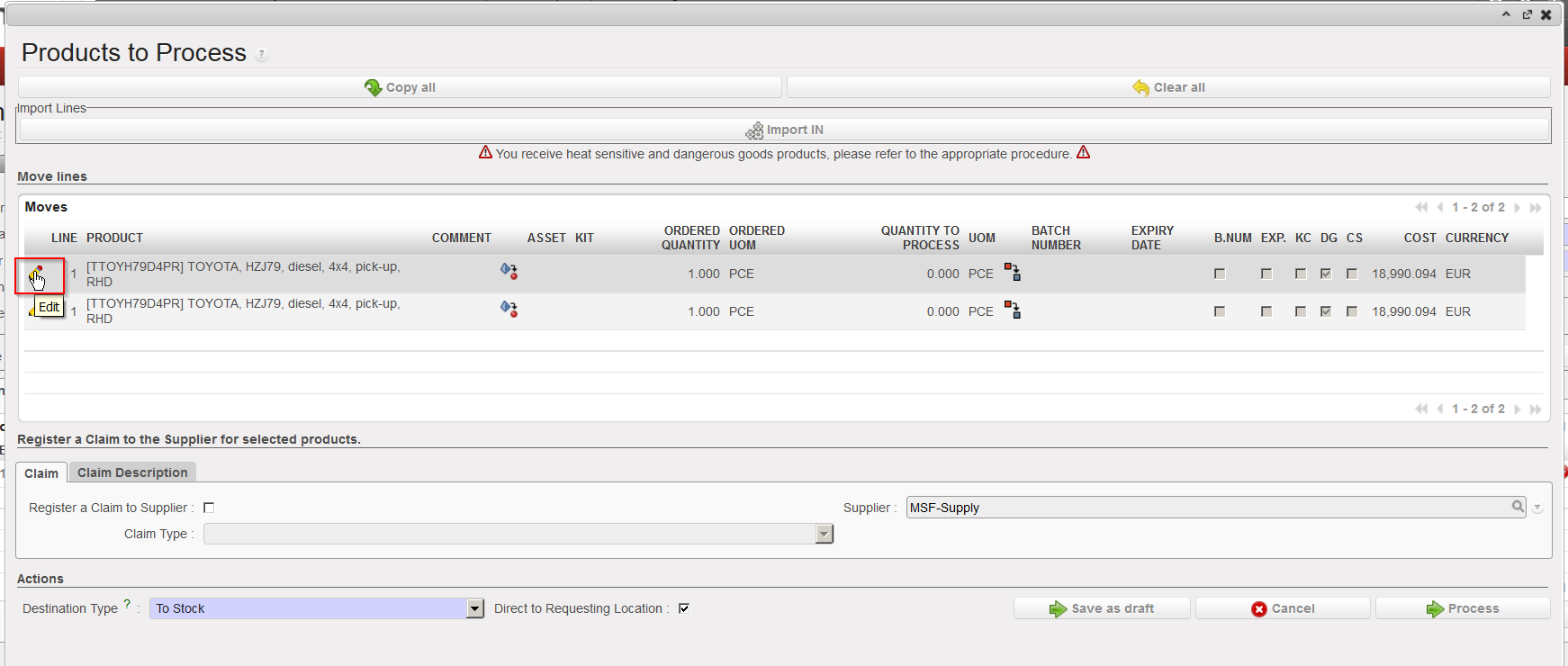
Editing one line on the Incoming Shipment

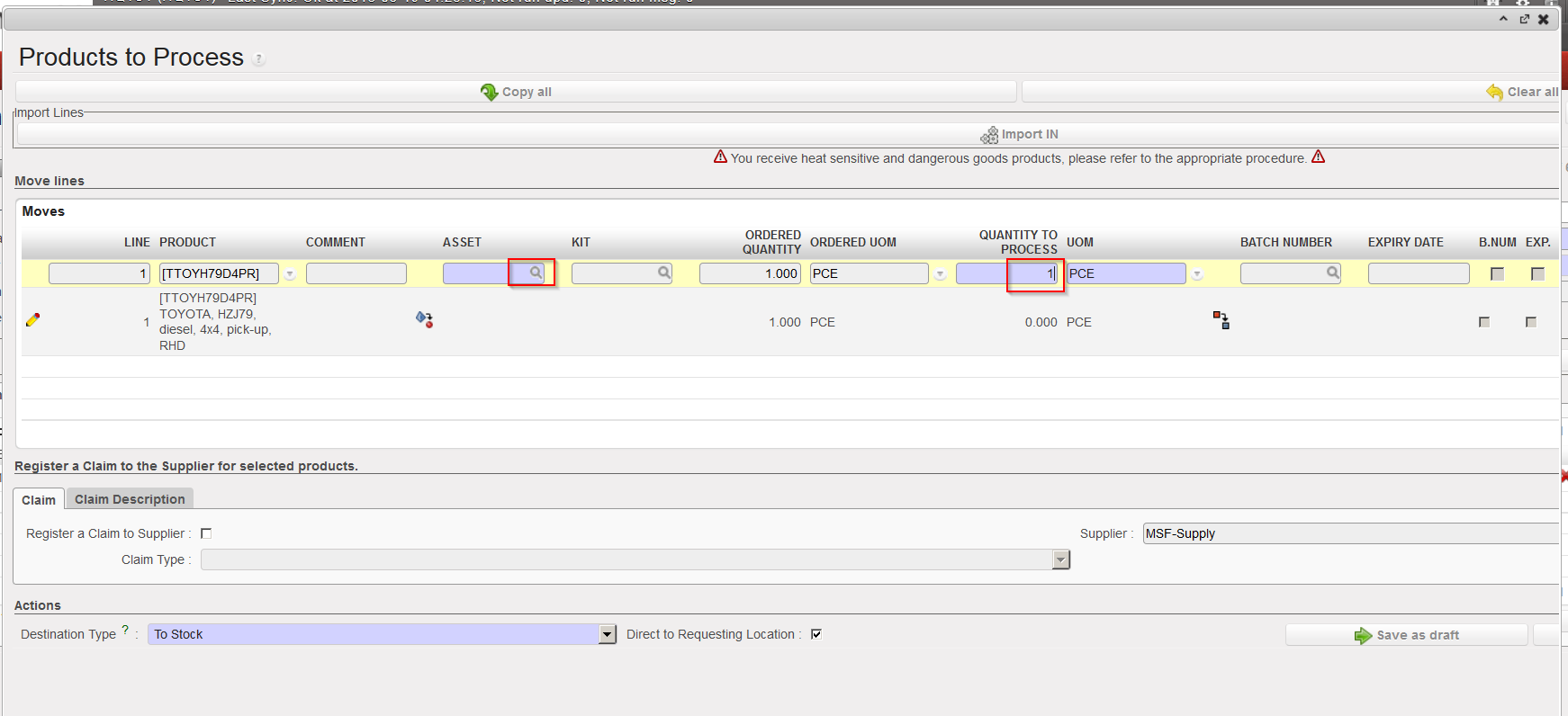
          5. Enter the received quantity (should always be 1) and click on the magnifying glass located on the               right of the “Asset” field.

Entering received quantity (1) and opening the asset search screen

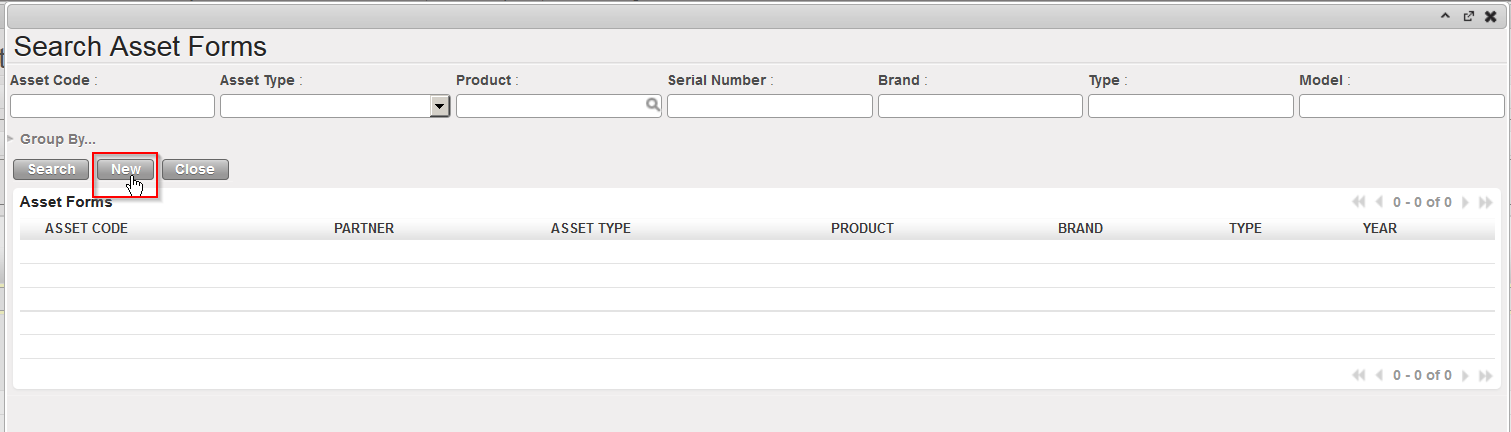
            6. The “Search Asset Forms” screen is opened. If the asset form already exists, you may select it                 here, but most of the times you will need to create a new one. Click on the “New” button” to do                 so.

Creating a new Asset Form (step 1)

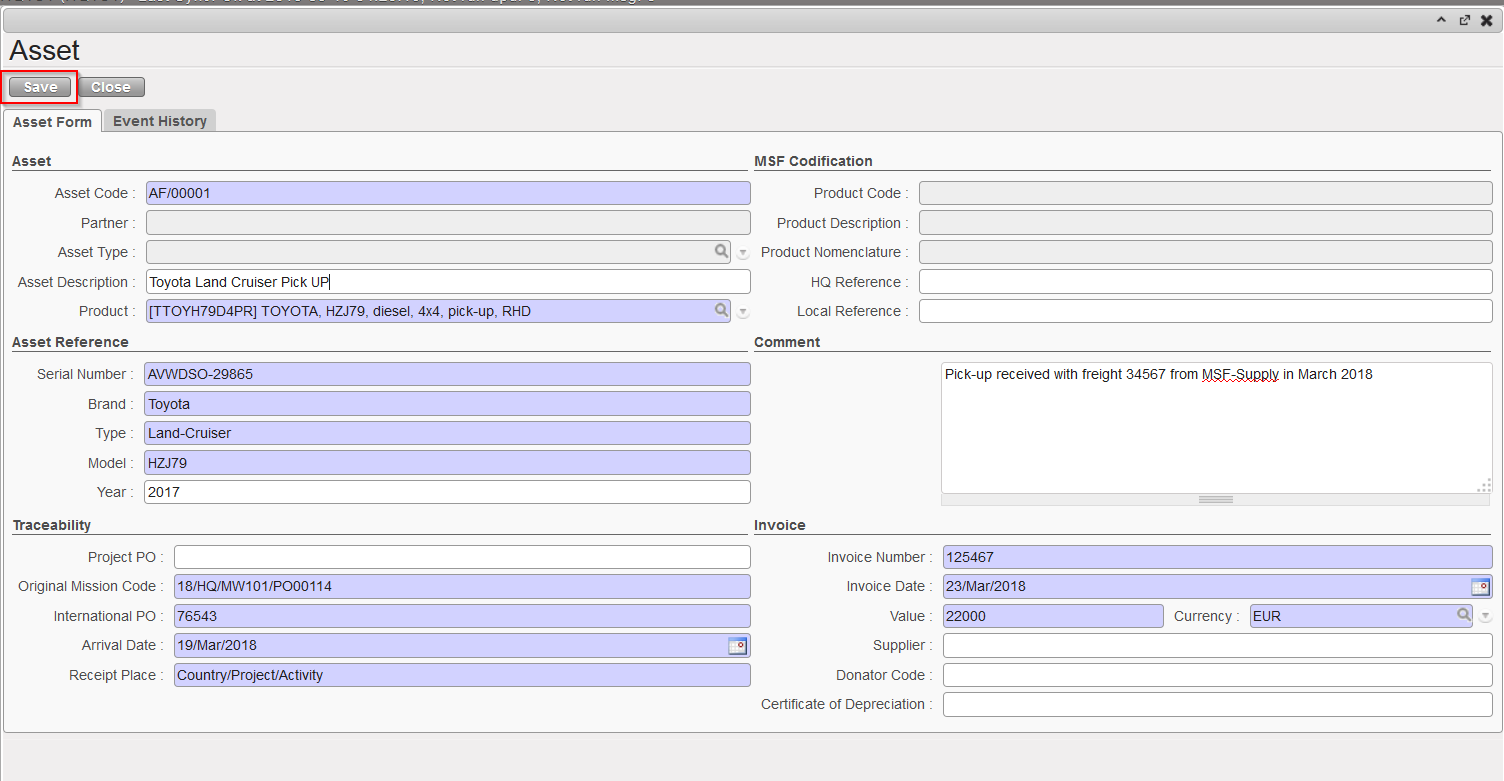
           7. Complete the Asset Form (blue fields are mandatory) and click on the “Save” button.

Creating a new Asset Form (step 2)

          8. On the “Products to Process” screen, save the line by clicking on the floppy disk icon located              on  the right of the line (sometimes hidden).
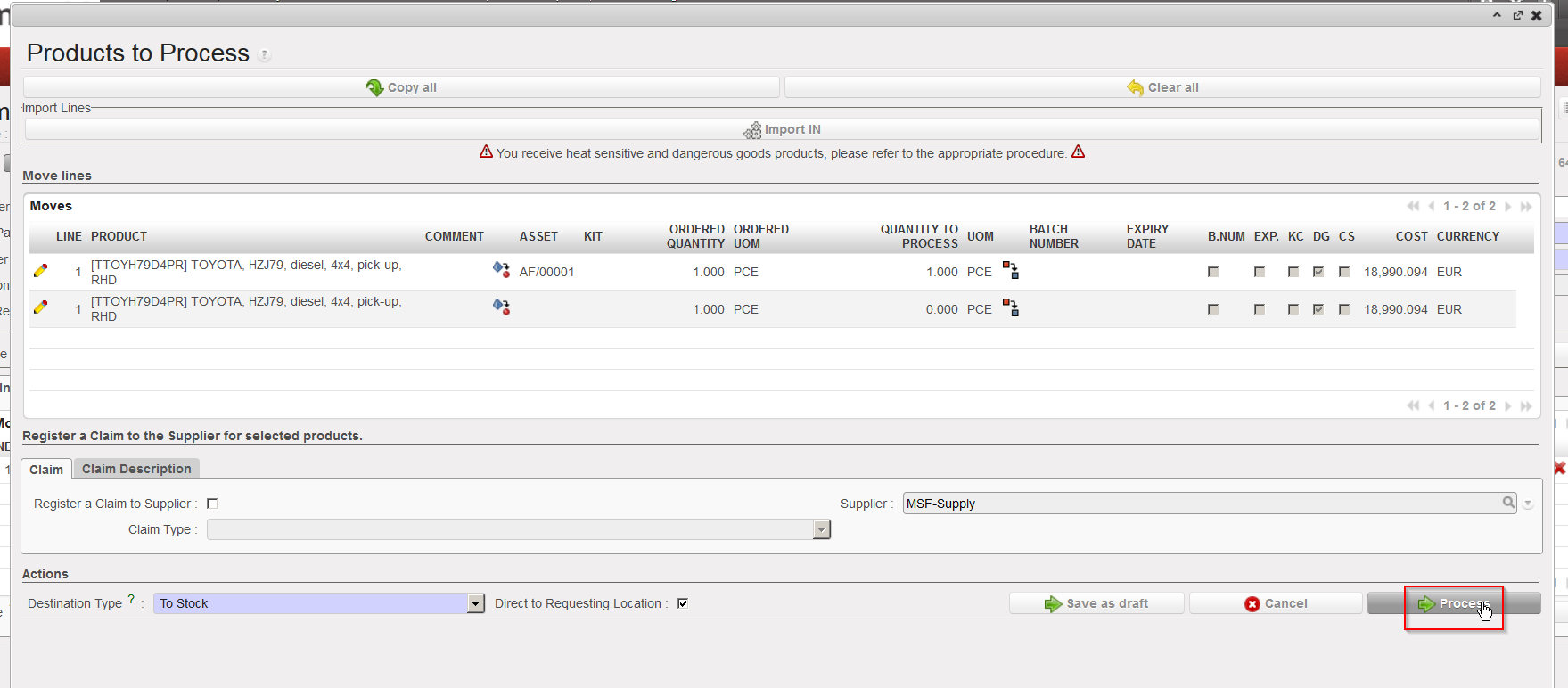
           9. Repeat the steps 4 to 8 for all the assets that you wish to receive.

          10. Click on the “Process” button.


The asset(s) has/have now been received and is/are now in the specified location (LOG in this example).

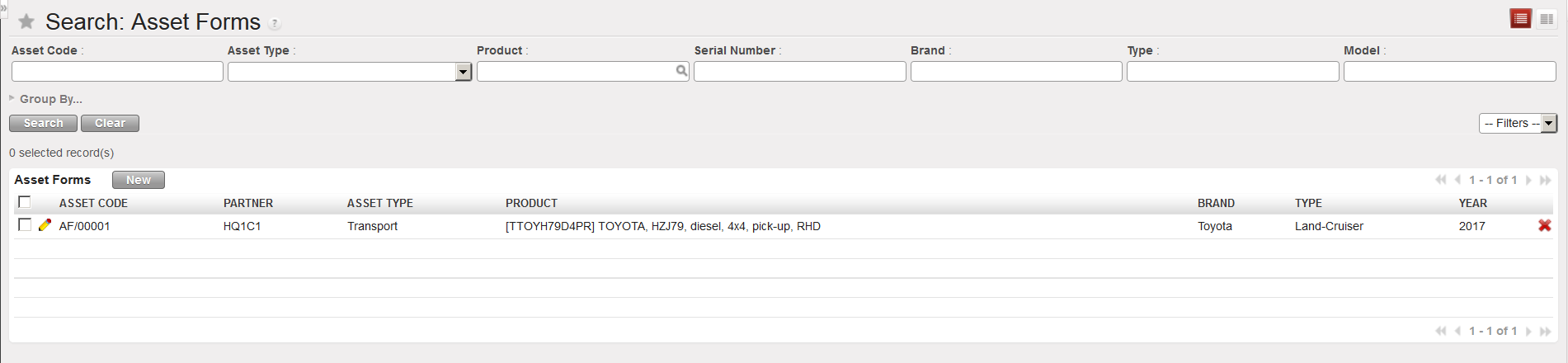
The asset master data (Asset Form) can be seen through Products / Products / Assets / Asset Forms.

Asset master data

Note that you also have the possibility to register events & follow-ups on asset forms.

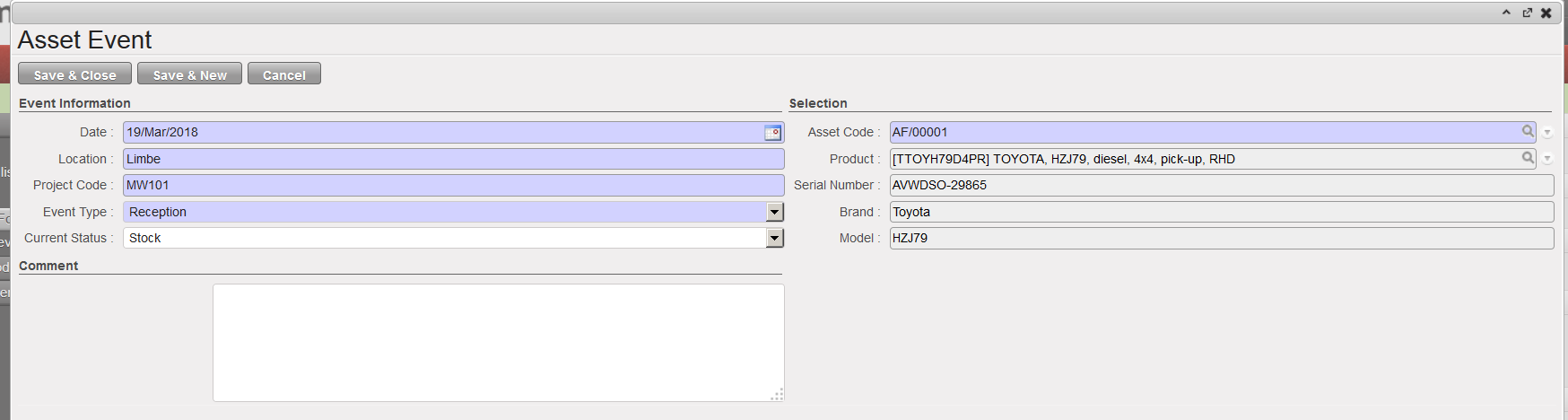
Asset Events & Follow-ups

N. HOW TO RECEIVE A PRODUCT MANAGED BY BATCH NUMBER

Supply User Manual ENG -> 5. Warehouse -> 5.2 LU-SU4101: Incoming Shipments -> N. HOW TO RECEIVE A PRODUCT MANAGED BY BATCH NUMBER

N. HOW TO RECEIVE A PRODUCT MANAGED BY BATCH NUMBER

Some products are even more sensitive than those managed by expiry date and need to be managed with a batch number. Batch number management is more accurate than the expiry date management and allows you to track the moves of specific batches and to manage batch recalls in case of quality issues.

Please refer to the introduction of the previous section and to the Products chapter if you want more information on the BN/ED settings of products and their consequences.

Remember that a product can be followed by BN and ED or by ED only (but not by BN only). A batch number always goes with an expiry date.

Go to: Warehouse / Warehouse Management / Incoming Shipments

  1. Open the Incoming Shipment you wish to receive.
  2. Click on the “Process” button.

Processing an Incoming Shipment

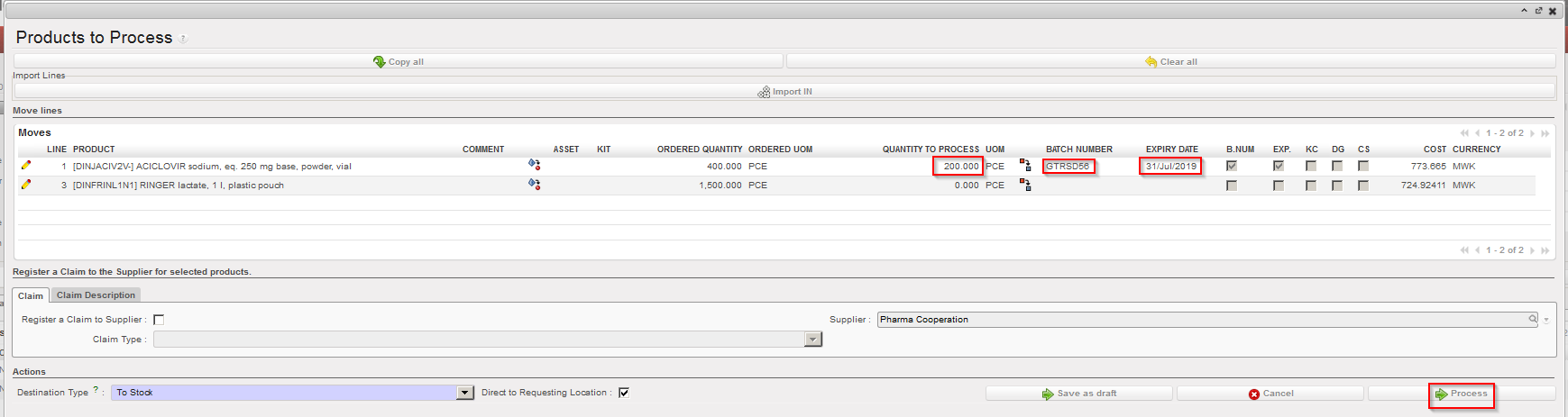
        3. On the “Product to Process” screen, select the line you wish to receive via the pencil located on             its left. Note that in this case we are receiving a product which is managed by BN and ED.

Editing a line of an Incoming Shipment

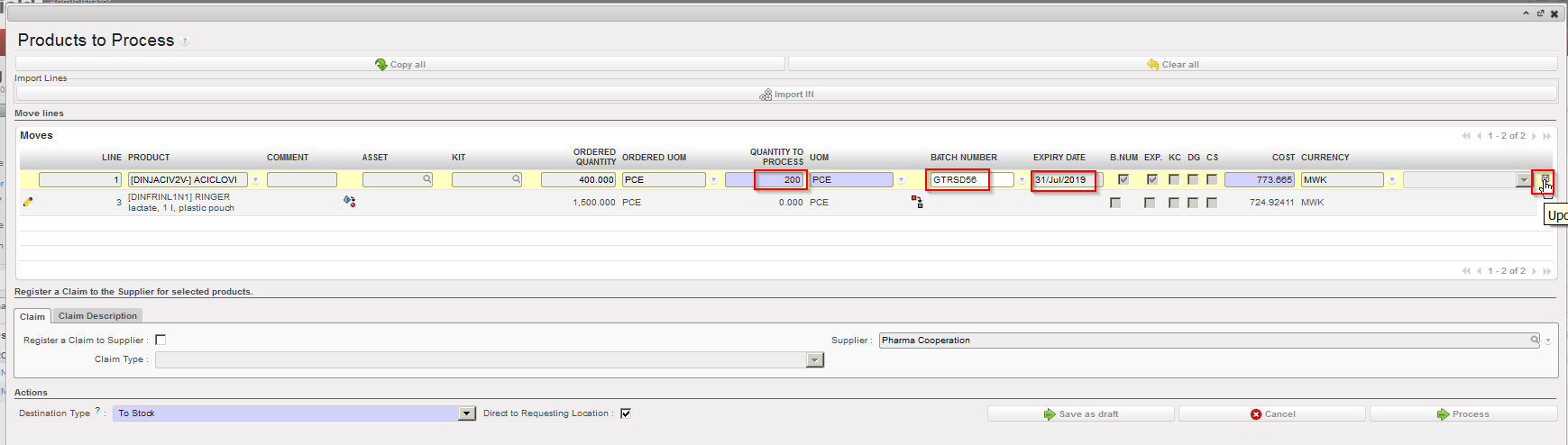
           4. Enter in the field “Quantity to process“, the quantity that you are receiving.

           5. Click on the magnifying glass on the right side of the “Batch Number” field.

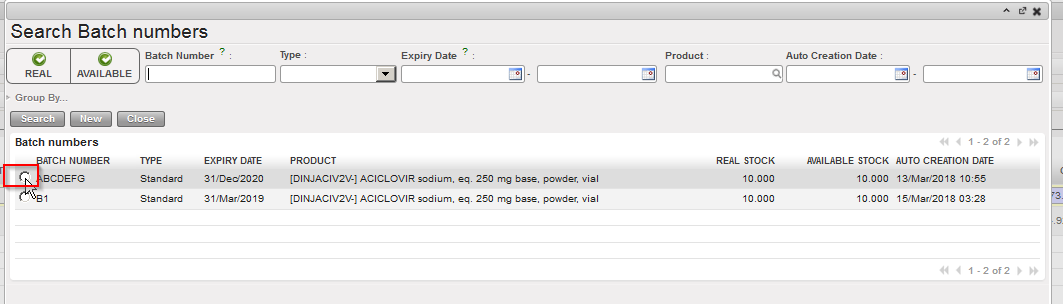
  • If the batch master data already exists on your instance, select it in the “Search Batch numbers” screen.
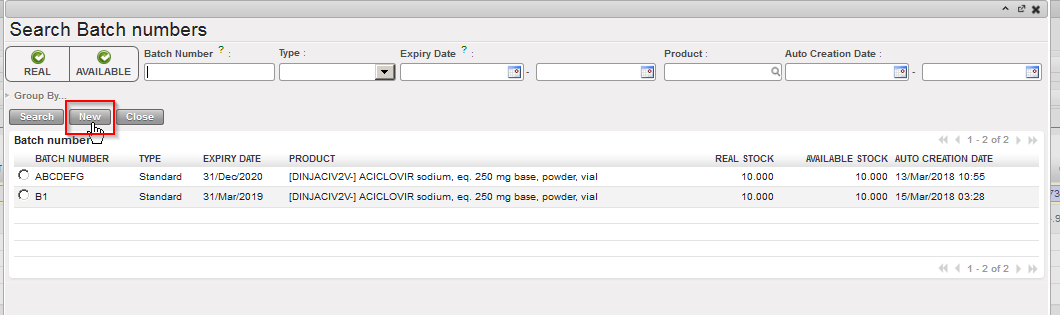
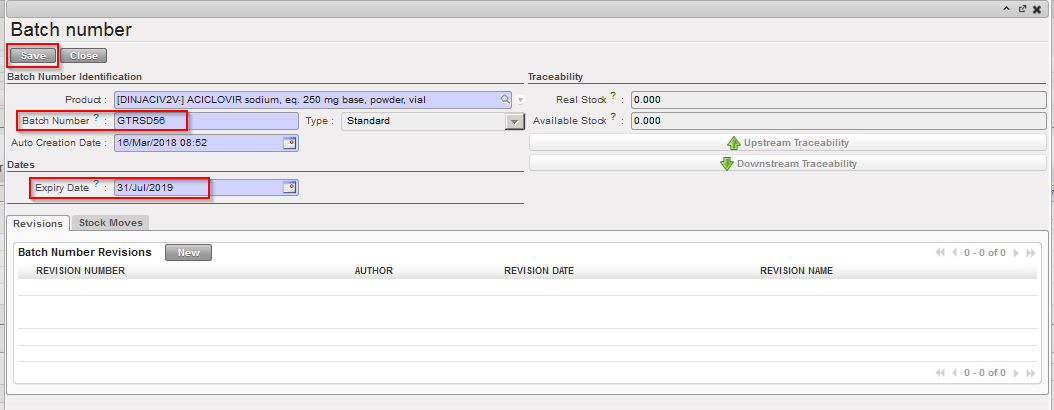
  • Otherwise create the batch master data by clicking on the “New” button. Fill in the “Batch Number” and the “Expiry Date” fields on the “Batch number” window and save your changes by clicking on the “Save” button.

Entering quantity and BN of a product upon reception

Selecting a batch master data already existing

Creating a new batch master data (step 1)

Creating a new batch master data (step 2)

        6. Save the line by clicking on the floppy disk icon located on the right of the line (sometimes             hidden).
Saving the received line after entering quantity and BN/ED

         7. If you wish to receive additional products, complete additional lines and save them. Otherwise              you  may click on the “Process” button.

Processing the Incoming Shipment

The product(s) reception has now been registered and product(s) are now in the specified location (MED in this example).

The batch master data can be seen through Warehouse / Traceability / Batch numbers.

Batch master data

In some situations you may receive a same product with 2 different batch numbers in a single freight sent by the supplier. In this case, you need to split the line in the “Product to Process” screen by clicking on the Split icon . Specify the quantity to be split and click “OK” on the “Split quantity” window. You can then receive the products and set the appropriate BN/ED. Refer to the previous sections for more details on the split functionality.

M. HOW TO RECEIVE A PRODUCT MANAGED BY EXPIRY DATE

Supply User Manual ENG -> 5. Warehouse -> 5.2 LU-SU4101: Incoming Shipments -> M. HOW TO RECEIVE A PRODUCT MANAGED BY EXPIRY DATE

M. HOW TO RECEIVE A PRODUCT MANAGED BY EXPIRY DATE

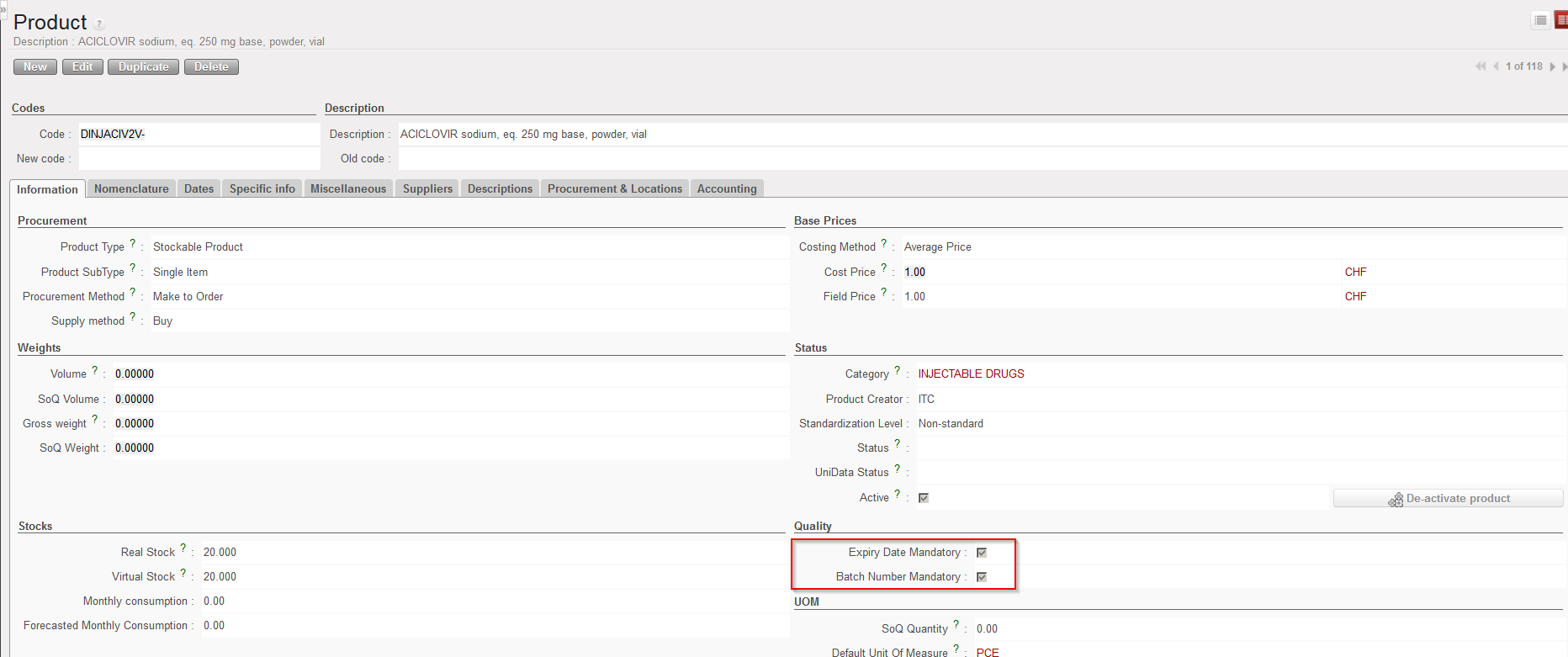
Products can be followed by expiry dates and/or batch numbers according to their settings as defined in their PMD sheet.

PMD sheet – ED/BN settings

Some products, mostly drugs and other medical items are managed by expiry dates. This expiry date will have to be entered in the system at the first reception so that it can be viewed during the lifespan of the product in the system and will “follow” the product until its delivery to the client (including from one instance to another).

Note that ED/BN are actually master data as these records may be reused in other transactions This means that if a product is received and the ED “DD/MM/YYYY” and BN “X” are declared during its reception, the BN “X” with ED “DD/MM/YYYY” will be created (as master data) during the reception process. If later on, the same product with the same BN and same ED is received once again, you will not have to recreate the BN but you will be able to reuse it.

A product can be followed by BN and ED or by ED only (but not by BN only). If a product followed by BN and ED is received, the system will require the encoding a BN and an ED for this product when the IN will be processed. If a product followed by ED only is received, the system will require the encoding of an ED for this product when the IN will be processed. In both cases a BN (master data) will be created. In the first case (BN&ED mandatory) a BN will be created with the encoded BN and ED. In the second case (ED mandatory), a BN will be created with the encoded ED and a BN like MSFBN/00000X (e.g. MSFBN/000098) will be given to this batch by the system.

If a product is not defined as BN/ED mandatory in its PMD sheet, you will not be able to enter a BN/ED when this product will be received.

Batch numbers (master data) can be viewed through Warehouse / Traceability / Batch numbers.

Note that changing the BN/ED settings of a PMD sheet is not recommended, especially if the product has already been used.

These settings are defined by the OC and may vary from OC to OC (i.e. a product can be managed by BN&ED by an OC but not by the other one). Note that such a situation could have negative impacts if inter-section transactions are done between these OCs.

For UniData products, these settings should be defined a HQ level and should be the same for all instances related to this HQ. For local products, these settings should be defined at coordination level and should be the same for all instances related to this coordination.

In the below example, we receive a product which is followed by ED only. Note that in most of the cases, a product will be followed by BN and ED or not (i.e. both flags will be present in the PMD sheet or none of them). Please refer to your OC procedures to understand which products should be followed by BN and/or ED within your section.

Go to: Warehouse / Warehouse Management / Incoming Shipments

  1. Open the Incoming Shipment you wish to receive.
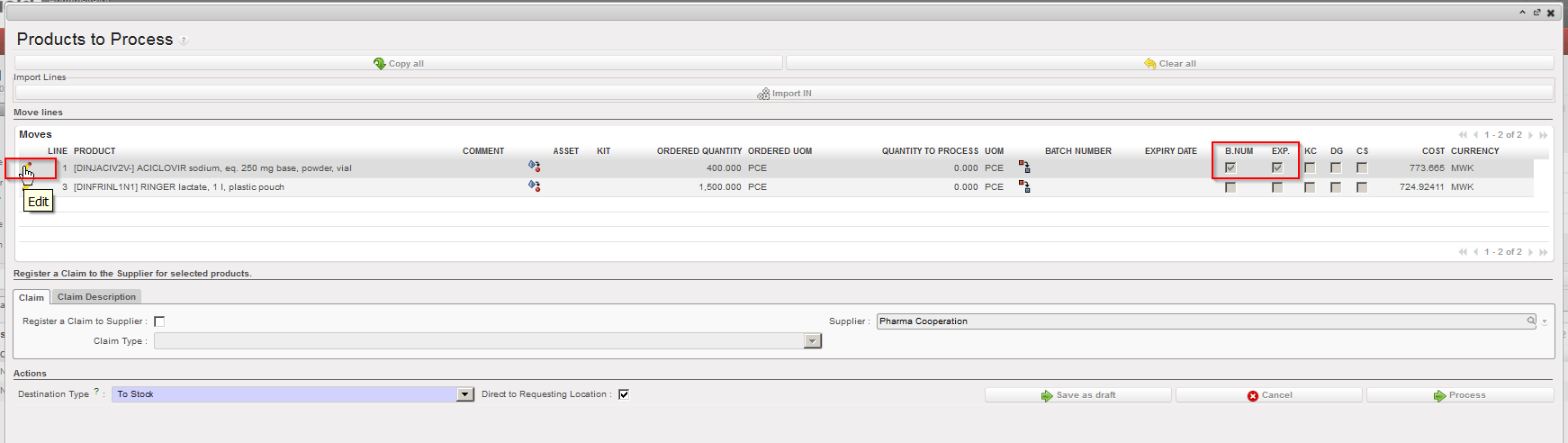
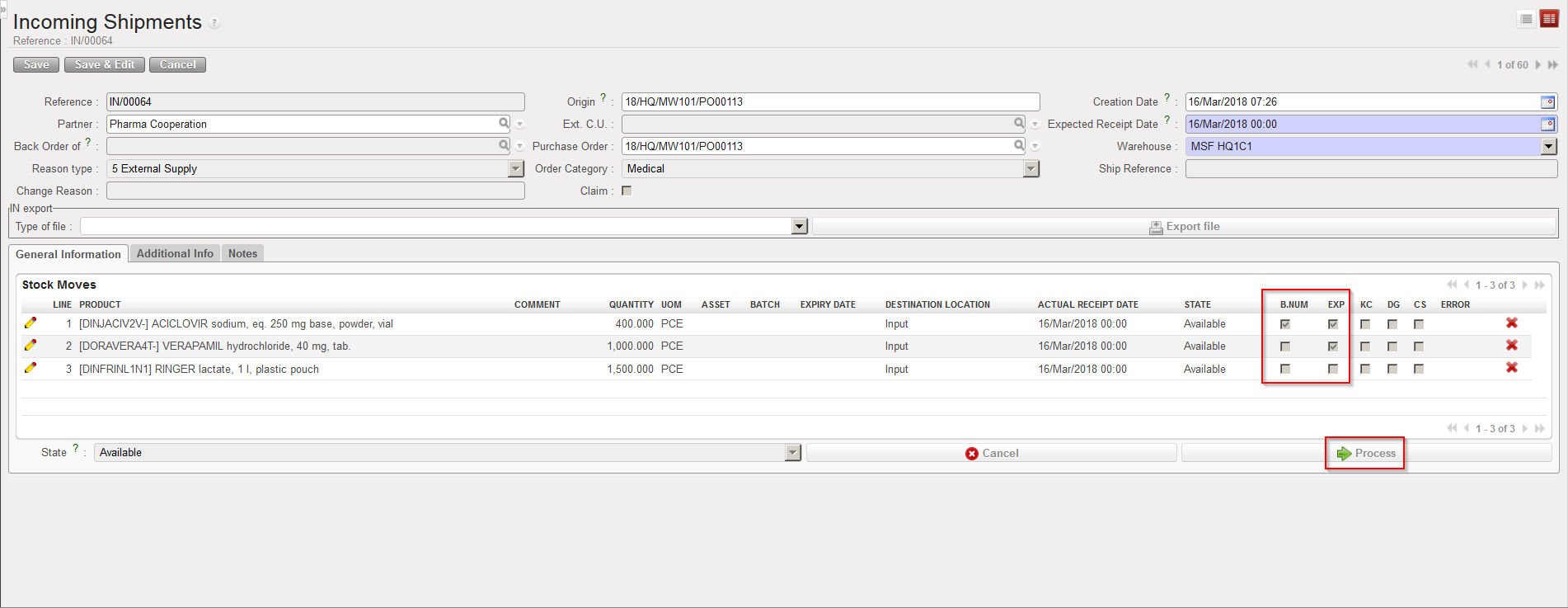
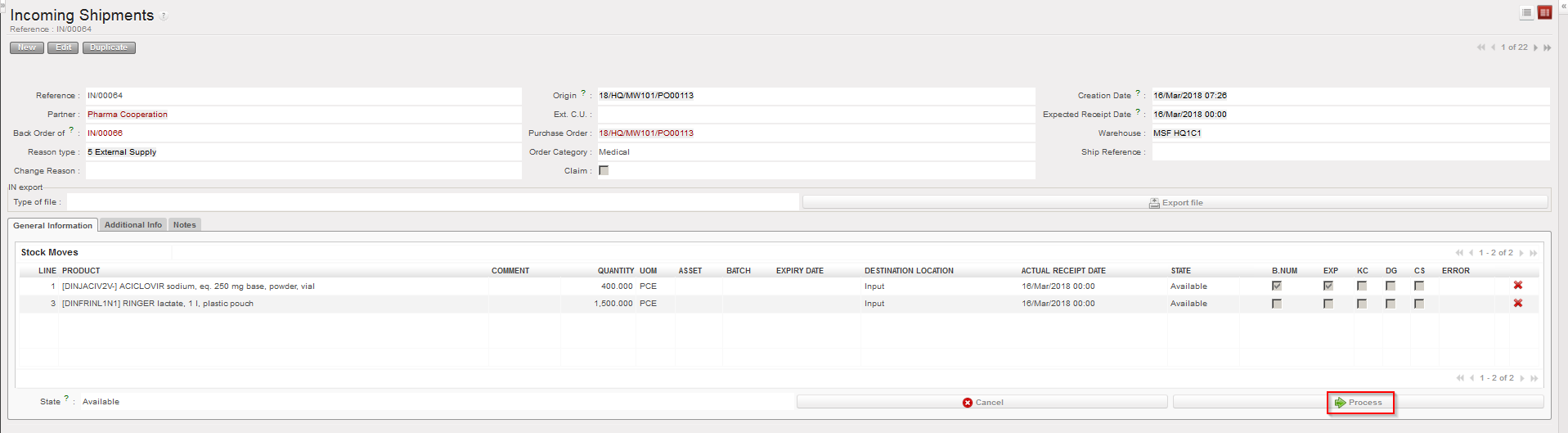
  2. Click on the “Process” button. Note that on the main IN screen, you may already see, thanks to the columns “B.NUM” and “EXP” which products will require a BN and/or an ED.

Incoming Shipment showing BN and ED settings of the products

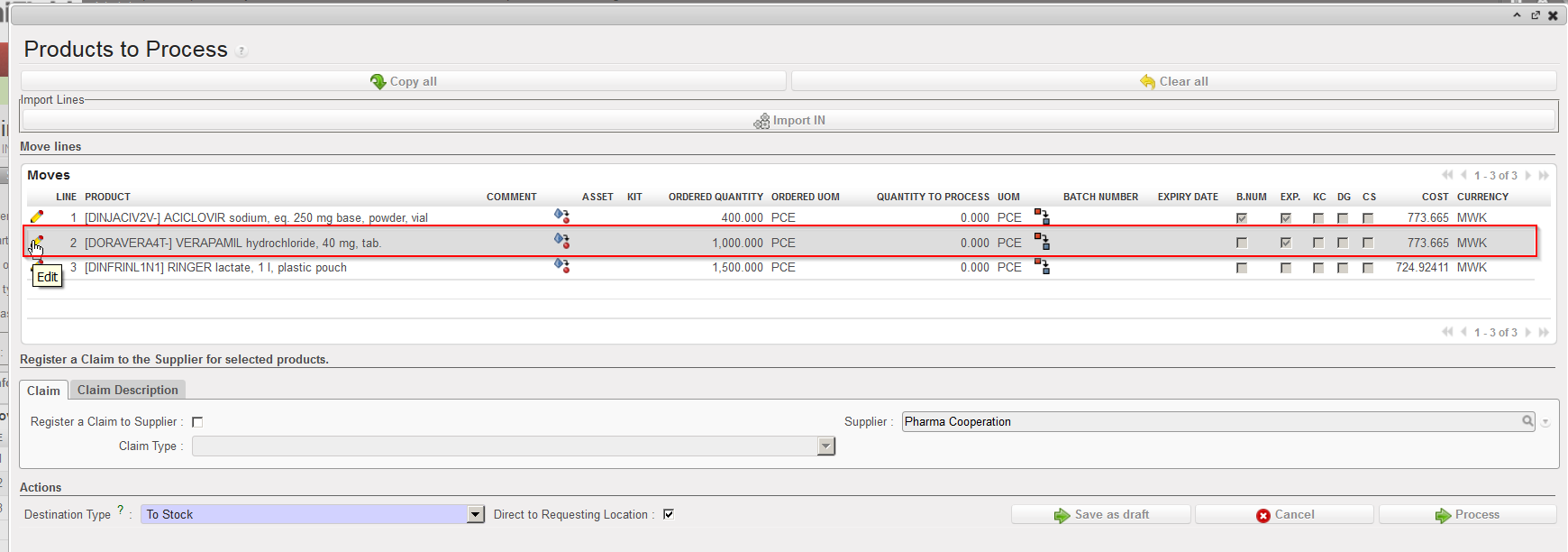
        3. On the “Product to Process” screen, select the line you wish to receive via the pencil located on             its left. Note that in this case we are receiving a product which is managed by ED only.

“Products to Process” screen showing BN and ED settings of the products

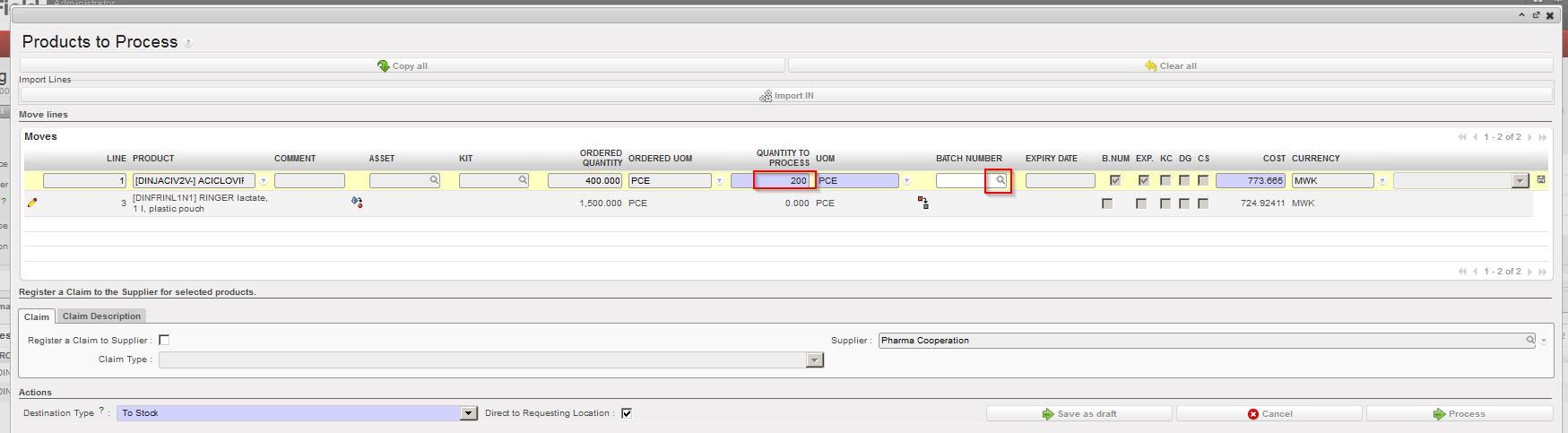
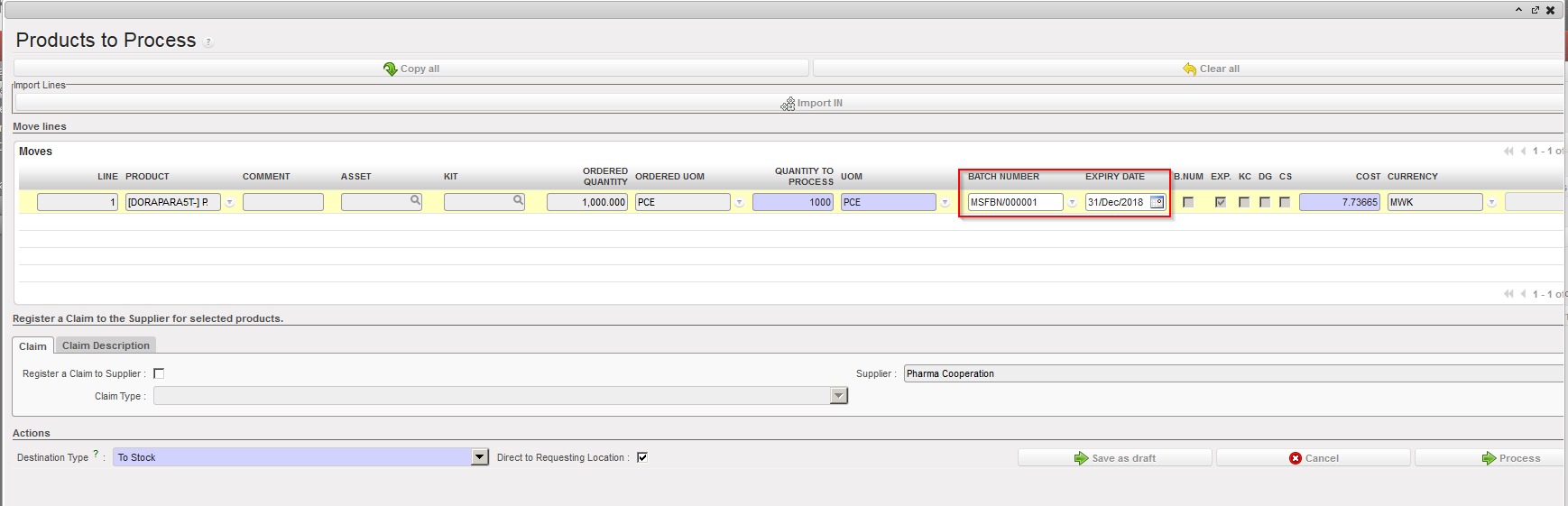
          4. Enter in the field “Quantity to process“, the quantity that you are receiving.

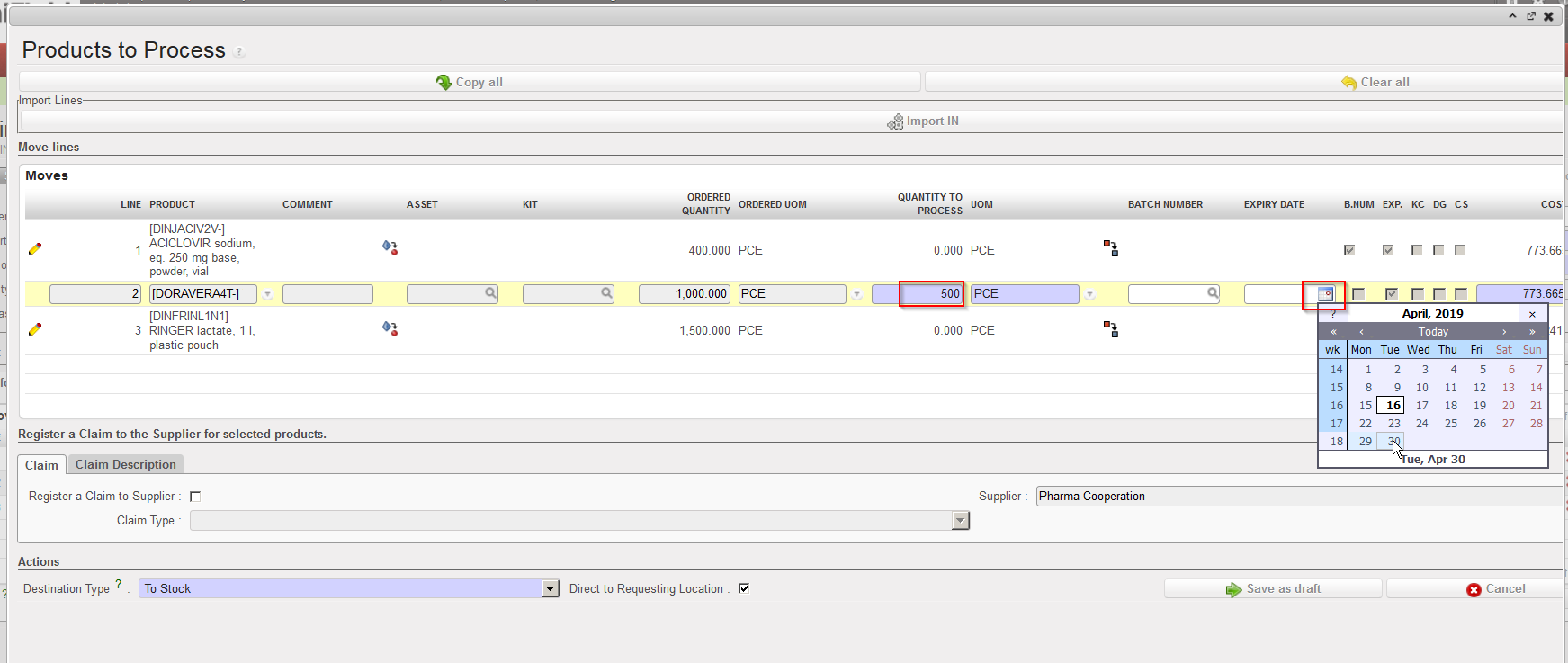
          5. Click on the calendar icon located on the right of the “Expiry Date” field. Use the calendar to                indicate when the received product will expire.

Entering quantity and ED of a product upon reception

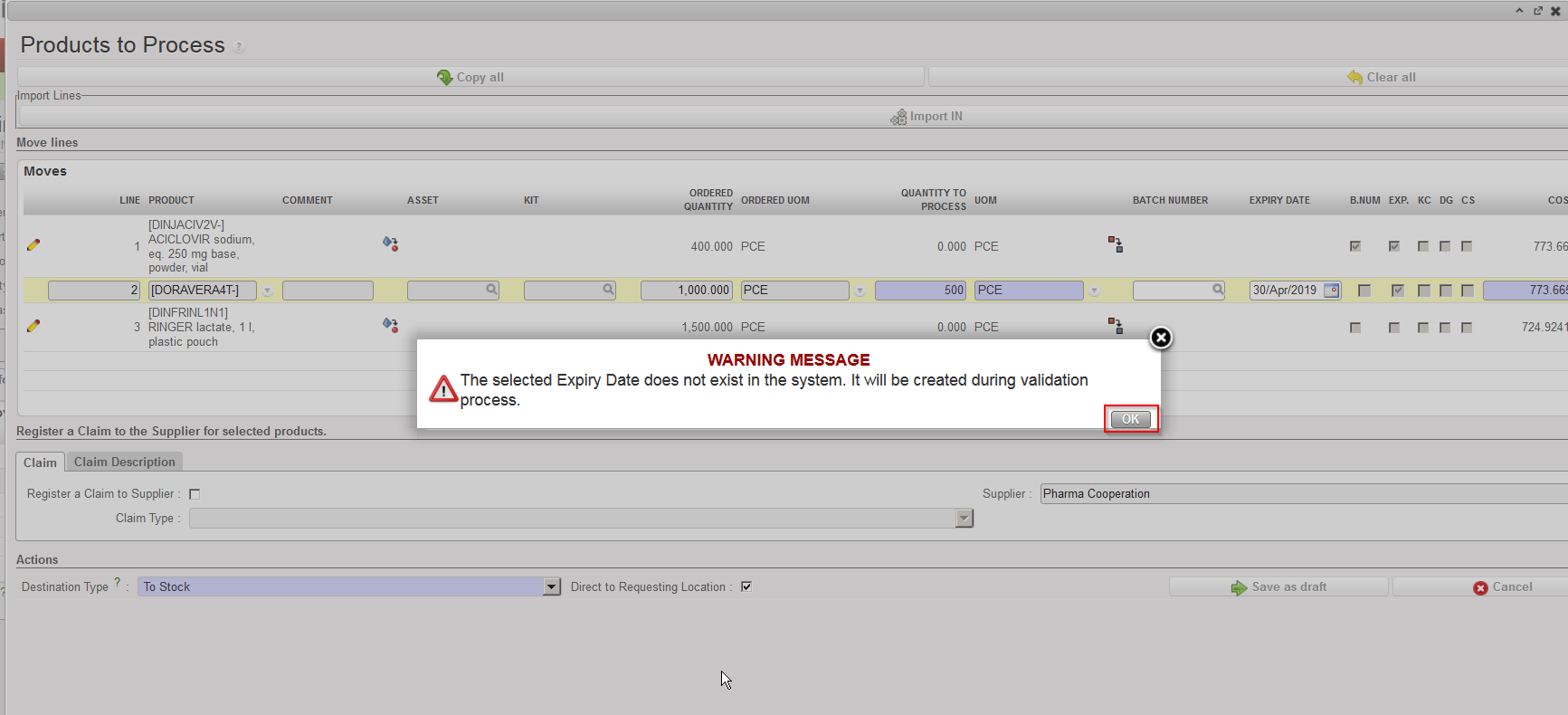
            6. If the ED (actually the batch master data) does not exist on the instance, a message informs you                  that this ED will be created in the system. Click “OK“. Note that if the ED already exists on the                 instance for this product, UniField will link the entered ED with the batch master data and                 retrieve it.

Information message for ED creation

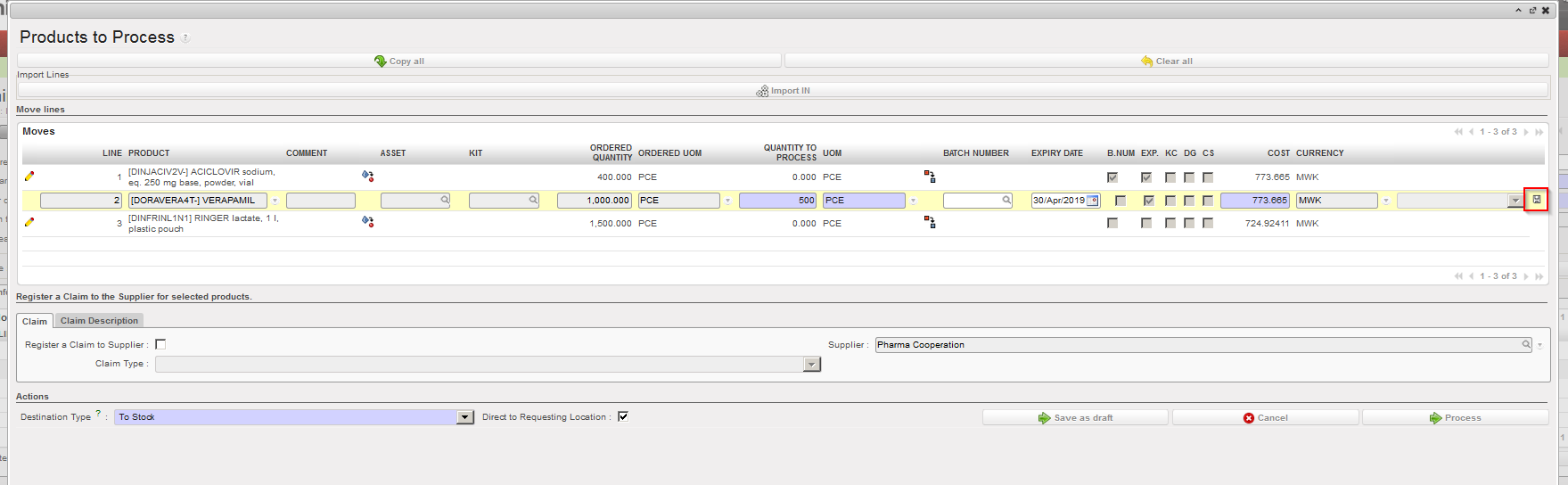
              7. Save the line by clicking on the floppy disk icon located on the right of the line (sometimes                   hidden).
Saving the received line after entering quantity and ED

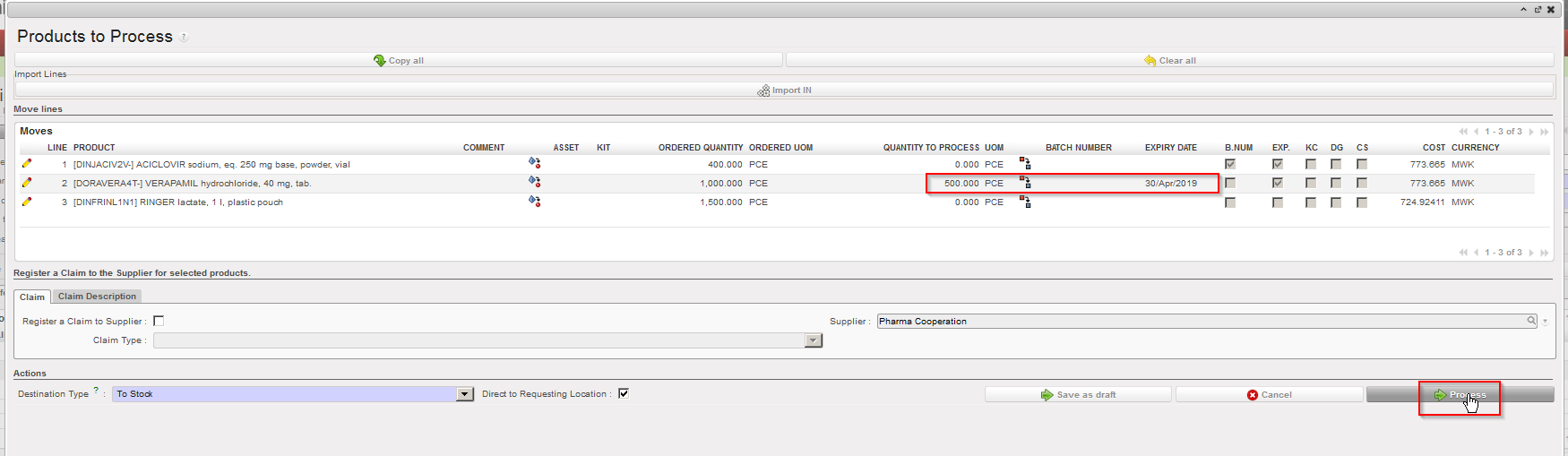
               8. If you wish to receive additional products, complete additional lines and save them. Otherwise                    you may click on the “Process” button.

Processing the Incoming Shipment

The product(s) reception has now been registered and product(s) are now in the specified location (MED in this example).

The batch master data can be seen through Warehouse / Traceability / Batch numbers. Note that in this example, as the product is ED mandatory only, the BN has been set by the system (to MSFBN/000010).

Batch master data

During the reception process, if you enter an ED which already matches with a batch master data existing on the instance, UniField will simply link the entered ED with the batch master data and retrieve it.

Entered ED already existing on a batch master data for this product

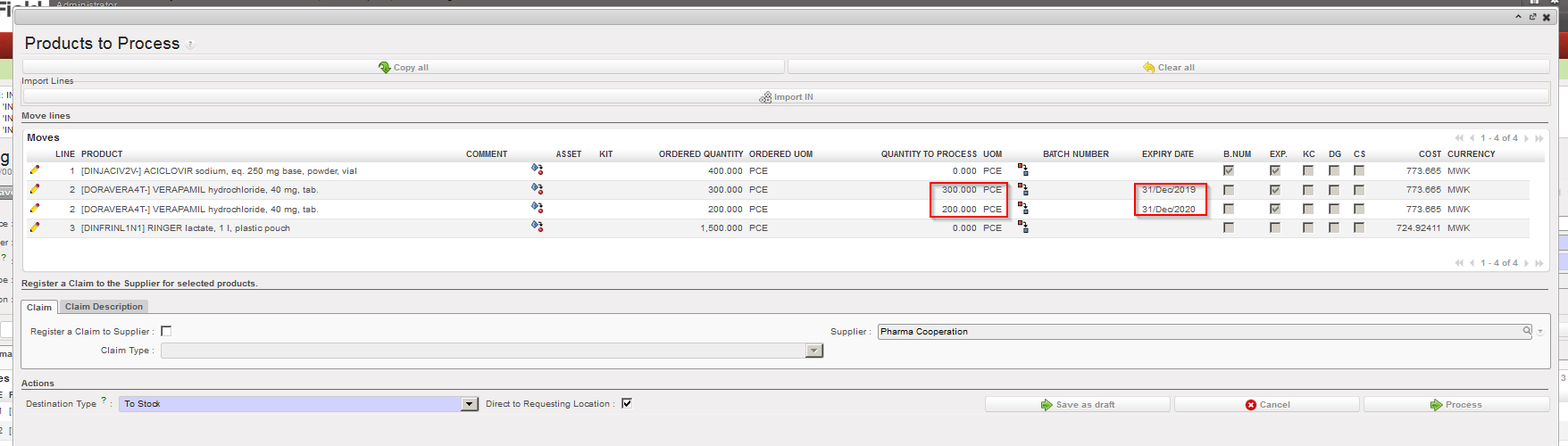
In some situations you may receive a same product with 2 different expiry dates in a single freight sent by the supplier. In this case, you need to split the line in the “Product to Process” screen by clicking on the Split icon . Specify the quantity to be split and click “OK” on the “Split quantity” window. You can then receive the products and set the appropriate expiry dates.
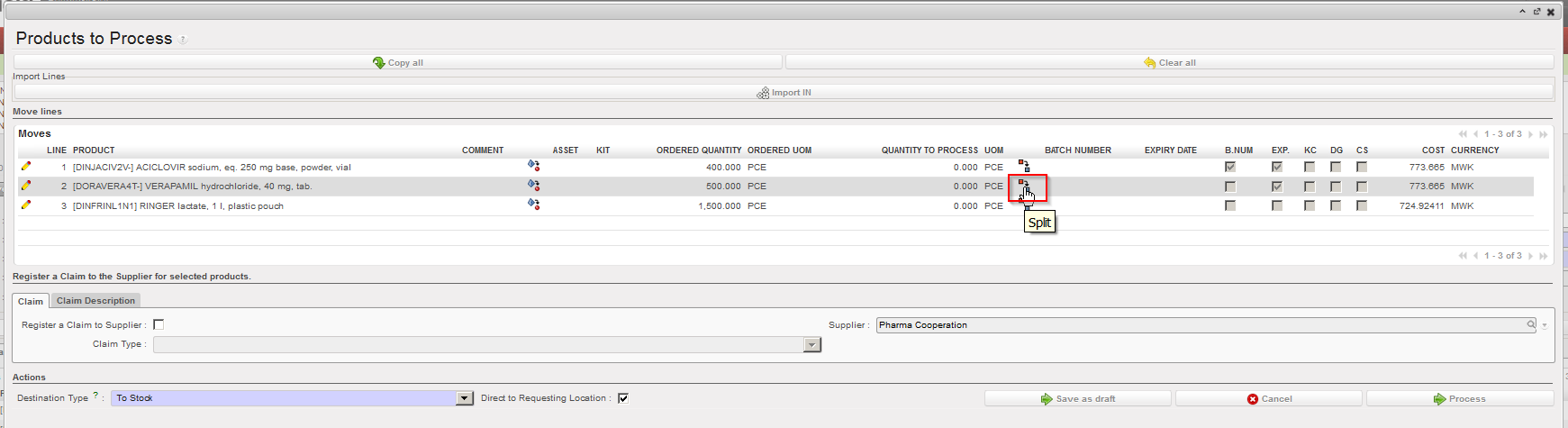

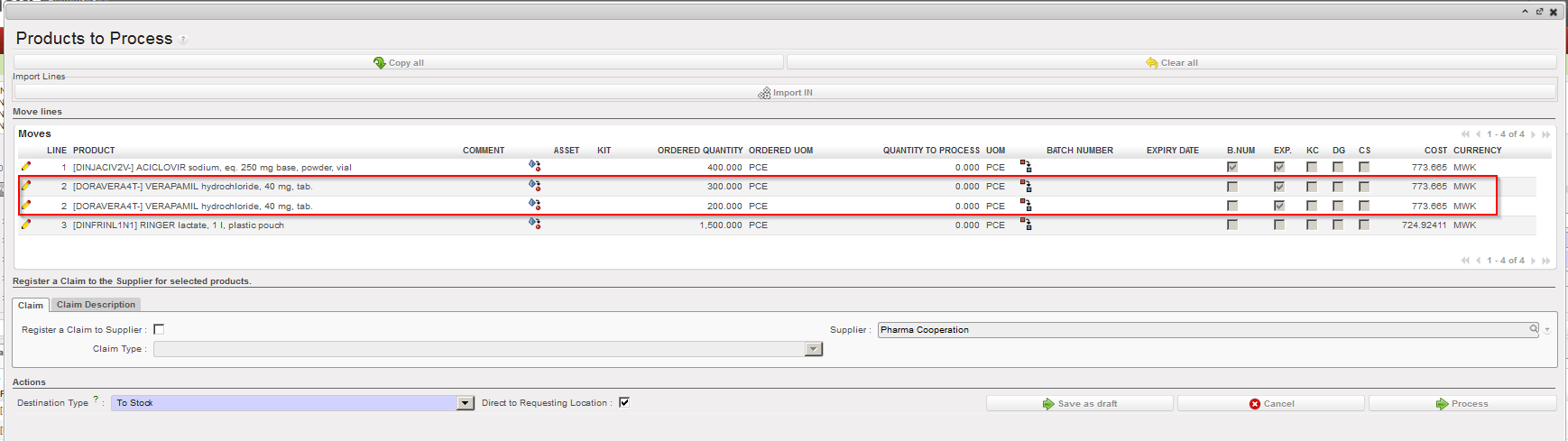
Splitting a line on the “Product to Process” screen

Specifying the quantity to split

Split line result

Received quantities and corresponding ED entered

L. How to cancel & resource on an Incoming Shipment (at line level)

Supply User Manual ENG -> 5. Warehouse -> 5.2 LU-SU4101: Incoming Shipments -> L. How to cancel & resource on an Incoming Shipment (at line level)

L. How to cancel & resource on an Incoming Shipment (at line level)

Cancel & resource on IN can also be done at line level.

Go to: Warehouse / Warehouse Management / Incoming Shipments

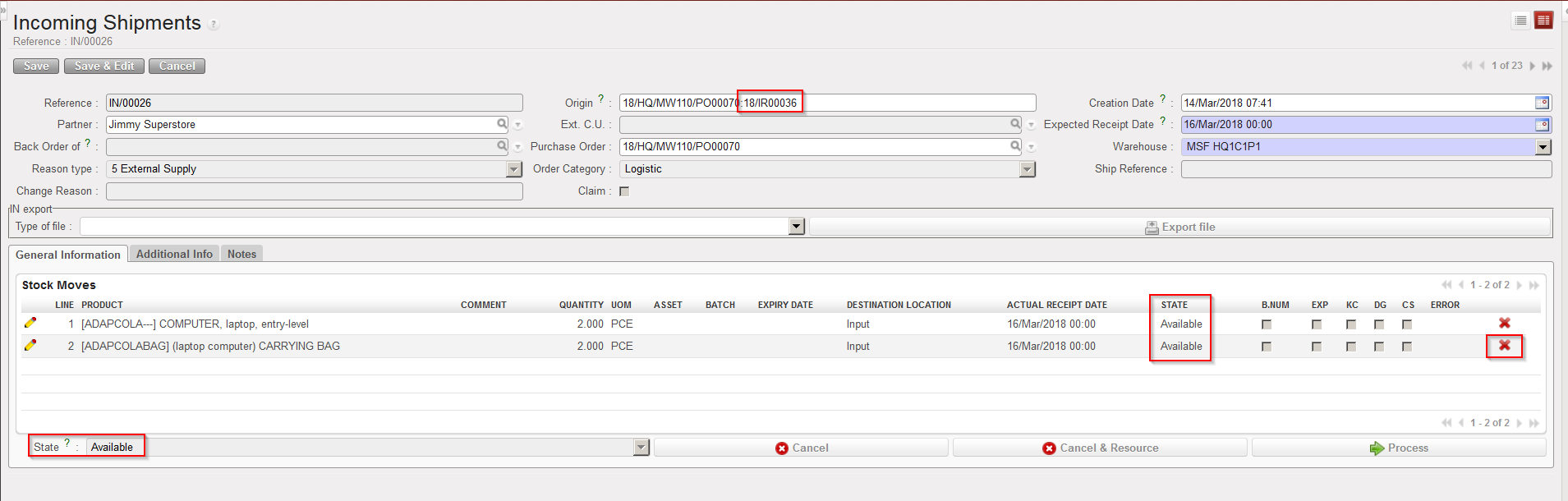
  1. Open an Incoming Shipment whose state is “Available“. In the origin of the IN, you should see an IR or an FO.
  2. Click on the red cross (“Cancel“) located at the right of the line you wish to cancel & resource.

Cancelling an Incoming Shipment at line level

      3. In the “Cancel move” window, select “Cancel and Resource“.

Cancelling & resourcing an Incoming Shipment at line level

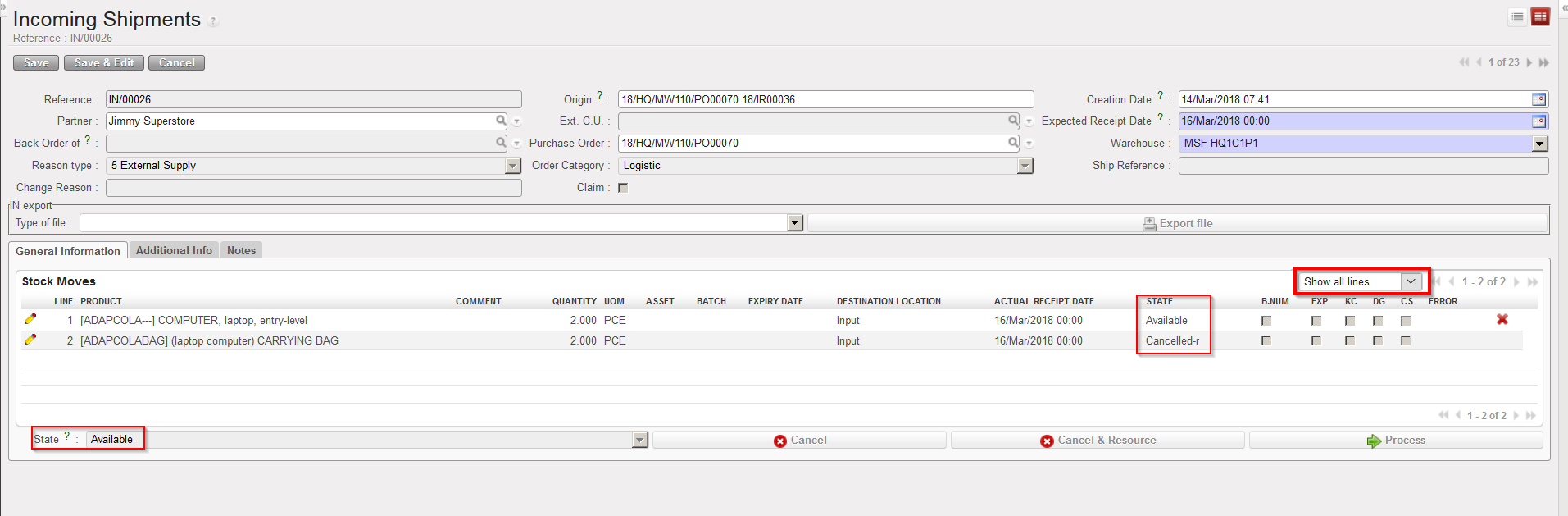
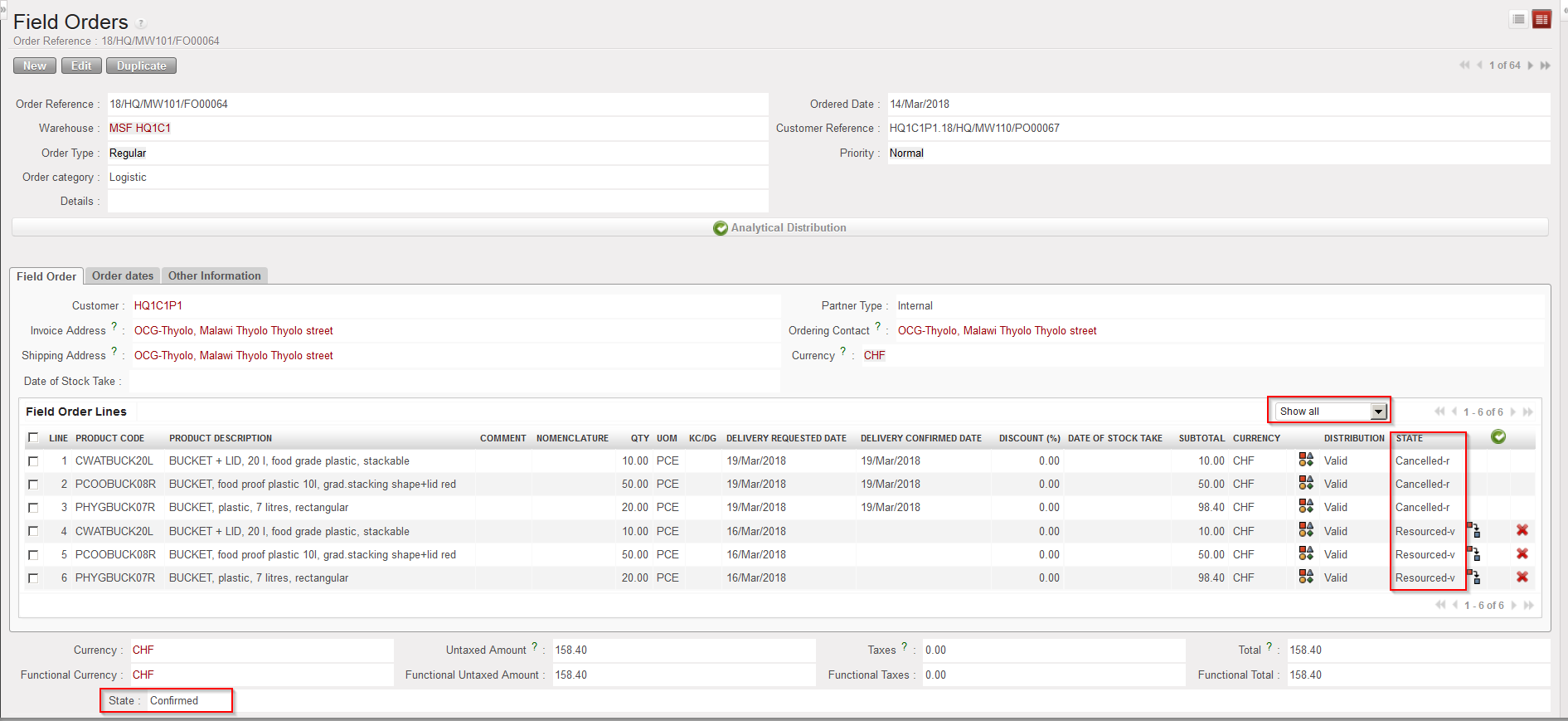
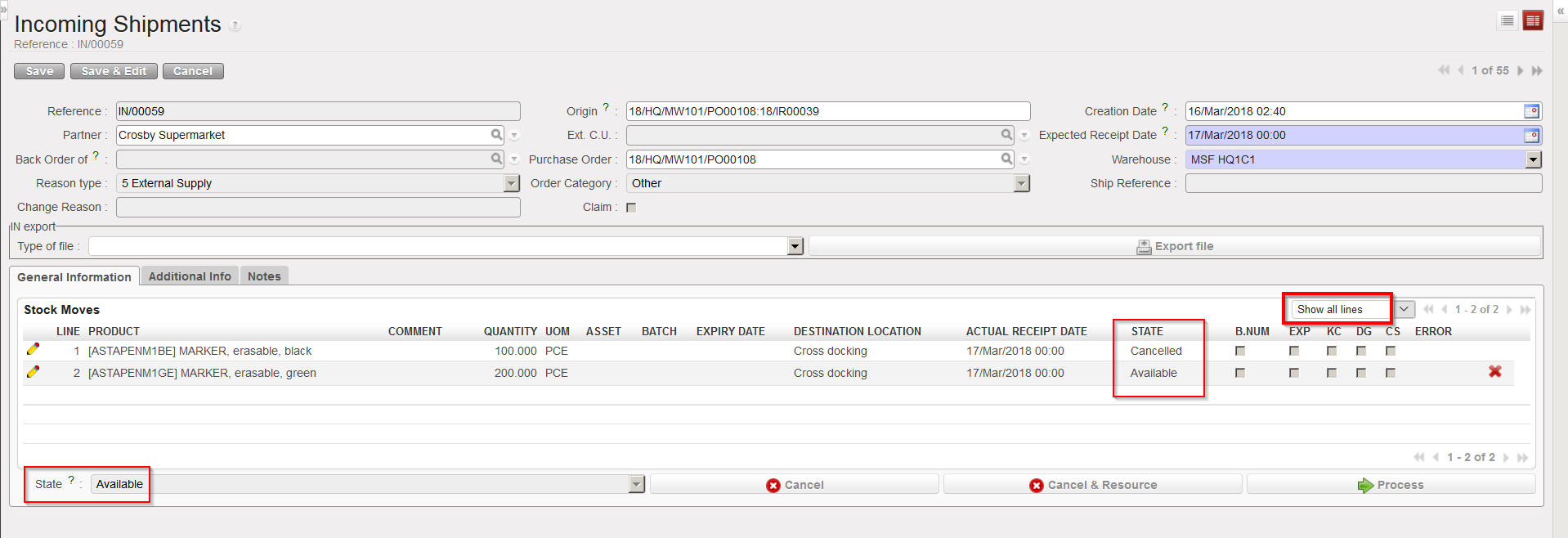
On the IN, the cancelled & resourced line switches to the state “Cancelled-r“. The IN (at header level) and the other lines keep the state “Available”.

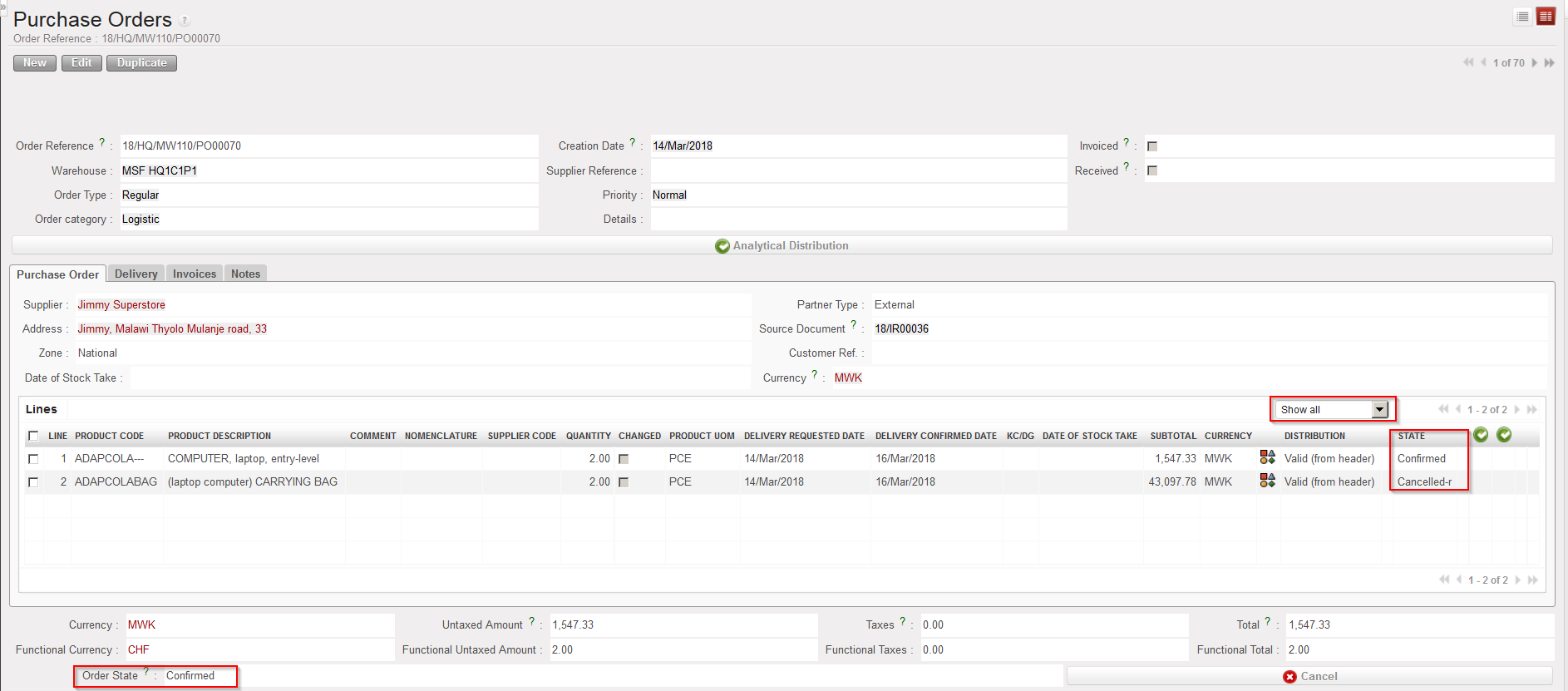
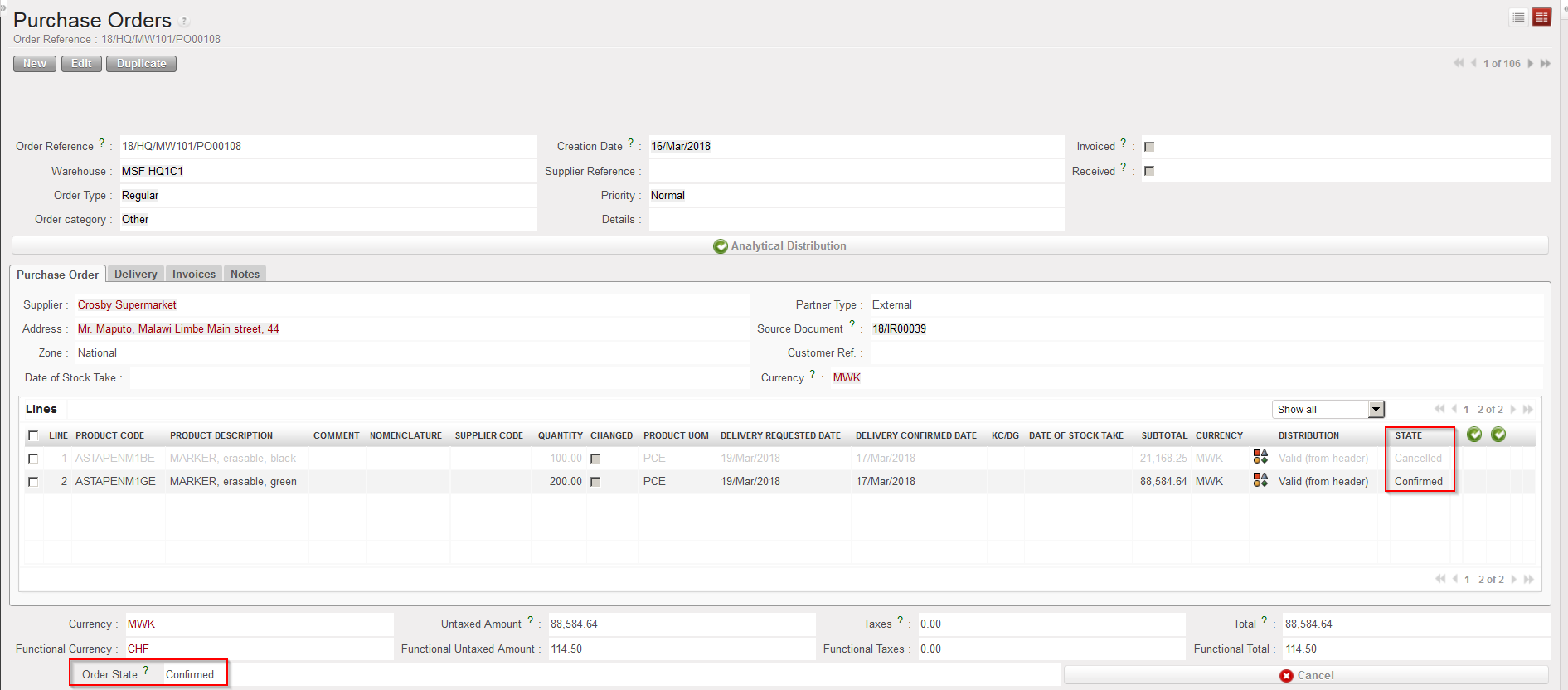
On the PO, the corresponding line switches to the state “Cancelled-r” while the PO (at header level) and the other lines keep the state “Confirmed“.

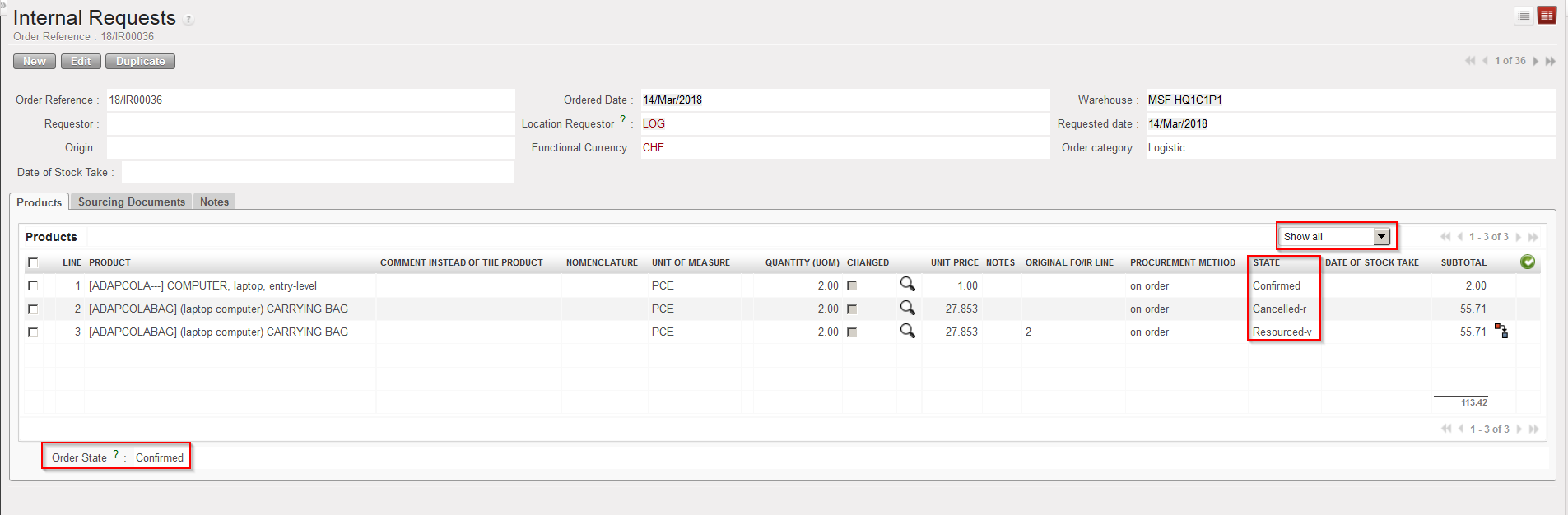
On the sourced request (IR/FO), the cancelled & resourced line switches to the state “Cancelled-r”, while a new line (copy of the “Cancelled-r” one) is inserted on the IR in state “Resourced-v“. This new line can be resourced in the OST. The IR/FO (at header level) and the other IR/FO-lines keep the state “Confirmed”.

IN after cancel & resource at line level ( filter on “Show all”)

PO after cancel & resource has been done at line level on IN

IR after cancel & resourced has been done at line level on IN

K. How to cancel & resource an Incoming Shipment (at header level)

Supply User Manual ENG -> 5. Warehouse -> 5.2 LU-SU4101: Incoming Shipments -> K. How to cancel & resource an Incoming Shipment (at header level)

K. How to cancel & resource an Incoming Shipment (at header level)

After a PO (or a PO-line) has been confirmed, there is no more possibility to change the content of the PO (or PO-line). If you want to change the supplier because he cannot provide the goods that you asked for, or if there is some other reason that the PO cannot be fulfilled, you have the possibility to cancel & resource at Incoming Shipment level.

Remember that this functionality is also available on Purchase Orders. As for Purchase Orders, cancel & resource will only be available on INs related to POs which have been created by the OST (from IRs or FOs sourced on order).

Go to: Warehouse / Warehouse Management / Incoming Shipments

  1. Open an Incoming Shipment whose state is “Available“. In the origin of the IN, you should see an IR or an FO.
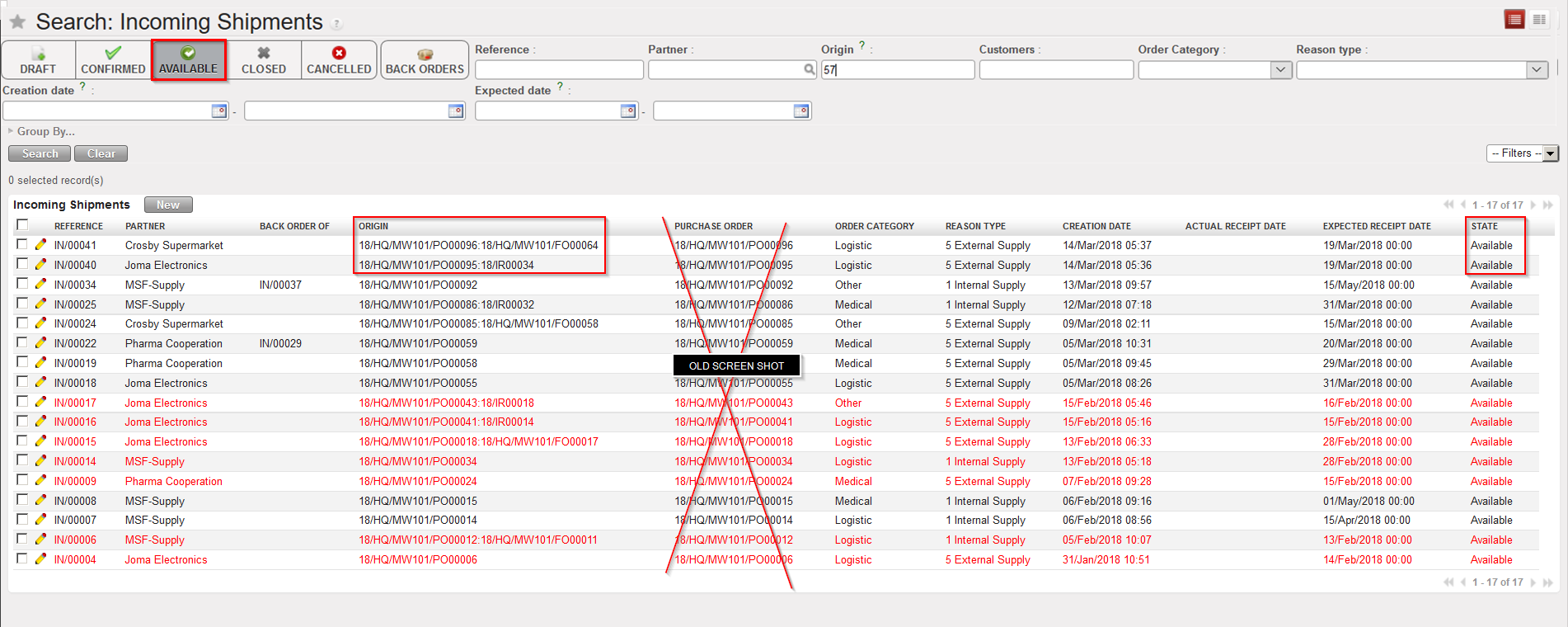
Incoming Shipments related to POs which have been created by the OST, following sourcing of IR/FO on order

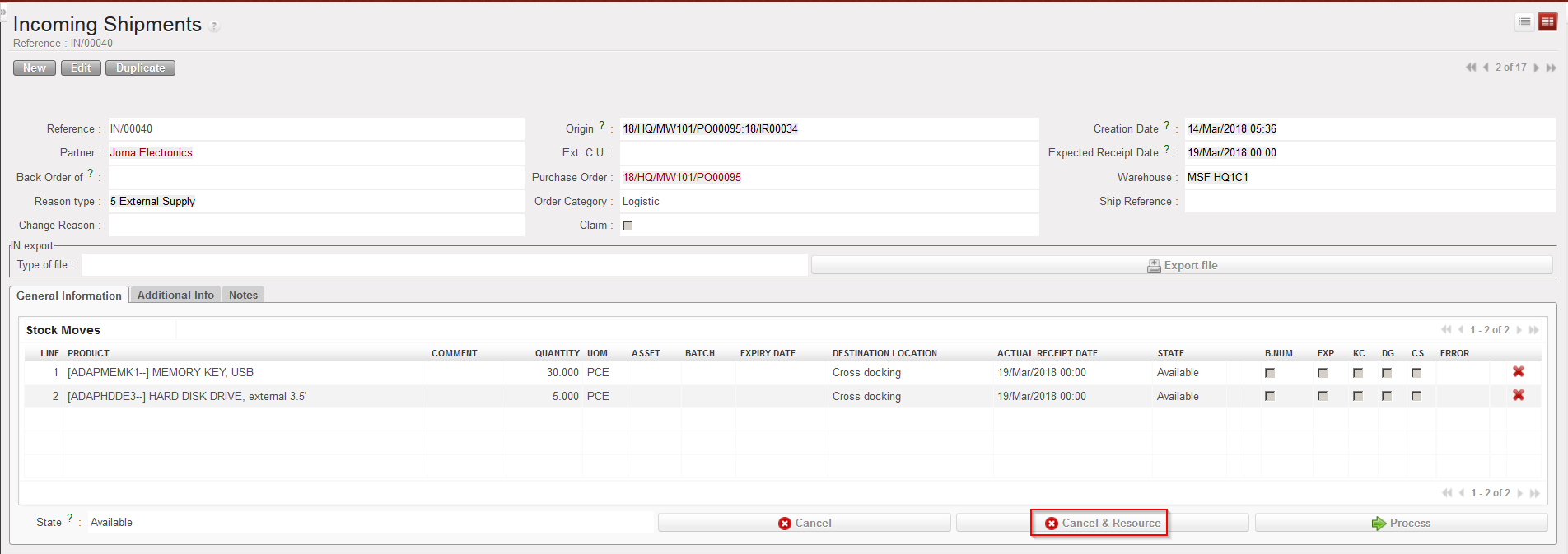
2. Click on the “Cancel & Resource” button (with the red cross) located at the bottom of the main IN screen. Note that this button will only be available if the IN is related to a PO created by the OST, following the sourcing of an IR or an FO.

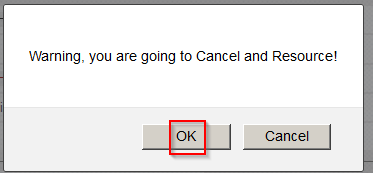
3. The system warns you that you are about to cancel & resource. Click on “OK” to proceed.

4. On the “Enter a Reason for Incoming cancellation” window, enter a reason (free text) in the “Change Reason” field and click on “Cancel Incoming” to proceed.

Cancel & Resource an Incoming shipment (at header level)
Confirming cancellation & resourcing of an Incoming Shipment
Entering a reason to explain cancellation & resourcing of an Incoming Shipment

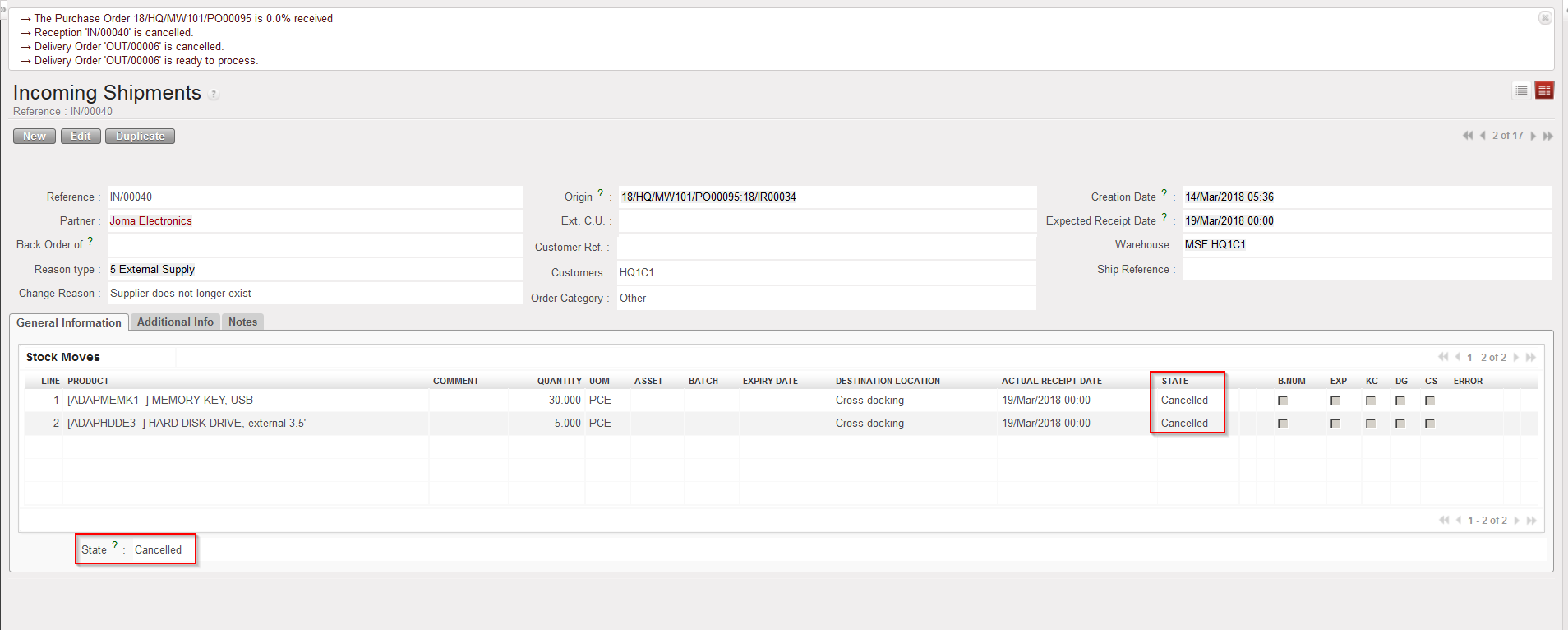
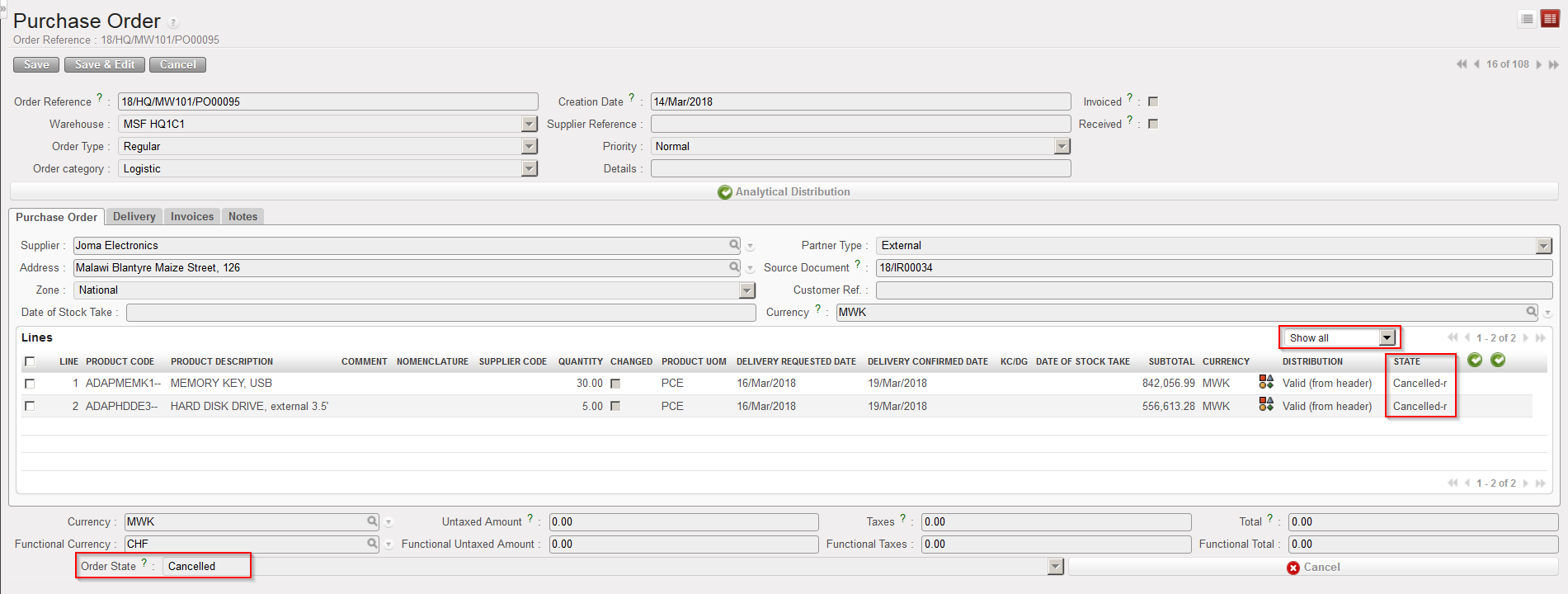
The Incoming Shipment switches to the state “Cancelled” and all its lines also switch to the state “Cancelled”. The corresponding PO switches to “Cancelled” and all its lines switch to the state “Cancelled-r(remember to set the filter to “Show all” if you want to see all the lines of the PO).

Cancelled & resourced Incoming Shipment
PO following cancel & resource on Incoming Shipment

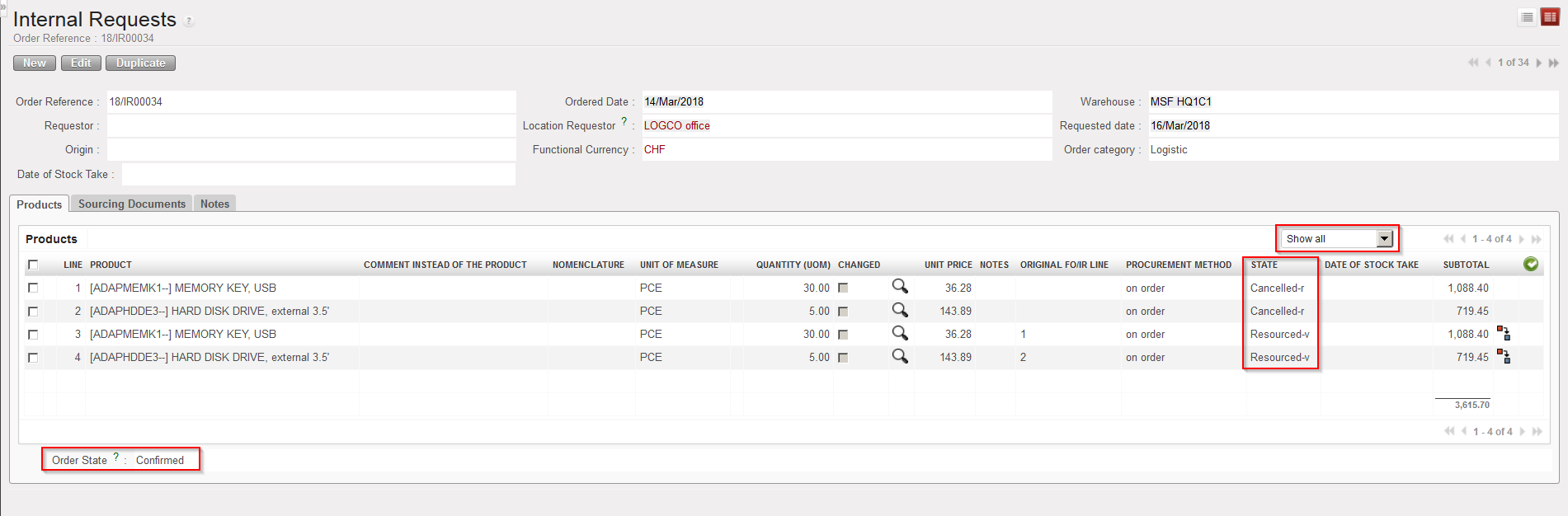
The request (IR or FO) which was sourced on order to create the above PO has the state “Confirmed”. The lines corresponding to the ones which were cancelled & resourced on the IN switch to the state “Cancelled-r” while new lines (copy of the “Cancelled-r” ones) are inserted on the IR/FO in the state “Resourced-v“. These new lines can be resourced through the OST. Again, remember to set the filter to “Show all” on the IR/FO if you want to see all its lines (including the cancelled ones).

IR following cancel & resource on related Incoming Shipment
FO following cancel & resource on related Incoming Shipment

If the sourced request was an IR, the corresponding Delivery Order (OUT) is also cancelled (as well as all its lines). If the sourced request was an FO, the corresponding Picking Ticket (PICK) is also cancelled (as well as all its lines).

Note that if you decide to “cancel” rather than to “cancel & resource” this type of Incoming Shipment

(i.e. IN related to PO created by the OST following IR/FO sourcing), you end-up with:

-IN in state “cancelled” (as well as all its lines)

-PO in state “Cancelled” (as well as all its lines)

-IR/FO in state “Cancelled” (as well as all its lines)

-OUT/INT/PICK in state “Cancelled” (as well as all its lines)

J. How to cancel on an Incoming Shipment (at line level)

Supply User Manual ENG -> 5. Warehouse -> 5.2 LU-SU4101: Incoming Shipments -> J. How to cancel on an Incoming Shipment (at line level)

J. How to cancel on an Incoming Shipment (at line level)

Cancellation on IN at line level can be done on an Incoming Shipment which has the state “Draft“. This will only occur if the IN has been created from scratch and cancellation at line level will result in line being deleted from the IN.

Cancellation on IN at line level cannot be done if the IN (in state “Available”) is related to a PO which was created from scratch.

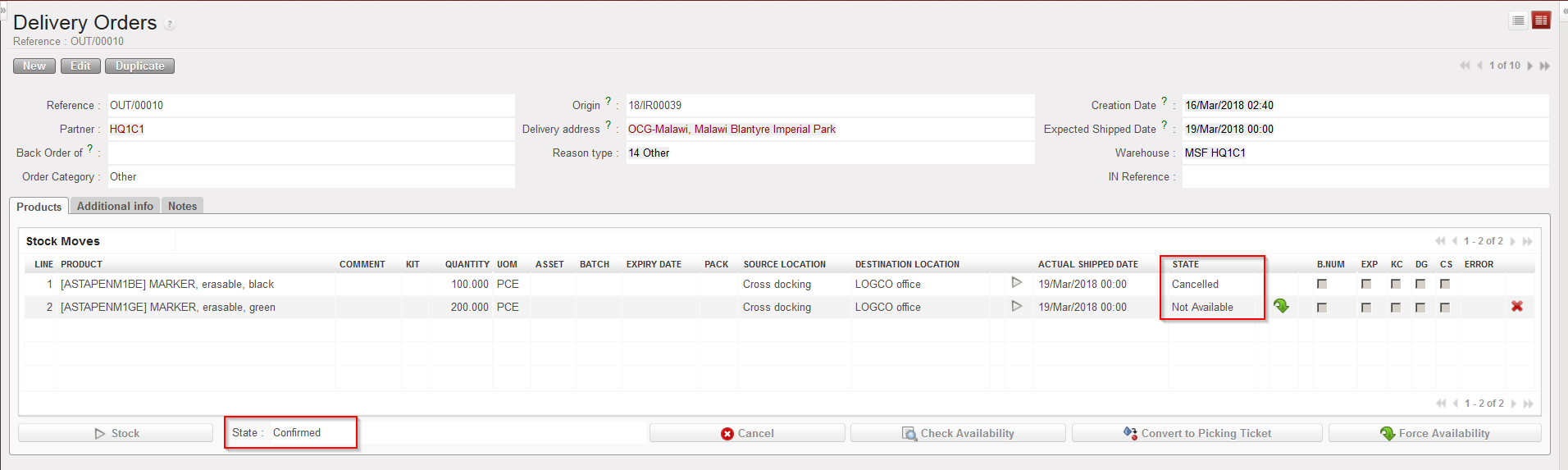
Cancelling a line of an Incoming Shipment which is in state “Available” will be possible if the IN is related to a PO which has been created by the OST, following the sourcing of an IR/FO. In this case, the cancelled line on the IN will switch to the state “Cancelled” and all related lines on the related documents will also switch to “Cancelled“.

Go to: Warehouse / Warehouse Management / Incoming Shipments

  1. Open an Incoming Shipment whose state is “Available” and on which you wish to cancel a line. Remember that the IN must be available and must be related to a PO which has been created by the OST.
  2. Click on the “Cancel” button (with the red cross) located at the right of the line you wish to cancel.
  3. On the “Cancel move” window which opens, select “Cancel Only“.

Cancelling one line of an Incoming Shipment

Line cancelled on IN (filter on “Show all lines” to see the Cancelled line)

Corresponding line “Cancelled” on PO

Corresponding line “Cancelled” on OUT

I. How to cancel on an Incoming Shipment (at header level)

Supply User Manual ENG -> 5. Warehouse -> 5.2 LU-SU4101: Incoming Shipments -> I. How to cancel on an Incoming Shipment (at header level)

I. How to cancel on an Incoming Shipment (at header level)

Sometimes Incoming Shipments have to be fully cancelled because they are no longer needed (with the agreement of the supplier) or because no supplier can deliver them. The cancellation of the Incoming Shipment will also impact the related Purchase Order, Commitment Voucher and any IR/FO associated.

This operation can be done at header level on an Incoming Shipment in state “Available“.

Go to: Warehouse / Warehouse Management / Incoming Shipments

  1. Open an Incoming Shipment whose state is “Available“.
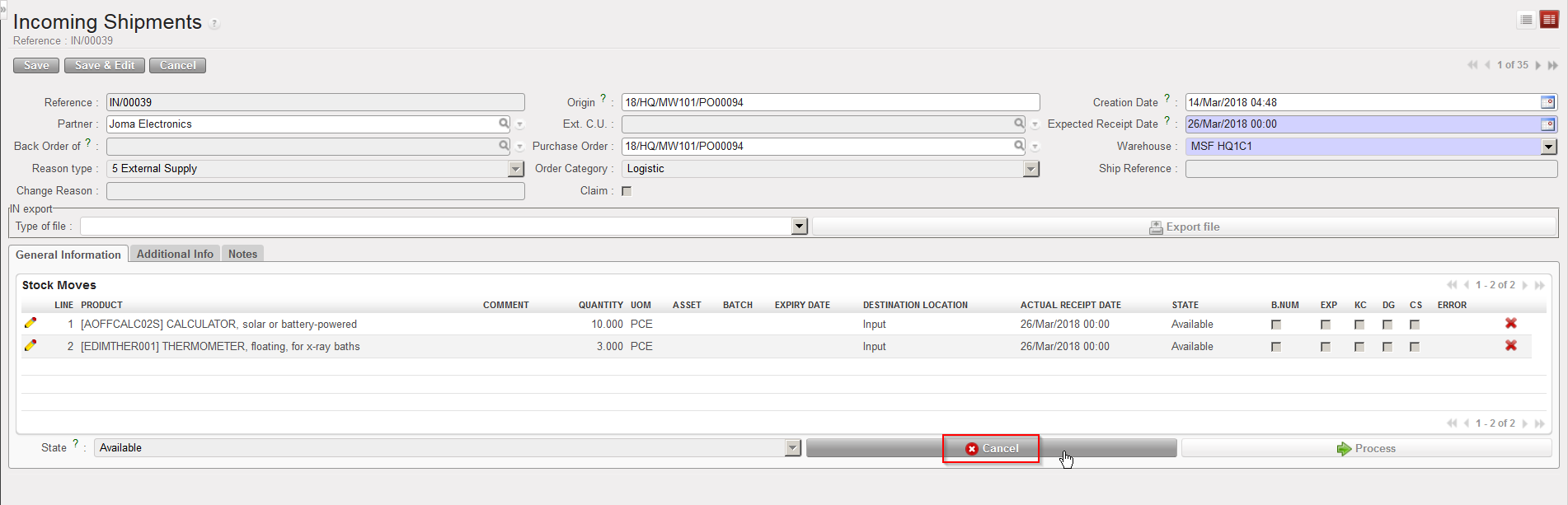
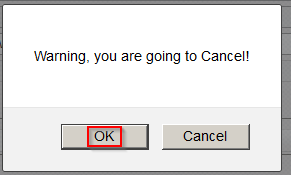
  2. Click on the “Cancel” button (with the red cross) located at the bottom of the main IN screen. The system warns you that you are about to cancel. Click on “OK” to proceed.
  3. On the “Enter a Reason for Incoming cancellation” screen, enter a reason (free text) in the “Change Reason” field. Click on “Cancel Incoming” to proceed.

Cancelling an Incoming Shipment

Confirming cancellation of an Incoming Shipment

Entering a reason to explain cancellation of an Incoming Shipment

Cancelled Incoming Shipment – Filtered on “Show all lines”

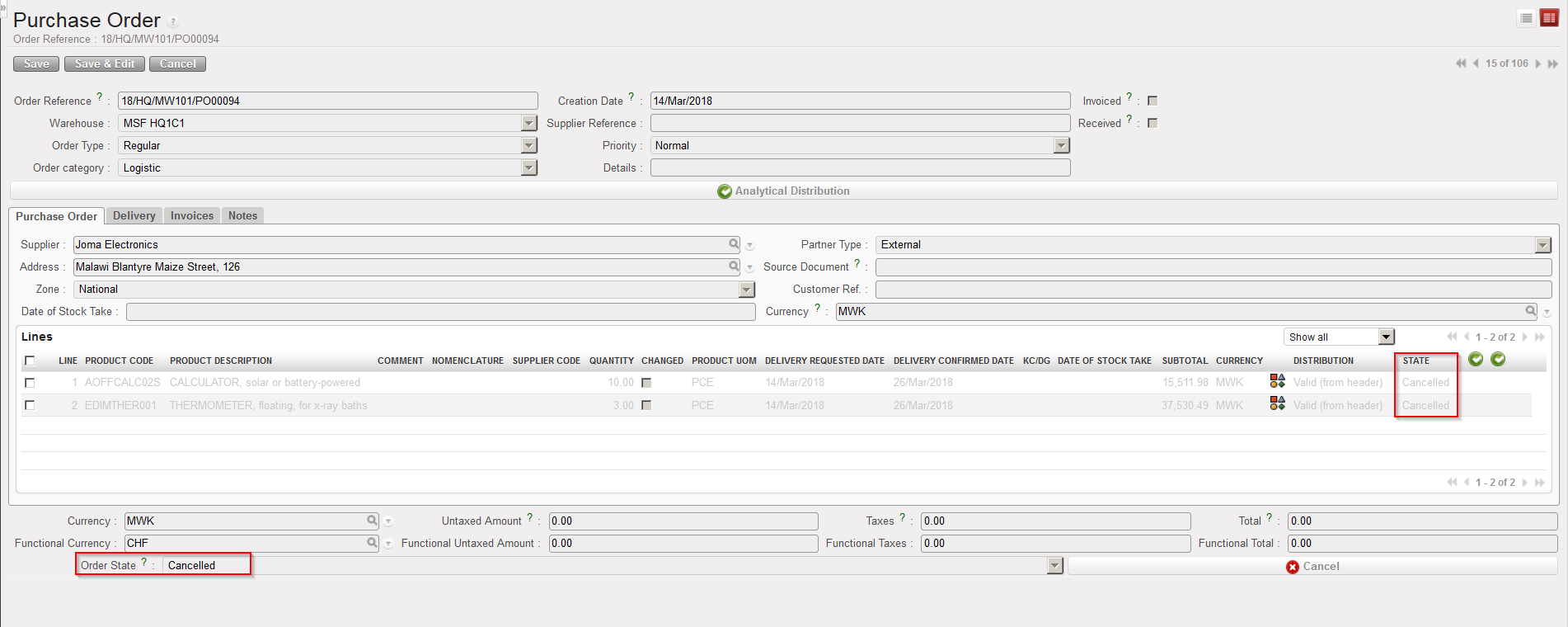
The Incoming Shipment switches to the state “Cancelled” and all its lines also switch to the state “Cancelled“. Please note that you have to filter on “Show all lines” or “Show cancelled lines” in order to display the Cancelled lines. The corresponding PO and all its lines switch to the state “Cancelled“.

PO following Incoming Shipment cancellation

Note that for an IN which is related to a PO created by OST following IR/FO sourcing, on top of the “Cancel” button, you will also have the “Cancel & Resource” button available at the bottom of the main IN screen.

If you decide to cancel an IN, all related documents will be impacted (PO, IR/FO, INT/OUT/PICK). If the related PO was created from FO sourcing, the related documents in the customer instance (PO, IN, INT/OUT…) will also be impacted once synchronization has been done on both sides.

H. How to receive products different from the ones ordered

Supply User Manual ENG -> 5. Warehouse -> 5.2 LU-SU4101: Incoming Shipments -> H. How to receive products different from the ones ordered

H. How to receive products different from the ones ordered

It happens that suppliers are unable to deliver exactly the products that have been ordered (and confirmed) and instead deliver alternative or similar products (ideally after agreement from the client). As the corresponding PO (or PO-line) has been confirmed, it is no longer possible to amend it to change the products concerned. Therefore, this change will have to be done during the reception process on the Incoming Shipment.

Go to: Warehouse / Warehouse Management / Incoming Shipments

  1. Click on the Incoming Shipment you wish to receive.
  2. Click on the “Process” button.
  3. Check that the products and quantities match with the delivery received from the supplier.
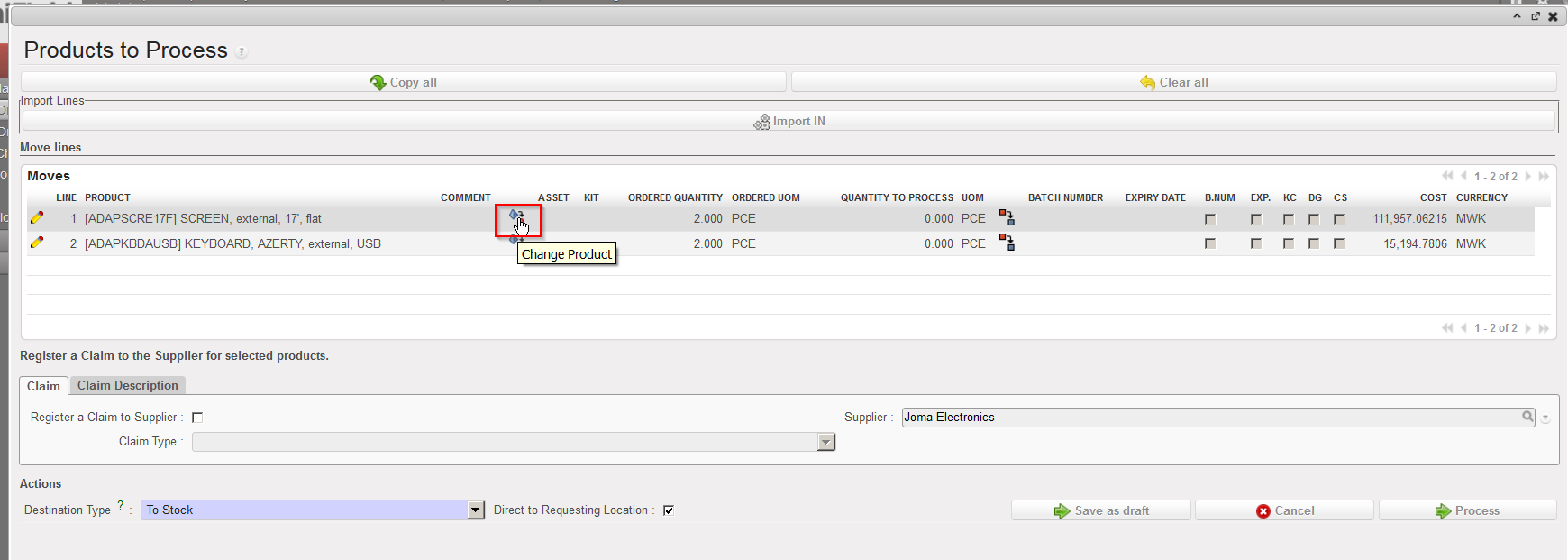
  4. If one product does not match with a received product, click on the “Change Product” icon .
  5. Enter the product actually received in the “New Product” field (in the “Change Product of Memory Move” window).
  6. Enter the reason for the change in the “Change Reason” field (this is a free text).
  7. Click on the “OK” button.

“Change Product” icon on the “Products to Process” screen

Changing a product on the “Change Product of Memory Move” window

8. The system sends you back to the “Products to Process” screen where the product has been changed accordingly.

Products to Process” screen after product change

From this stage, you may process the reception normally. Note that several products can be changed if needed.

Note that the corresponding PO won’t be updated and will keep the product which was initially confirmed. By consequence, at the end of the process, you will have a mismatch between the “Closed” PO and the “Closed” IN.

F. How to import lines into an Incoming Shipment

Supply User Manual ENG -> 5. Warehouse -> 5.2 LU-SU4101: Incoming Shipments -> F. How to import lines into an Incoming Shipment

F. How to import lines into an Incoming Shipment

If an Incoming Shipment is created from scratch, rather than entering all the lines of the IN manually, you may also choose to import those from an Excel file. Note that this file should have the XML Spreadsheet 2003 format and be organized as below.

Excel format to import on Incoming Shipment

Go to: Warehouse / Warehouse Management / Incoming Shipments

  1. Click on the “New” button.
  2. Enter the header information on the IN.
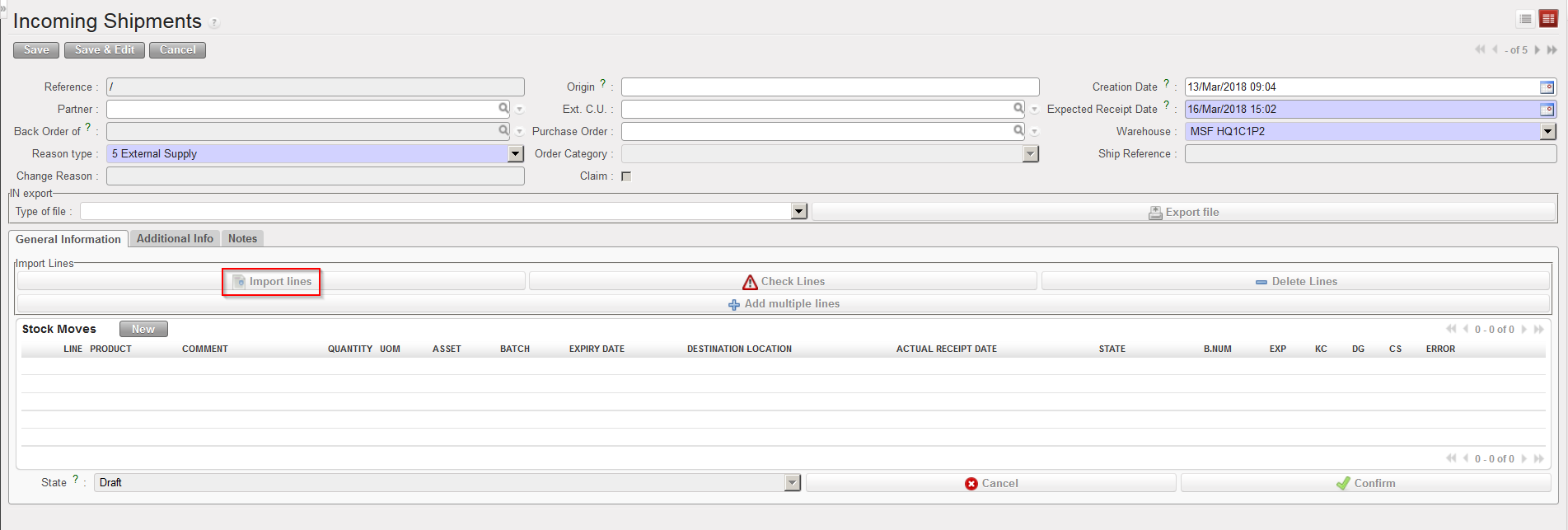
  3. Click on the “Import lines” button.

Importing an Excel file on an Incoming Shipment

       4. Click on the “add attachment” button.

       5. Click on “Browse” and select on your computer the file you wish to import on the Incoming                      Shipment. Note that from this screen (Import of lines) if you click on the “Save as” button, you will              be able to generate a template of file which can be imported on INs.

        6. Click “Open“.

        7. Click on the “Import file” button.

        8. Click on the “Update” button until the “% completed” bar reaches 100%.

        9. Check the result of the importation under “Information“.

        10. Click on the “Close window” button.

        11. The system displays the main IN screen with the imported lines.

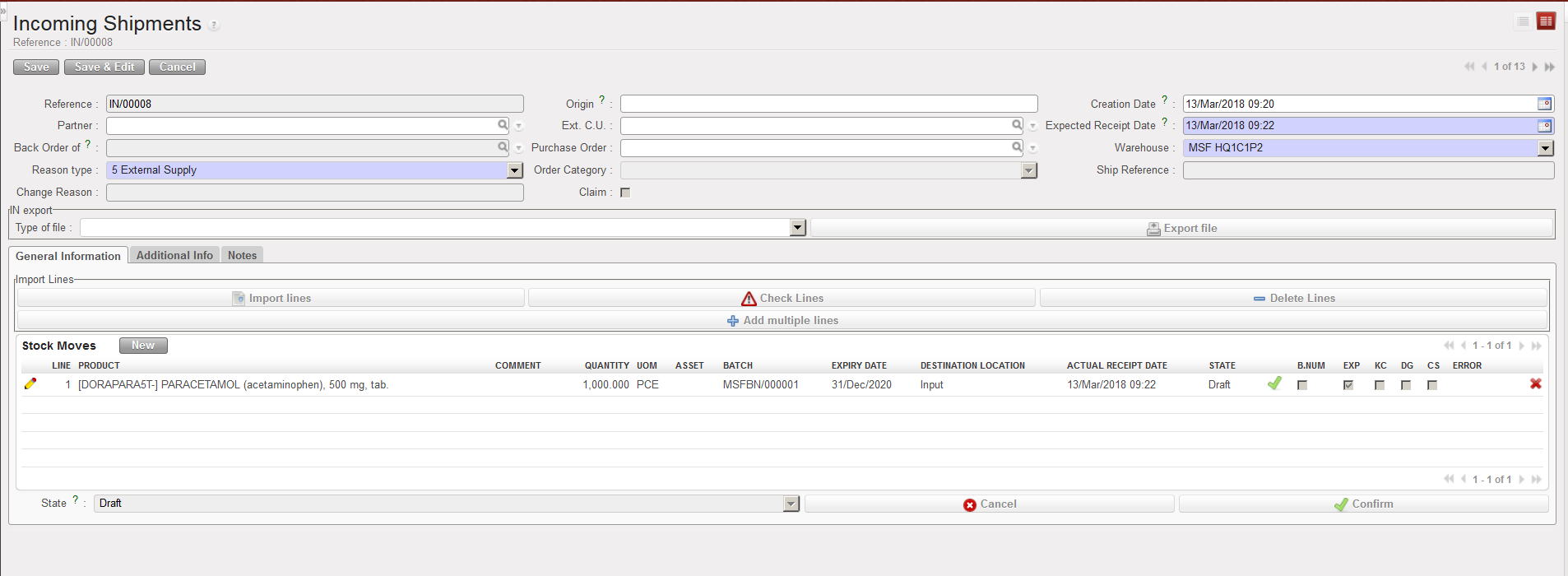
Excel file imported on an Incoming Shipment

Note that the imported file may include BN and ED of products (according to the settings of the products defined on the PMD sheet). If this is done, batch numbers will be created on the instance and be visible through Warehouse / Traceability / Batch numbers. As we will see later in this LU, batch numbers are actually master data as they can be reused on other transactions.